


Unbox ASMR is a tycoon game on Roblox where you buy crates from the Conveyor belt and then place those crates in your base to unbox them and obtain ASMR. You then have to walk on those ASMRs to earn money. Use that money to hire workers who walk on those ASMRs to generate money passively. You can then use that money to expand your base and upgrade your conveyor belt to earn more money and get better ASMRs.
If you’ve started playing Unbox ASMR but are having trouble with slow progression, this detailed Unbox ASMR beginner’s guide is exactly what you need to read. In this guide, we’ll tell you how to start making money quickly and passively, everything that you need to know to ensure smooth and quick progression, and more. So, let’s get right into it.
How to Earn Money in Unbox ASMR
There are three main ways to earn money in Unbox ASMR:
- Walk on ASMRs: Buy crates from the conveyor and unbox them to obtain ASMRs. Then, place the ASMRs in your base and walk or click on them to earn money with every step. High-rarity ASMRs give more money per step than low-rarity ones.
- Sell ASMRS: You can also sell ASMRs to make some quick cash. Simply click on the Sell ASMR button at the top of your screen to quickly teleport to the seller shop and choose to sell the full inventory or selected ASMRs.
- Claim Daily Rewards: You can make a decent amount of money by claiming the Daily Rewards. This is especially useful if you’re just getting started in Unbox ASMR.
If you want to automate your earnings, you need to hire Workers. Workers can be placed on top of the ASMRs, and they walk over them automatically to earn money. Read on to learn how to get Workers.
How to Get Workers in Unbox ASMR
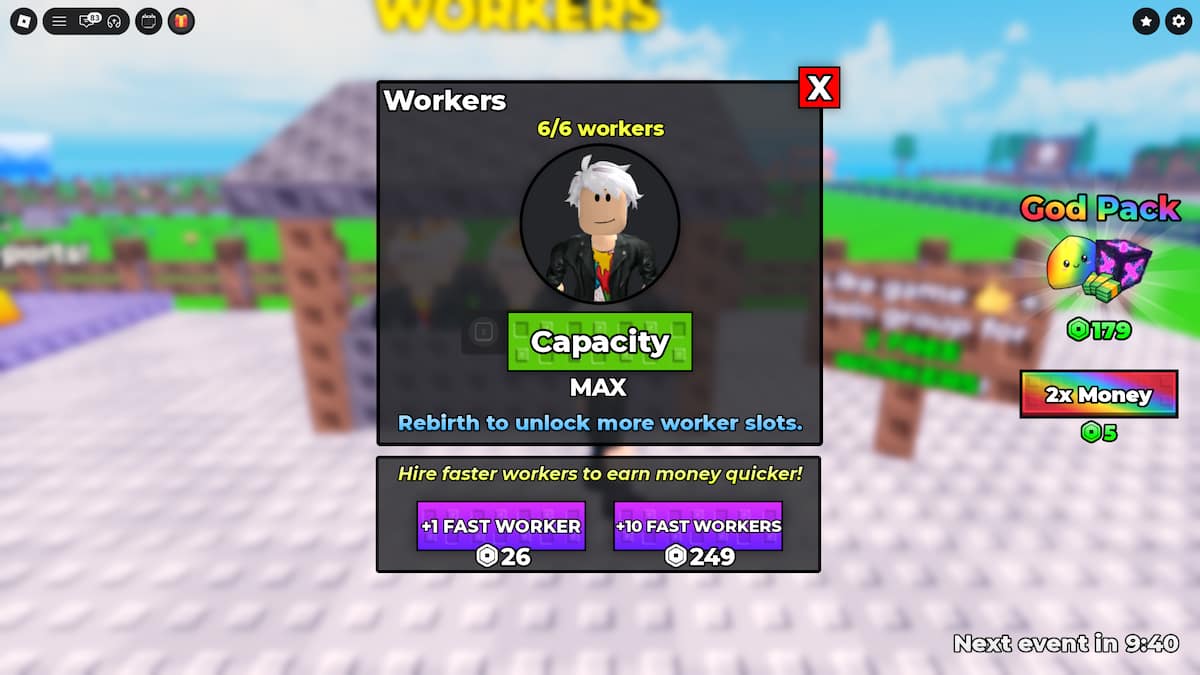
In your base, to the left of the Upgrade Conveyor button, you’ll see the Workers Shop. You can use Cash to buy up to 3 Workers when you get started. However, you can increase the maximum cap by performing Rebirths in Unbox ASMR.
There are a maximum of 10 Rebirths in Unbox ASMR, and completing all of these will give you 30+ workers capacity. Along with increased worker capacity, Rebirths will also permanently increase your cash earning rate from ASMRs and give you special Rebirth ASMRs as well.
Pro Tip: Make sure you like Unbox ASMR and join the official Unbox ASMR Roblox Community to get 2 free workers.
How to Rebirth in Unbox ASMR
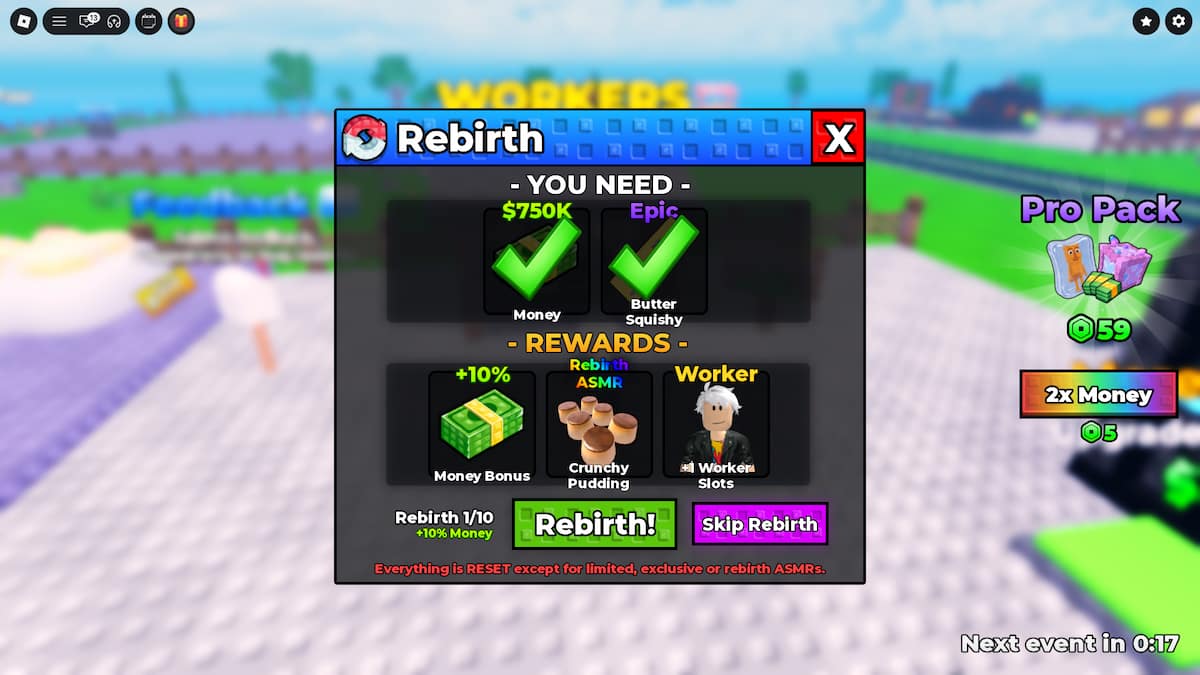
You can Rebirth in Unbox ASMR by clicking on the Rebirth button on the left side of your screen. To successfully Rebirth, you need to have the required amount of cash and the required ASMR in your base/inventory. Once you fulfil both conditions, just open the Rebirth menu and click on the Rebirth button.
Note: You can also skip rebirths using Robux to quickly unlock all the rewards.
When you Rebirth. You’ll lose all your Cash and ASMRs from your base and your inventory. Only Limited, Exclusive, and Rebirth ASMRs remain safe.
How to Get Better Crates in Unbox ASMR
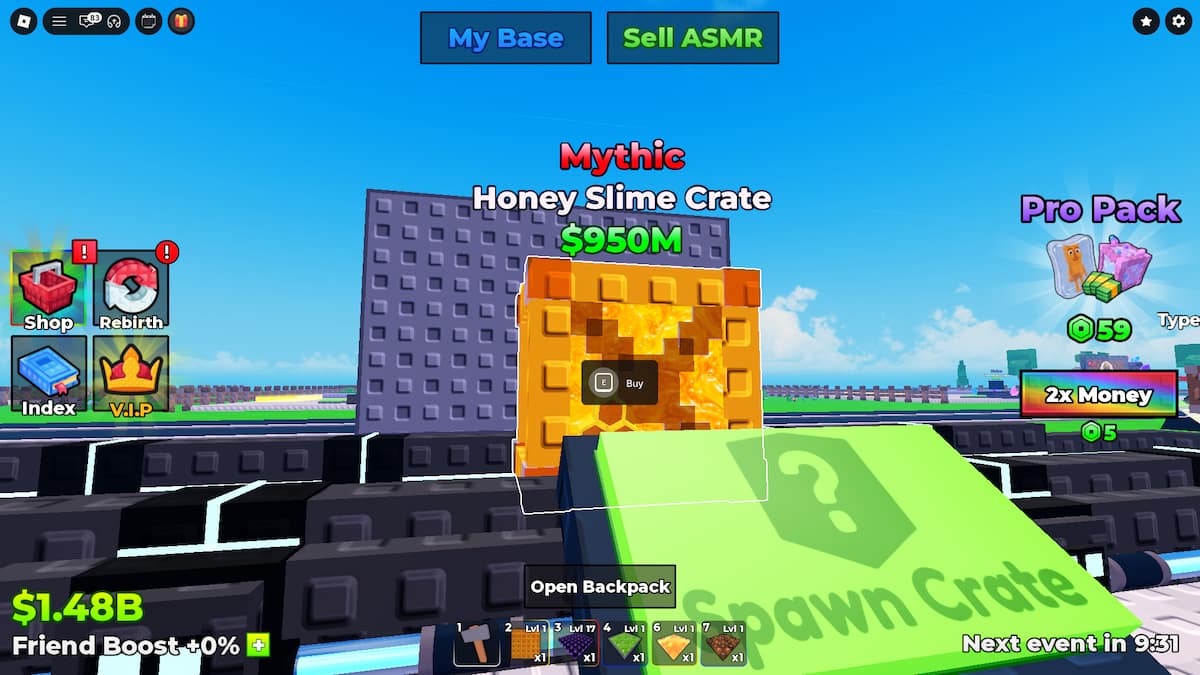
To get better/higher-rarity crates, you need to upgrade your conveyor. The conveyor can be upgraded using cash. Simply walk onto the Upgrade Conveyor button to change the conveyor appearance and increase the luck.
There are 13 different rarities of crates in Unbox ASMR: Common, Uncommon, Rare, Epic, Legendary, Mythic, Divine, Honey, Exotic, Godly, Rebirth ASMR, Exclusive, and Limited. Common is the lowest rarity, and Limited is the highest rarity in the game right now.
How to Get Honey Crates in Unbox ASMR
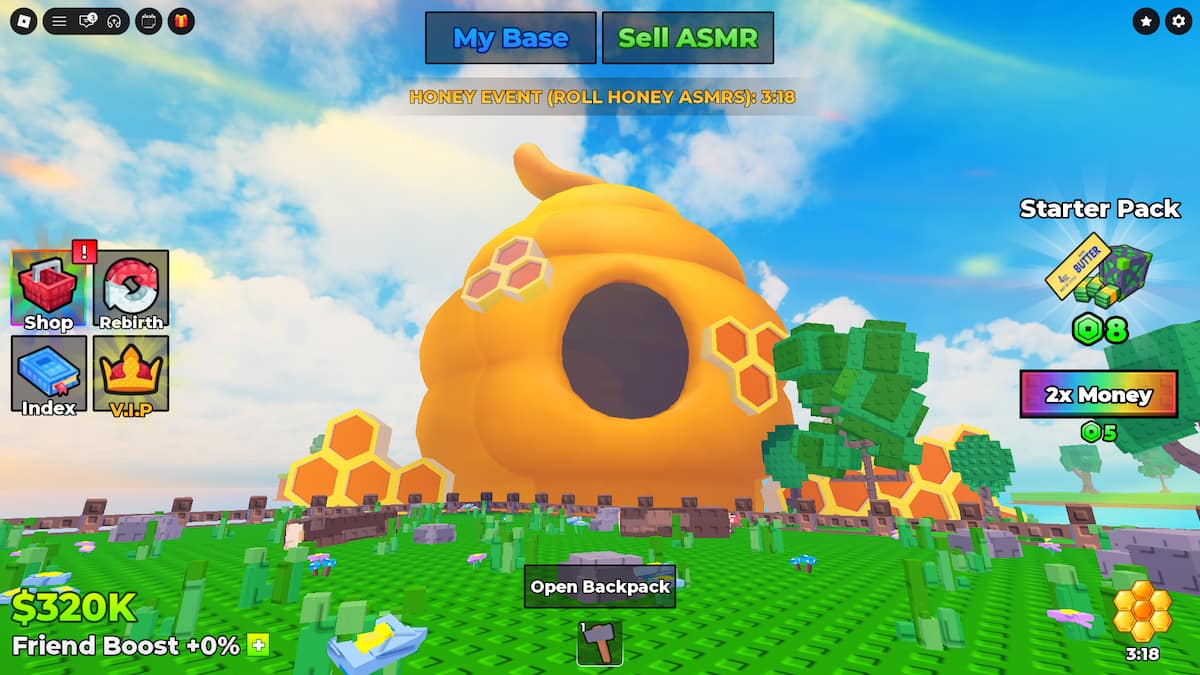
Honey Crates have a low chance to spawn on the conveyor normally and a high chance of spawning on the conveyor during the Honey Weather Event. The Honey Event can spawn randomly and lasts for 5 minutes. During this event, a giant beehive appears in the sky, and bees start flying around all over the map.
The Honey Crates can drop SIX Honey items, including a Keyboard, Spoon, Honey Comb, and more.
How to Get Better ASMRs in Unbox ASMR
You need to increase your luck to get better ASMRs in Unbox ASMR. There are two ways to get increased luck:
- Buy 2x Luck from the Shop. You can buy permanent 2x Luck from the Shop for 30 Robux.
- Open crates during the Luck Weather Event. While the Luck Weather Event is active, you’ll get a 2x Luck boost. It’s the perfect weather event for summoing and opening crates.
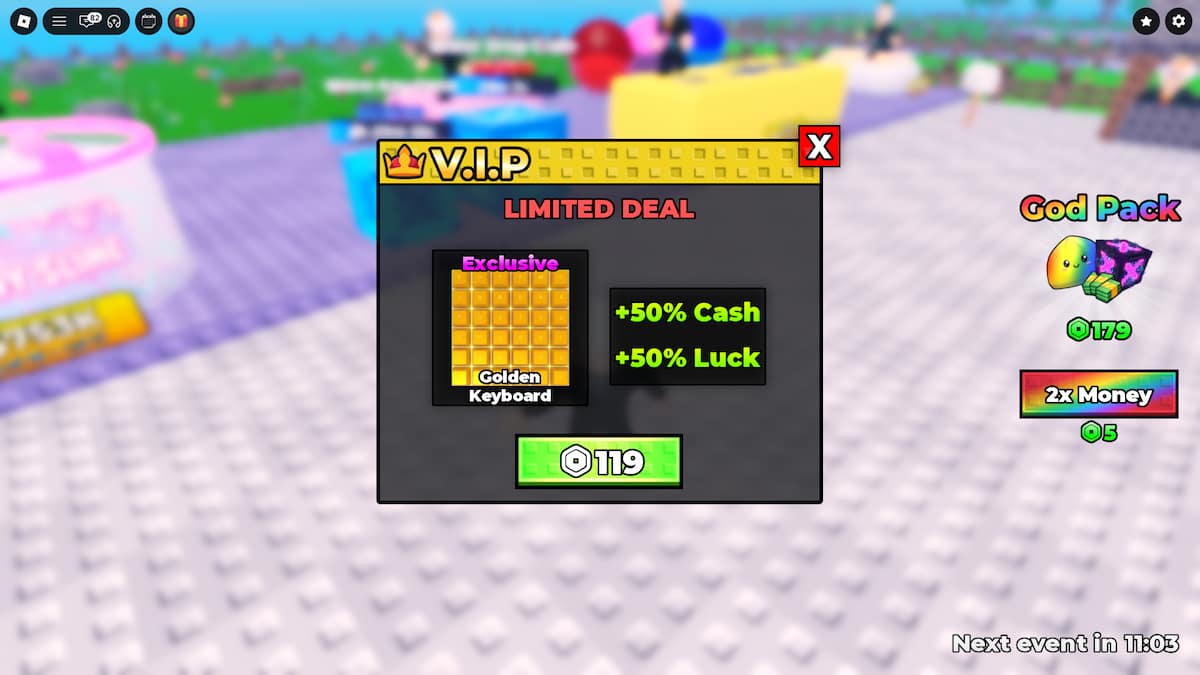
- Buy the VIP Gamepass: You can also buy the VIP Gamepass for 119 Robux to get a +50% Luck Boost, +50% Cash Boost, and the Exclusive Golden Keyboard ASMR.
The Luck Weather Event is currently the only F2P way of getting increased luck in Unbox ASMR. If and when the devs add another method, we’ll update this section accordingly.
What Are All The Weather Events in Unbox ASMR
As of the Honey Update, there are three Weather Events in Unbox ASMR: Cash Rush (increases cash earnings), Luck (increases Crate and ASMR luck), and the Honey Weather Event (increases spawn chances of Honey Crates).
Check out our detailed Unbox ASMR Weather Events Guide to learn more about all the weather events, their exact effects, and how to get the best out of each of them.
Unbox ASMR FAQs
Yes, Unbox ASMR does have Admin Abuse. You can see the exact date and time on which the Admin Abuse event will be hosted in Unbox ASMR. During the Admin Abuse, the devs activate weather events, increase luck, and give players the chance to get high-rarity crates and ASMRs.
The Limited ASMR is obtainable through the Limited Prismwave Keyboard Crate. This crate can only be obtained from the centre of the map in exchange for Robux. The Limited crate is currently sold out, and it is unclear whether it will be restocked or not.
The Exclusive ASMR is the Golden Keyboard that can only be obtained by purchasing the VIP Gamepass for 119 Robux. To purchase the gamepass, click on the VIP button on the left side of your screen. Buying the VIP Gamepass will also buff your Luck and Cash by +50%.
Every time you complete a Rebirth, you will get 1 Rebirth ASMR. Complete all 10 Rebirths to obtain all 10 Rebirth ASMRs. Rebirth ASMRs are permanent. These can’t be sold and are immune to the Rebirth data reset.
That's it for our Unbox ASMR beginner's guide. As the game receives more updates, we'll be creating more guides for it. So, make sure you check back after every major update if you have any confusion about the new content.
While you’re here, check out our Roblox section to find more helpful guides and get the latest codes for all the top Roblox games.


