


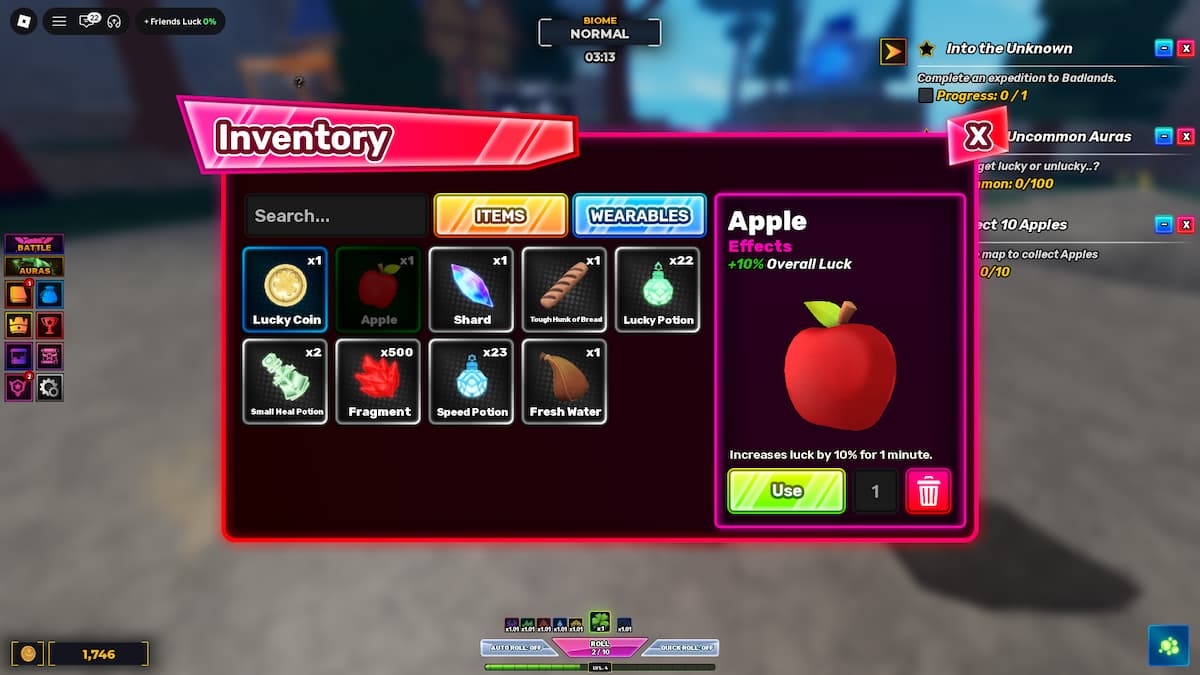
To get Apples in Unscathed, you need to find and pick them up from all over the map. Apples have a random chance to spawn in different areas of the map at completely random times. You need to collect 10 Apples to complete the Inkeeper’s quest. Apples are also a consumable item. When consumed, they grant +10% Luck for 1 minute.
If you have also accepted the Inkeeper’s quest to collect 10 Apples in Unscathed but are having trouble finding the Apples, you’re not the only one. That’s why, to help everyone complete the quest, we put together this detailed guide that will tell you about the spawn times and the most common spawn locations of the Apples. So, let’s dive right in.
How to Get Apples in Unscathed
Apples in Unscathed can be obtained by picking them up from the ground across different areas of the map. They currently have a very low spawn chance, so completing this quest will definitely take a long time. The exact respawn time is currently unknown, but I have experienced that multiple apples spawn every 50 to 60 minutes on a server.
A good strategy to follow, if you want to collect apples faster, is server hopping. Try to join full and old servers to increase your chances of finding apples. Once an apple spawns, everyone in the server can pick it up. It does not despawn even if all the other players have collected it.
Where Do Apples Spawn in Unscathed
Apples do not have a set spawn location in Unscathed. As highlighted in the game and discovered through gameplay, apples can spawn anywhere on the map. The most common spawn location for apples is the player spawn area. You can find apples in the open area across from the Traveler NPC and near the Blacksmith NPC.
What Is the Use of Apples in Unscathed
Apart from the Inkeeper’s quest, apples also have another use in Unscathed. Apples are a consumable item in Unscathed. If you consume an apple, you’ll get +10% Luck for 1 minute. You can use multiple apples to make the effect last longer. So, for example, if you consume 3 apples, the +10% Luck boost will last for 3 minutes.
Do Apples Spawn in Private Servers in Unscathed
Yes, apples do spawn on both private and public servers. One thing to keep in mind is that the apples that spawn in public servers are for everyone. So, when an apple spawns in a public server, it will stay there until every player in the server has picked it up.
So, if you plan on playing in a private server only because of collecting apples, you don’t have to do that.
While you’re here, also check out and redeem the latest Unscathed Codes for some free Cash, Potions, and more. Also see our Roblox Unscathed Progression and Farming Guide if you’re feeling lost or struggling with progression.


