Updated January 12, 2026
Quarantine Zone: The Last Check just launched on January 12, 2026 for PC.
Quarantine Zone: The Last Check is a mixture of Papers Please and Contraband Police. Your task is to check for infections and take appropriate action for each survivor to prevent further spread. Our Quarantine Zone: The Last Check beginner's guide will show you how to become the best at your job.
Quarantine Zone Tools List - How to Use Them
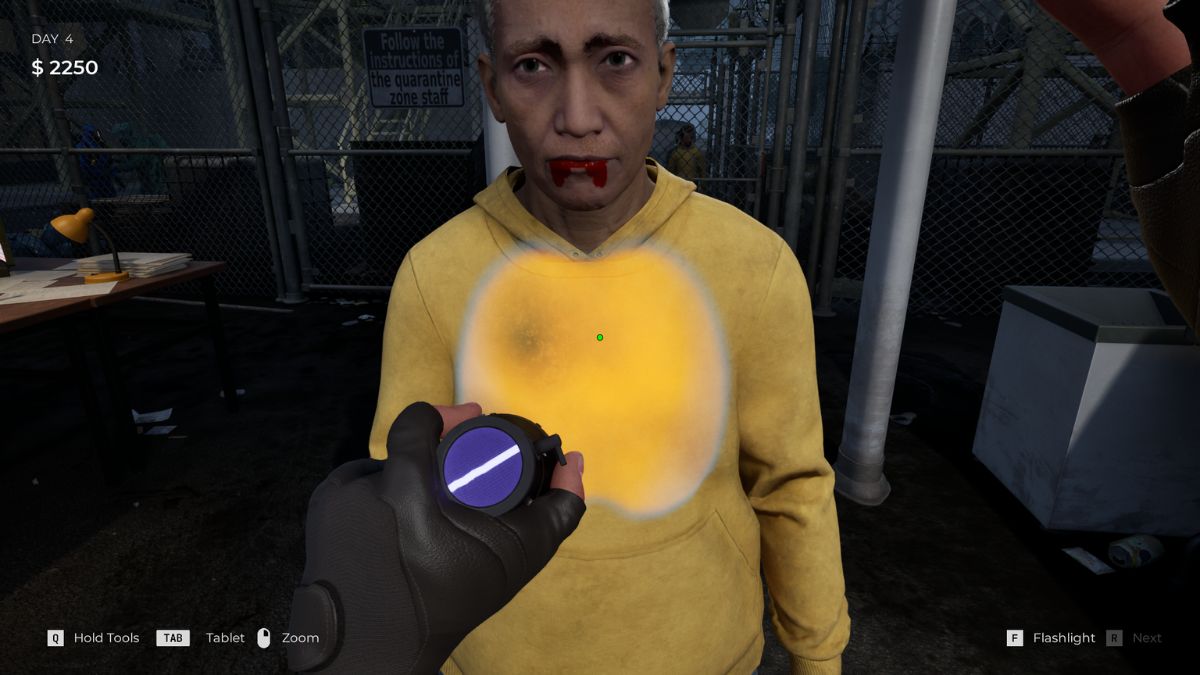
As you progress through the game, you will be given new tools to check the survivors. Most of them won't have any visible infection. You have to use the tools to see if everything checks out or if the person is hiding something.
Using these tools will let you determine whether the person is healthy, infected, or about to turn into a zombie. If they have an injury, you should put them in the quarantine zone and see if their condition improves. In the table below, you'll see what each tool does and when to use it.
Related: All Graffiti Locations in Quarantine The Last Check
| Tool | How to Use | Purpose |
|---|---|---|
| Flashlight | Remove sunglasses before checking eyes. | Basic visual inspection of eyes, skin, and wounds. Your starting tool. |
| UV Scanner | Activates automatically when scanning. | Used to scan the person for bite marks or other injuries. You can use the UV light with it to see hidden infections as well. |
| Thermo-Pulse-Meter | Point at the survivor and wait for the reading. | Temperature and pulse check. Elevated = quarantine. High/Extreme = infected. |
| Portable X-Ray | Unlocks after Day 2. Point and scan. | Scans internal organs for infection. Also catches contraband hidden inside the body. |
| Metiascope | Unlocks after Day 2. Focus on eyes. | Detailed eye inspection beyond flashlight checks. Catches eye infection markers. |
| Reflex Hammer | Unlocks Day 3. Tap elbows and knees. | Tests reflexes. Normal reflex = safe. Crossed reflex or hyperaggressive = infected. |
| Pistol | Used for a defence. | Some infected become aggressive. Don't hesitate to take them down. |
| Syringe Scanner | Expensive to use. | Instant infection test. Only use when genuinely uncertain—saves are expensive. |
Inspection routine
You'll unlock new inspection tools as you progress. Start with the flashlight, then improve your inspection routine as you get advanced equipment by Day 3 or 4.
- Visual check (flashlight, walk around survivor, check all angles)
- Thermopulse reading
- UV scanner, if you see any injuries
- Reflex hammer once unlocked
- Specialized tools (X-ray, metiascope) only if something seems off
NOTE: Crouch to check legs properly. Zoom for close inspection of eyes and small details.
How to Spot Infections in Quarantine Zone
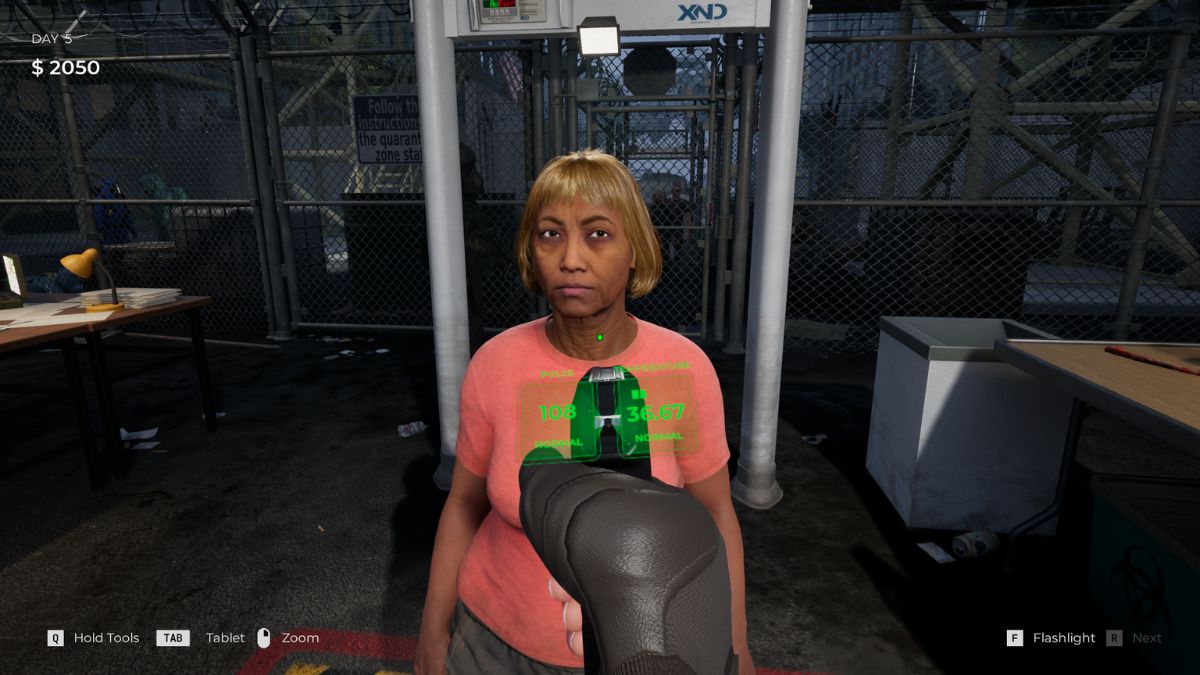
Your main job is to detect infected people and either put them in quarantine or send them to the liquidation zone. Different symptoms will affect people; some might be signs of the virus, while others aren't. They will try to hide everything from you, but your job is to use your tools and take action.
As you progress, new types of symptoms will pop up, and you'll have to know what to do. Sometimes it takes trial and error, but we're here to help you. Here are all the symptoms that can affect humans, along with the actions you need to take. The game uses a color-coded system:
- Green box = Safe, let them through
- Orange box = Possible infection, send to quarantine
- Red box = Active infection, liquidate immediately
| Visual Symptoms | What to do |
|---|---|
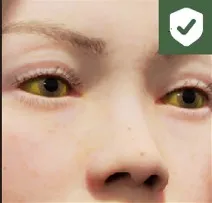 Yellow eyes | Good to go |
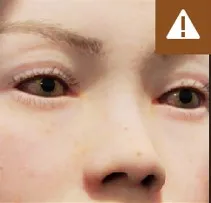 Conjunctivitis | Put into quarantine and follow up the next day |
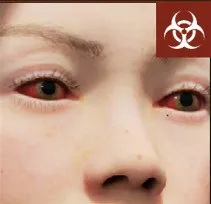 Red eyes | Most likely about to turn into a zombie. Put into the liquidation zone |
 Red skin | Good to go |
 Pale skin | Put in quarantine |
 Green skin | Infected, about to turn |
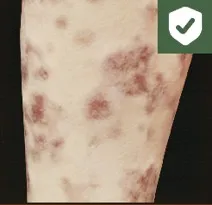 Herpes | Good to go |
 Freckles | Good to go |
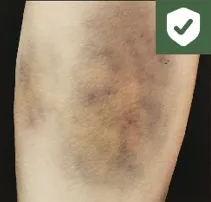 Bruises | Good to go |
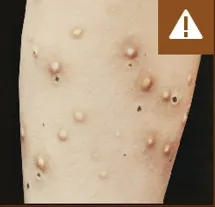 Skin rash | The person might have an infection. Put them in quarantine |
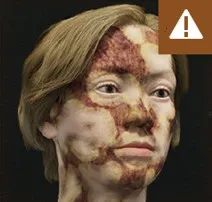 Red bruise | This is another sign of a possible infection. Put them in quarantine |
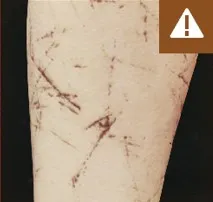 Skin cuts | Quarantine the person and check up on them after 1 day |
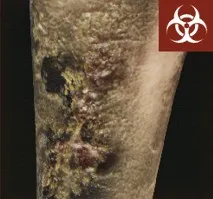 Necrosis | Liquidate the person |
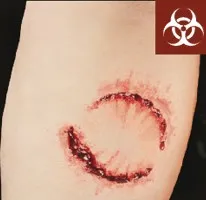 Bite Mark | The person is infected and will turn |
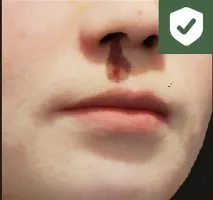 Nose bleed | Good to go |
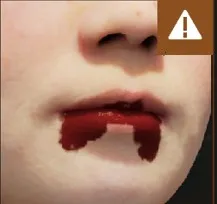 Mouth blood | Keep them in quarantine |
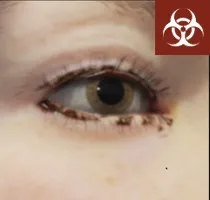 Eye pus | Infected |
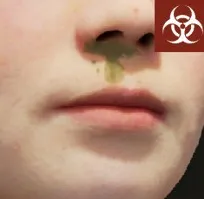 Nose pus | Infected |
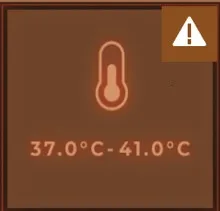 Elevated temperature | Put them in quarantine |
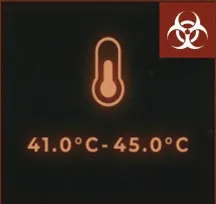 High temperature | Infected |
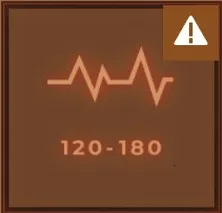 Elevated pulse | Keep them quarantined |
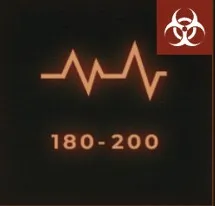 Extreme pulse | Infected |
| Check every bag and item to see if they are carrying contraband | Put them in quarantine |
| Hiccups | Check up on the person in quarantine |
| Cough | Quarantine the person |
| Sick breath | Keep them in quarantine and check up on them later |
| Virus breath | The person will turn into a zombie |
| Baggage | Check every bag and item to see if tey are carrying contraband |
| Weapon | Confiscate all weapons before clearing the person |
| Zombie baggage | Confiscate this instantly |
Quick inspection tips:
- Walk around every survivor - check front, back, arms, legs, neck
- Remove anything blocking your view (sunglasses, hats)
- Use UV scanner on anyone with visible wounds
- Take your time - rushing causes mistakes
What is the Quarantine Area
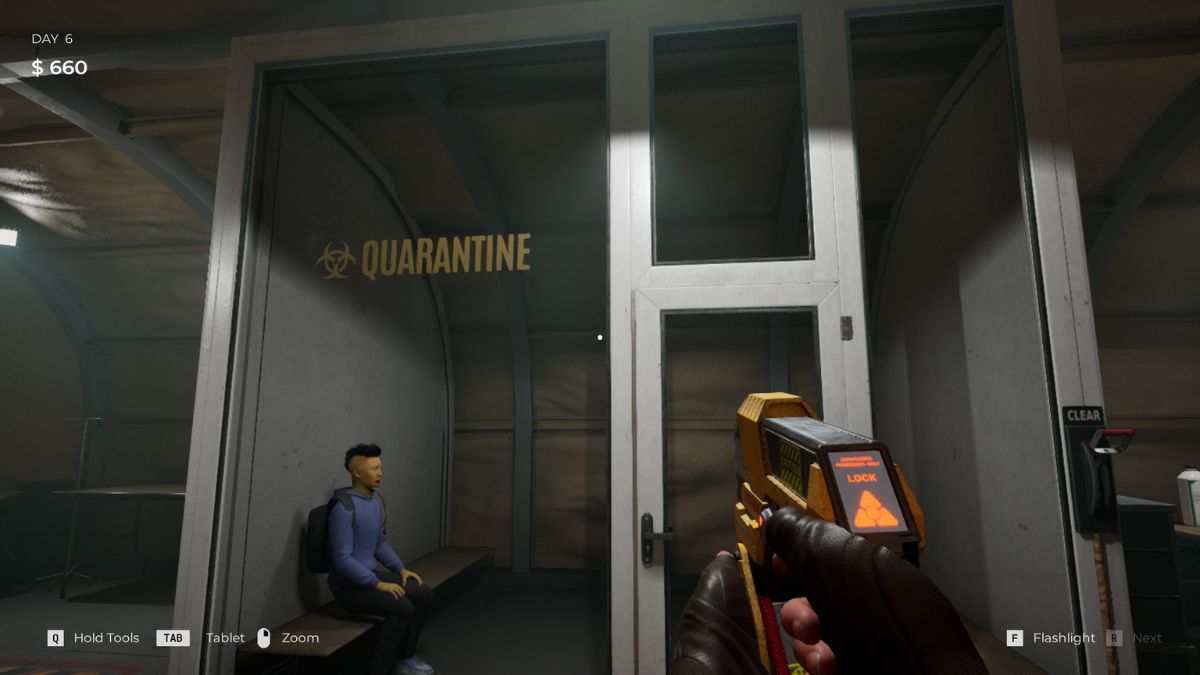
Your job is to check every person and send them to the right area. If there is something wrong with the person, you have to put them in quarantine. Initially, the quarantine area can hold up to 4 people, but you can upgrade this later in the game.
After sending someone to the quarantine zone, wait a day and check up on them to see if their health has improved. Some people will show an improvement and have their cough or other infections healed. However, if the person's health shows signs of degradation, you should do the right thing and send them to the liquidation zone - don't ask what happens there.
How the Quarantine Area works
Keep in mind that if you leave a person in quarantine for more than 2 days and they turn out to be infected, they will turn into a zombie and bite all other people in the quarantine area, so you're risking innocent lives. Make sure to check in on time and clean up the area before sending new people there.
- Send suspicious survivors to quarantine
- You MUST recheck them within 24 hours
- Possible outcomes:
- Symptoms clear = Release to Survivor Block
- Symptoms unchanged = Keep one more day, then decide
- Symptoms worsen = Liquidate immediately
- They turn into zombies = Attacks everyone in quarantine
How to Upgrade Your Base
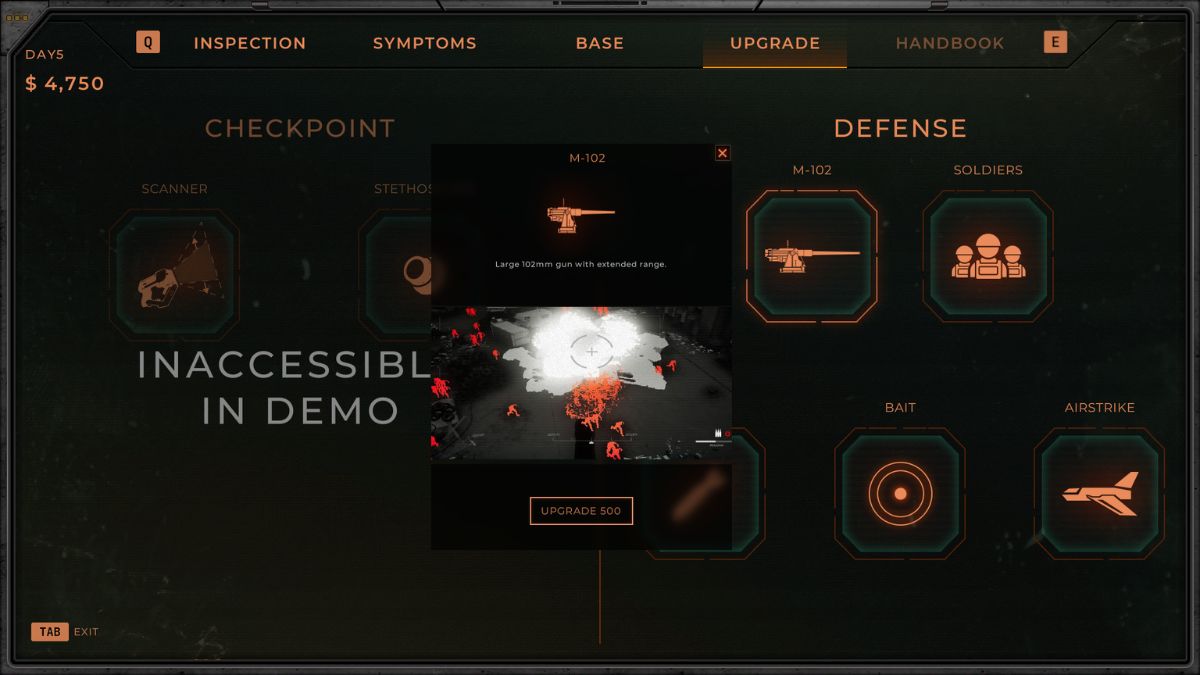
Upgrading your base is one of the most important things you can do. As you progress, your base will get attacked by hordes of zombies. Initially, you can mow them down with the mini-gun and the rocket launcher. However, zombies will become stronger the more you play.
To continue keeping them out of your base, you'll have to upgrade all your weapons so that they deal more damage. This will also increase their reload speed, which means you have more damage output.
If you want to upgrade your base, open your tablet and head over to the "upgrade" section. Here, you can find everything you want to upgrade. Prioritize what you want to enhance first and do it. You can even upgrade your tools to make them more effective.
Upgrade priority:
- Defensive weapons (minigun, rockets, 37mm cannon) - Damage + reload speed for horde defense
- Quarantine capacity - More cells = more flexibility
- Inspection tools - Unlock advanced equipment faster
- Resource storage - Hold more food/fuel/medkits
- Base infrastructure - Efficiency for canteen/clinic/power
How to Defend Your Base

Defending your base is as important as keeping it safe from the inside. After a few days, hordes of zombies will attack your camp and try to break down the gates. Your job is to protect everyone and use the drone to clear out the horde.
Drone weapons:
- Minigun - Close range, high fire rate
- 37mm Cannon - Medium range, balanced
- 105mm Cannon - Long range, heavy damage
When you are attacked, the drone will be automatically activated. There, you can use the mini-gun or rockets. You should regularly upgrade these weapons as stronger zombies will be harder to kill later in the game. If you cannot defend your base, it's game over, and you'll have to start from the previous checkpoint.
When to Buy More Resources
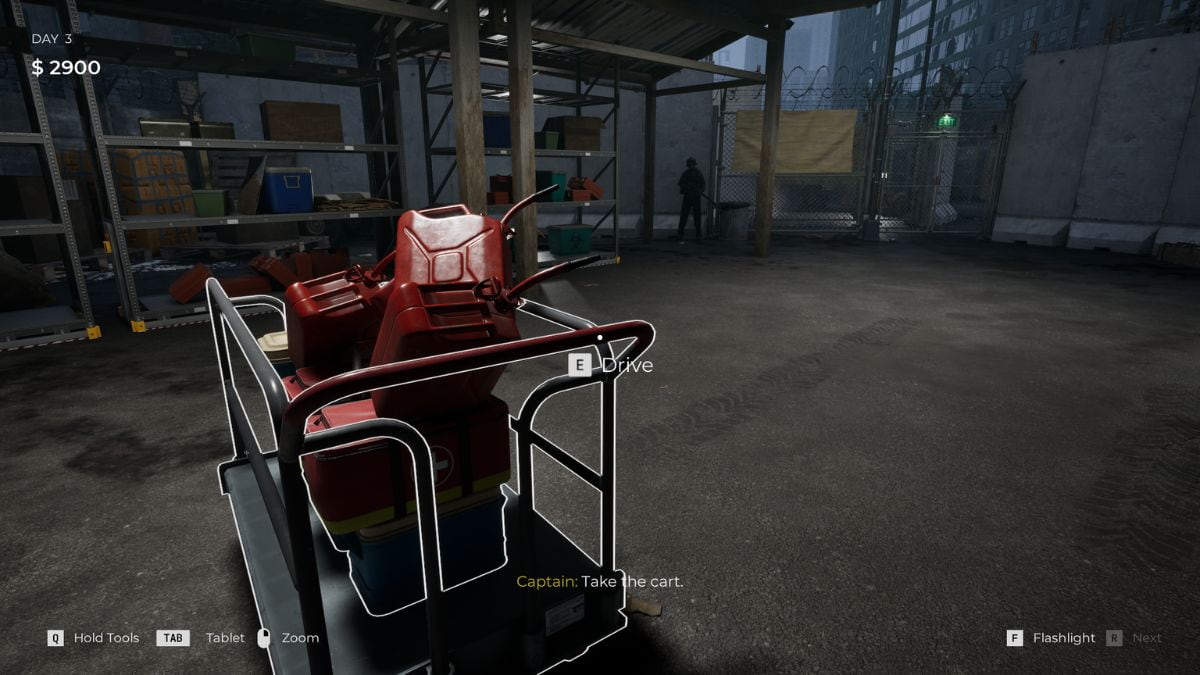
Buying resources is extremely important in Quarantine Zone: The Last Check. Every survivor that you clear will be sent to the evacuation zone. Here, they will stay in tents and eat in the dining hall. The more people you have, the more resources they will spend.
NOTE: Never let resources drop below 30%. Order more supplies as soon as you hit this threshold.
If they run out of resources, there will be turmoil in your camp, and the people might even riot. To avoid all that, you should always check how many resources each block is using by heading over to each block. If the generator is about to shut down, you should add more fuel and place it near the generator.
How to order:
- Open tablet
- Navigate to building (Canteen for food, Power for fuel, Clinic for medkits)
- Purchase from the Resupply tab
You should also keep an eye on the food to see if you need to get more. Ordering resources can be done by opening your tablet and purchasing food, fuel, and medkits. Buying them in bulk can cost you a lot of money, so make sure that you regularly purchase resources and keep your camp running.
Quarantine Zone: The Last Check FAQ
Quarantine Zone: The Last Check is exclusively available on PC via Steam ($19.99) and PC Game Pass. Console versions for PlayStation, Xbox, or Nintendo Switch are not available at launch.
Check for multiple symptoms using the color-coded system: Green boxes are safe, orange boxes need quarantine observation, and red boxes indicate active infection requiring immediate liquidation. Use your tools (UV scanner, thermopulse meter, reflex hammer) to find hidden infections.
When food, fuel, or medical supplies run out, riots break out immediately. Follow the 30% Rule - order new supplies as soon as any resource drops to 30% capacity to avoid camp-wide chaos.
You must recheck quarantined survivors within 24 hours. Never leave anyone in quarantine for more than 2 days - infected survivors will turn into zombies and attack other quarantined people.
No. The game is designed around impossible choices and tradeoffs. Your goal is keeping the checkpoint operational, not achieving a zero-casualty run. Sometimes innocent people die because you couldn't risk being wrong
For more zombie games, check out Zombie.io codes to take down more infected easily.