Call of Duty: Vanguard is available on Xbox One, Xbox Series X|S, PS5, and PS4. The game provides loads of settings for players to customize the game according to their preferences. Here’s a guide to the best console settings in Call of Duty: Vanguard. Best Controller Settings Although sensitivity is subjective and should be determined […]
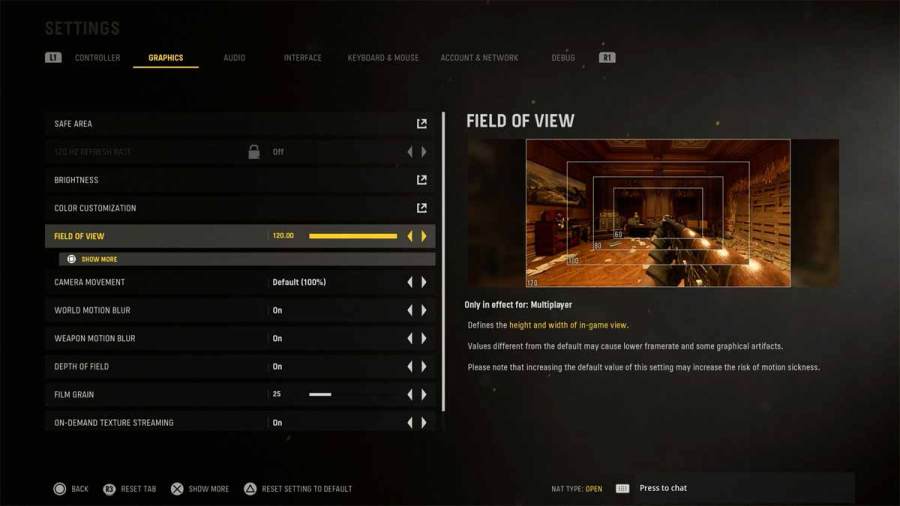
Call of Duty Vanguard comes with many customization options, be it in-game settings or custom weapon loadouts. One of the most important gameplay settings in the field of view (FOV). Luckily, Vanguard allows players to change their FOV on all platforms, i.e., PC and PlayStation, and Xbox consoles. To change your field of view in CoD […]
Call of Duty Vanguard Zombies has a specific set of camouflage challenges for the weapons. Completing the Camo challenges can be time consuming, but they are totally worth it. Follow this article if you’ve decided to unlock the Zombies Mastery Camos in Vanguard. There are three Mastery or Completionist Camos for Zombies—Golden Viper, Plague Diamond, […]
Call of Duty Vanguard Multiplayer offers a wide variety of camouflage options for its weapons. Most noticeable are the Completionist Camos, also known as Mastery Camos. There are a total of three Mastery Camos for every weapon in Vanguard. Here’s a guide on how to unlock all Mastery Camos in Vanguard Multiplayer. Unlock Gold Camo […]
Call of Duty Vanguard features fully customizable weapons and loadouts. You can change any attachment on your primary or secondary weapon via Gunsmith. Unlike Black Ops and Modern Warfare, which had five attachment slots, Vanguard gives you 10 attachment slots on your weapon. Each attachment type works differently and changes specific aspects of the gun. […]