Updated: May 4, 2026
We added the latest Star Wars Tycoon code for the premium pass—0066.
Use Star Wars Tycoon codes to claim the Premium Pass and command the galaxy! Crafted by the visionary Frostmouse, this epic Fortnite island transforms you from a lonely scavenger into a galactic powerhouse. Harness the Force, upgrade your base, and crush your XP goals.
All Fortnite Star Wars Tycoon Codes List
Tired of scrolling through numerous messages on Discord and socials just to find one code? Then check out our Fortnite Star Wars Tycoon code list! We keep everything neat just for you. Grab your Premium pass as fast as you can before it's too late! Want more Fortnite fun? Jump over to our Sail For The Brainrots Fortnite Codes post for more free rewards.
Active Codes
- 0066—Premium Pass
Expired Codes
- There are no expired codes.
Related: Steal the Brainrot Fortnite Codes
How to Redeem Star Wars Tycoon Codes in Fortnite
To redeem your Star Wars Tycoon Fortnite codes, make sure to follow the steps below:
- Run Star Wars Tycoon in Fortnite.
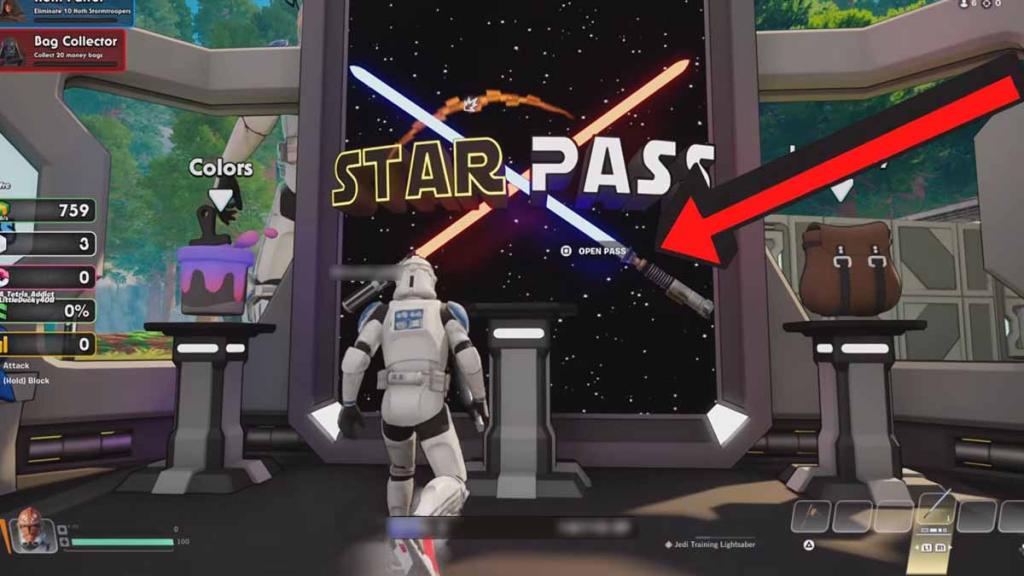
- Head to the STAR PASS terminal and open it.
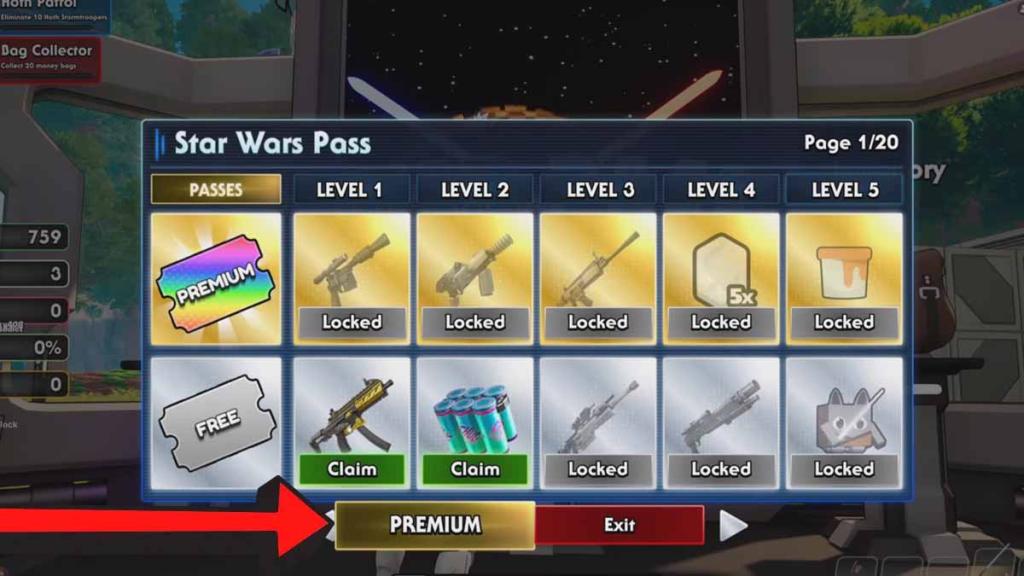
- Click on the PREMIUM button as shown below.
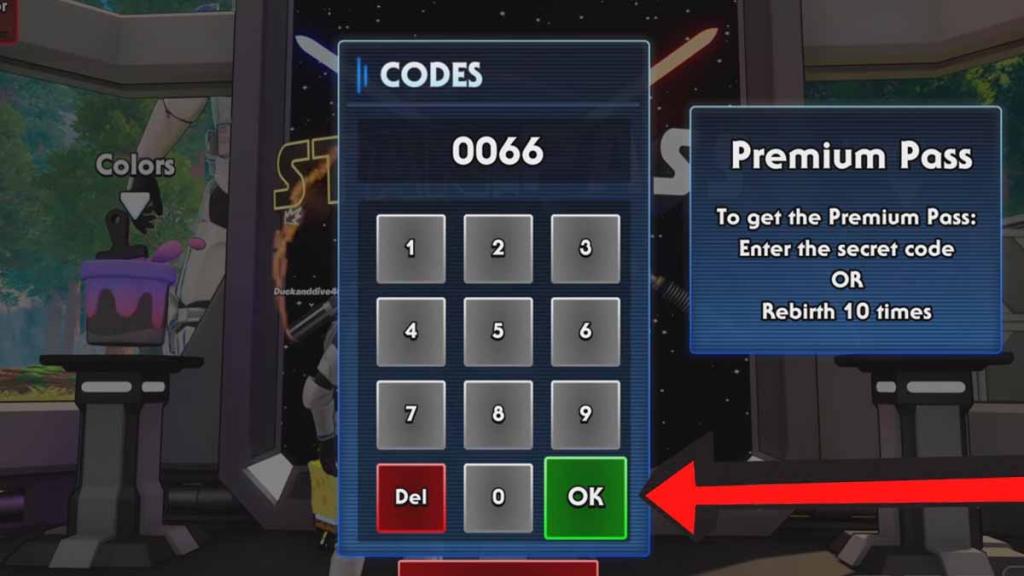
- Enter your code into the text field.
- Hit OK to get your Premium Pass.
How to Get More Codes
To uncover more Fortnite Star Wars Tycoon codes and maintain your grip on the galaxy, you can join the Frostmouse Discord server or check out their posts on X (@FrostmouseDev). As the developer refines this sector of the multiverse, new rewards often surface following map updates or major Star Wars events, ensuring your journey through the stars is always backed by the latest intel. To stay in the loop more easily, make sure to bookmark this post and come back to it from time to time.
Fortnite Star Wars Tycoon FAQ
The map code for Star Wars Tycoon is 1503-4746-6491.
- The Clicker: The most effective way to earn XP is by shooting the clicker.
- Multiplayer boost: If you have multiple accounts on the map, having them all shoot the same clicker increases the rate at which you earn currency (and potentially XP).
- Stay Active: The game may stop granting XP if you remain completely idle. Ensure you press a button or move your camera at least once every 7 minutes to keep the XP flowing.
- Private Lobbies: Using a private lobby is highly recommended so you aren't killed by other players, which would force you to respawn and lose time.
The Star Pass is a progression system within the map. You can unlock it by upgrading items in your base.
For more games on Fortnite and rewards, check out Survive Lava for Brainrots Fortnite Codes here on PGG.