


Updated: November 10, 2026
There are 2 active Lighthouse Zombies codes as of November 10, 2026. Redeem 5000 and 1234 for Panda Points and more rewards!
Lighthouse Zombies is a first-person zombie survival game in Fortnite created by Pandvil. You'll face endless waves of undead enemies, with each round becoming more challenging as you fight to stay alive. You can play solo or team up with friends, unlock eight unique perks, and discover hidden Easter eggs and secrets throughout the map. Choose between Easy, Normal, and Hardcore difficulty modes to see how long you can survive, and use all the working Lighthouse Zombie codes to enhance your gameplay!
What Are All the Active Lighthouse Zombies Codes?
Lighthouse Zombies codes give you free Panda Points and other rewards to help you during your zombie-slaying adventures. Check out the active codes below and redeem them before they expire! For more shooting, check out Fortnite MEGA RED VS BLUE codes!
Active Lighthouse Zombies Codes
- 5000—Redeem for 5k Panda Points
- 1234—Redeem for free rewards
Expired Lighthouse Zombies Codes
- There are currently no expired codes.
How Do You Redeem Lighthouse Zombies Codes?
Redeeming codes in Lighthouse Zombies is easy. You don't need to visit any external website; simply enter them through the in-game Keypad menu by following these steps:
- Launch Lighthouse Zombies in Fortnite.
- Open the in-game menu.
- Click the Keypad button.
- Enter an active code into the text box and press Enter to claim your rewards.
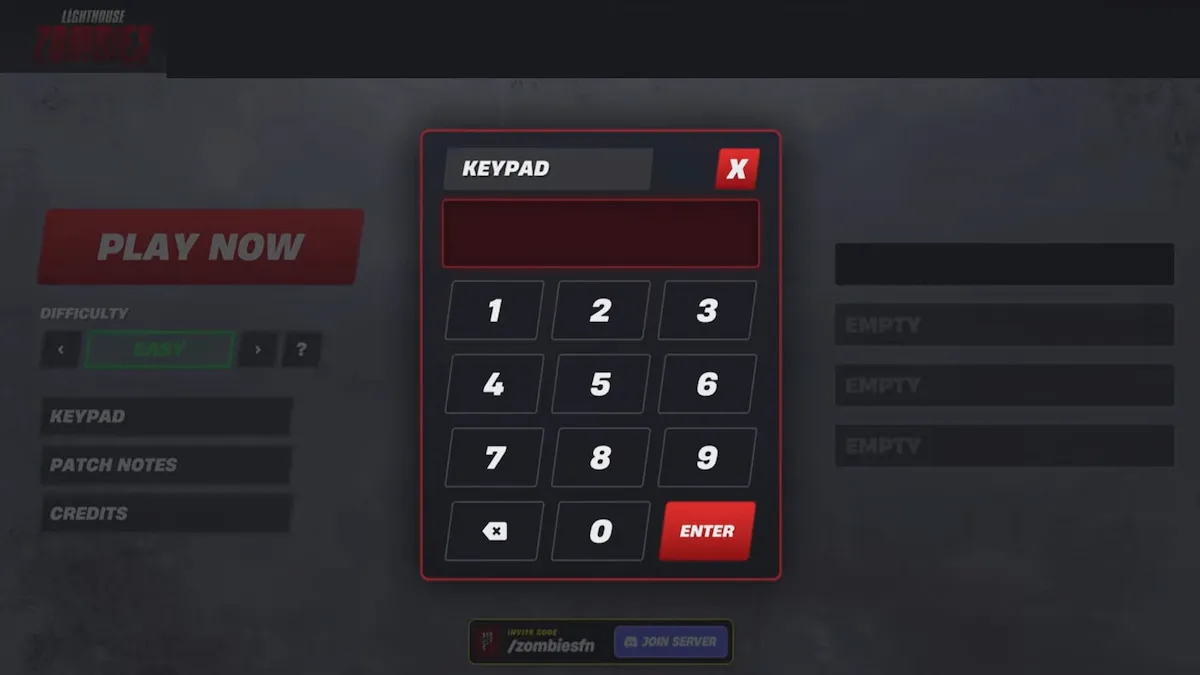
Check every Lighthouse Zombies code carefully before redeeming it, since incorrect spelling or numbers can make it fail. Copying and pasting codes directly from our active list is the easiest way to avoid mistakes.
Where Do You Find More Lighthouse Zombies Codes?
The best place to look for more Lighthouse Zombies codes is the official Pandvil community on Fortnite. You can follow it to keep up with new announcements, updates, and community discoveries. The developers may also share additional codes during special events or when the map reaches new milestones. You can bookmark this page, too, as we regularly check for new codes and update our list.
How Can You Earn Panda Points and Unlock New Areas in Lighthouse Zombies?
Panda Points are essential for surviving longer in Lighthouse Zombies, as you'll need them to unlock new sections of the map, purchase weapons, and buy perks. The main way to earn points is by eliminating zombies, so make sure you're consistently fighting off incoming waves rather than wasting resources too early. Save enough points to open new areas and access better weapons and perks, which will give you a much better chance of surviving the increasingly difficult rounds.
Check out our General Game Codes section for even more freebies across your favorite Fortnite experiences.


