



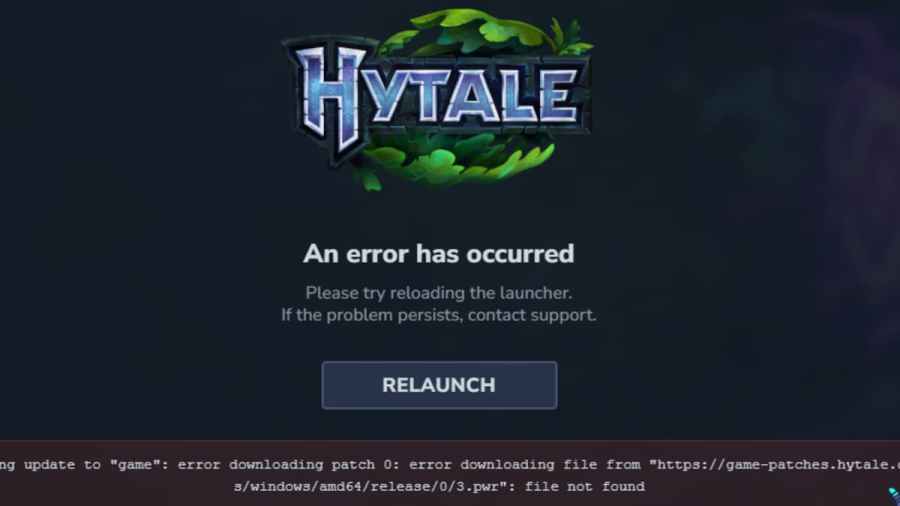
Hypixel Studios is rolling out patches for Hytale on a daily basis. However, the downloading and application of those patches isn’t smooth and error-free for everyone. If you’re having trouble downloading the latest patch, here are a few fixes that you can try to get rid of the Hytale error applying update to game error.
Note: Do not try to uninstall and reinstall the launcher method. It will remove the error, but it will also remove your entire Hytale world, including any progress you’ve made.
How to Fix Hytale Update Error - 2 Possible Fixes
While most of the players were able to download and apply the latest patch seamlessly, a majority have been facing issues with it, complaining of low download speeds and recurring download failures. So, here are 3 fixes that you can try right now.
Fix 1 - Relaunch the Hytale Launcher As Administrator
If you’ve been hitting the “Relaunch” button for the past few minutes, it’s time for a break. Completely close the Hytale Launcher and run it as an administrator. Once it fully loads, try to download/install the patch again.
This simple turn it off and on again approach should fix any minor bugs or errors. If it doesn’t, try fix #2.
Fix 2 - Clear Patch Files
Your patch download and installation could be failing due to the buggy patch files already on your computer. Removing those files completely could remove the bugs and ensure the latest patch gets downloaded and installed without issues.
Here’s how to do that:
- Completely exit the Hytale Launcher. Also, check that it’s not running in the background by clicking on the Show Hidden Icons button in your taskbar.
- Press Windows + R and run the following command: %AppData% to open the Roaming folder. If you downloaded the game in some other location, you’ll have to look there instead of running the %AppData% command.
- Find and open the Hytale folder.
- If you’re seeing a Patch folder, delete that.
- Restart your computer and try downloading the patch again.
With the buggy patch files gone, things should work out fine. If it still doesn’t work, you’ll have to wait until the devs roll out an official fix.
Also, check out our Complete Hytale Beginner’s Guide and our Hytale Weapons Tier List while you're here. And if you like crafting, see How to Unlock and Craft Every Workbench in Hytale.
 Shah is a Roblox specialist with years of experience covering the platform’s biggest games, updates, and code drops for top-tier gaming sites. Formerly an accountant, he now applies the same precision to analyzing mechanics, meta shifts, and game trends across the Roblox universe. He’s especially known for breaking down Blox Fruits treasure hunts and mastering the grind in Grow a Garden.