




Solo play isn't for everyone, so if you're wondering how to play and explore with your friends, then we are here to help you complete the Hytale Server Setup. Just follow the steps below and you'll be playing Hytale with your friends in no time!
How to Create a Server in Hytale
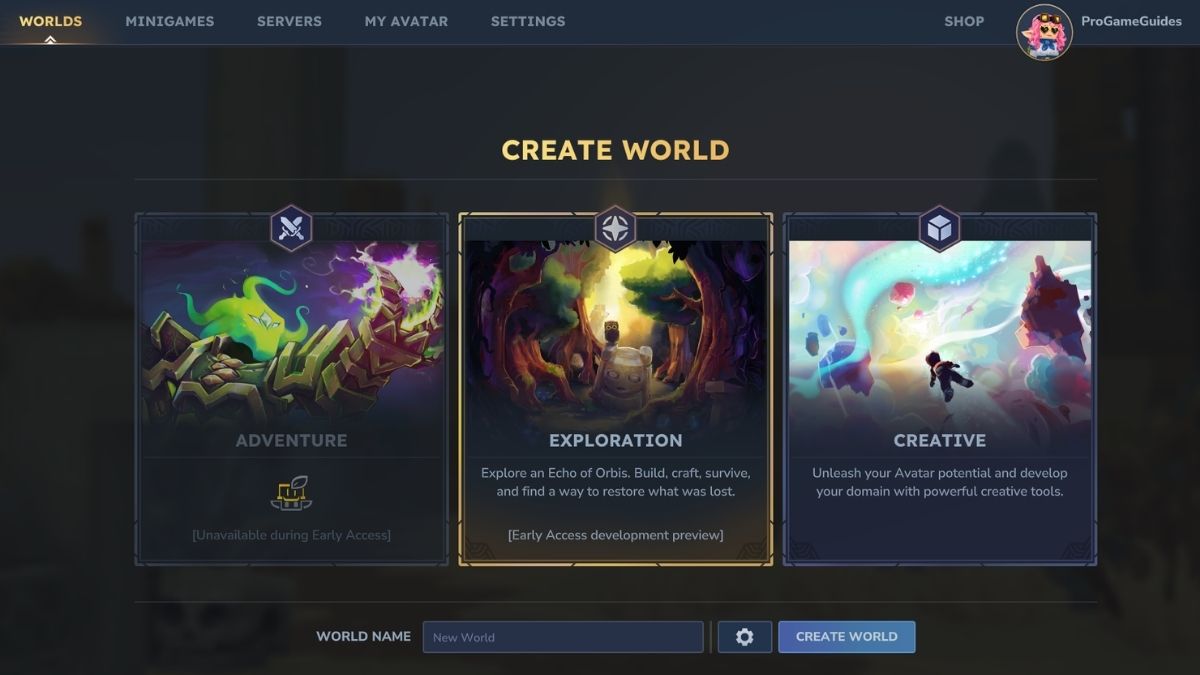
First, open Hytale through the launcher, then click on the Worlds tab. Here you will have an option to create your own world (or rejoin one you already created). There are currently two types of Worlds which you can create:
- Exploration - your goal is to explore, craft, survive and restore what was lost
- Creative - use in-game creative tools to build your own world (as some might say, the world is your oyster)
While there is a tab for an Adventure World as well, this is currently unavailable in Early Access. This world will essentially contain all of the quests and progression which you might feel is missing from regular exploration.
Once you create a world, click on it to spawn inside. Now here is where the tricky part comes in.
How to Play Hytale with Friends
Now, you'll notice you will join the World solo. If you are inside it for the first time, you will have to set up permissions to actually play Hytale with your friends. It can get a bit confusing, but just follow the steps below and you'll have no issues:
- First press ESC to open the Menu
- Click on the Online Play button
- In the menu, Toggle On the Allow Other Players to Join section
- Set up a password if you want to (though it isn't necessary
- Copy to Clipboard
- Send the code to your friend
How to join a Server in Hytale
The best part of the Hytale is that you can join your friends to play. First, go to the Servers tab in the main menu, and you'll see a blank space with favorite and local servers. In the bottom right corner, you can see two ways to join someone's server, so either through Direct Connect or via a Code. Both are valid options.
Server FAQ
If your friend creates a code for their world, you can paste it into the Join via Code section of the Server tab.
If you are struggling to connect to a server, then there could be several issues. You can check out our guide for solutions on how to fix it.
Your world code will contain your IP address, so it is advised that you don't share it with strangers.
If you want to host or join a public server, keep in mind that the host will have to commit to keeping it live. We will assemble a public server list as soon as we have them!
If you're interested in more Hytale, then check out all of our guides here on Pro Game Guides. And if you've found a topic that you want to know more about, you can tell us in the comments below! If you haven't purchased the game yet, make sure to check out the Creator codes!
 Hristina is the Assigning Editor for Pro Game Guides with a Master's degree in English Language, Literature and Culture from the University of Belgrade. She's written blogs, anime quizzes, books, as well as worked as a Content Editor before starting at PGG as a Staff Writer. She lives, breathes and often screams for the horror genre. If a game has multiplayer, be sure that she is playing it, like Dead by Daylight, PEAK, R.E.P.O. and Marvel Rivals. Hristina's comfort games are Outlast, Last of Us, and Until Dawn, which she has played or watched other people play more than 10 times each.