I would love to see Zeekers officially add Skinwalkers to Lethal Company, but you can play against them now, thanks to amazing modders. Check out how to use the Skinwalkers mod in Lethal Company, but then make sure not to trust any of the voices.
How to download and install the Skinwalkers Mod in Lethal Company
Skinwalkers are creatures from the Navajo culture that can take the form of an animal. They are said to be able to imitate the voices of their last victim. The Skinwalkers mod uses this power, as they can imitate your friends' voices in the game. This mod must be installed for every crew member, not just the party host, to work.
The easiest way to install the Skinwalkers mod, just like most Lethal Company mods, is through the Thunderstore Mod Manager app. Once you download the file, click on the Installer to activate the Overwolf app. Then, when the app is open, go to the search tab and look up the Thunderstore Mod Manager.
The Thunderstore Mod Manager should install in a few seconds and then be available in your library. Click on the launch button to open the app, then type in Lethal Company in the 'search for game' bar. Select the game, and once the new page loads, click on 'Select Profile.'
This will open a default profile for Lethal Company that will show what mods you have as well as mods you can add. Click on 'Get mods' to show the entire Thunderstore mod selection. Look up Skinwalkers in the search bar to get the right mod by RugbugRedfern. Click on it and then on the 'Download' button.
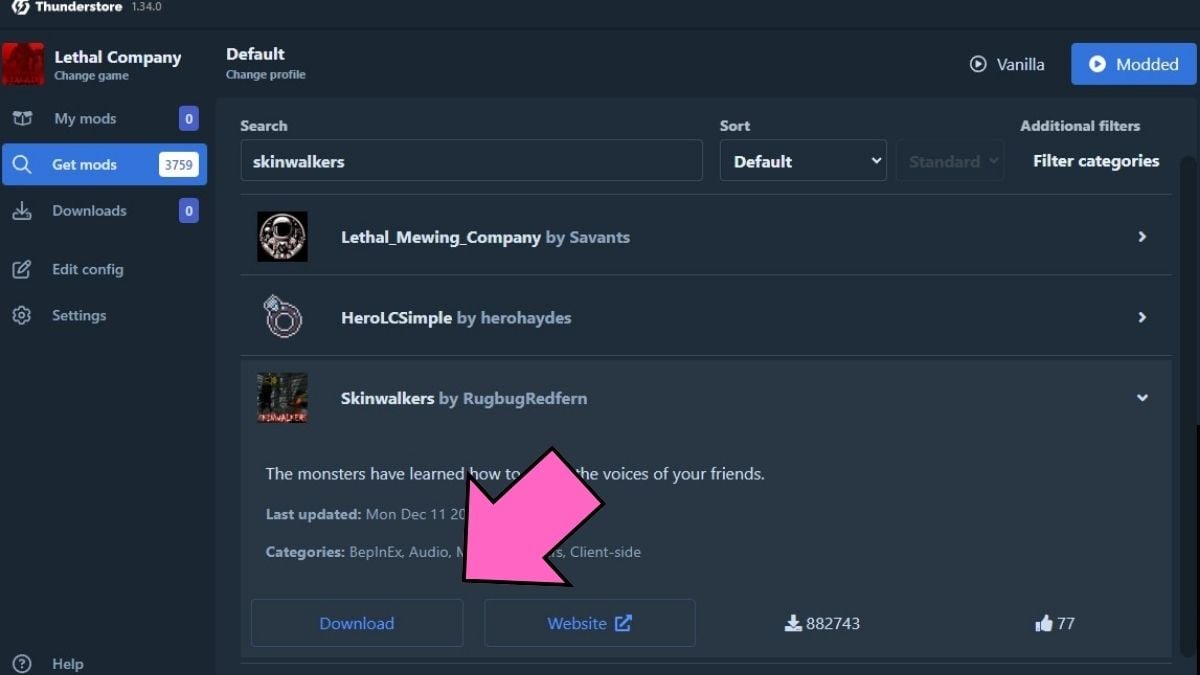
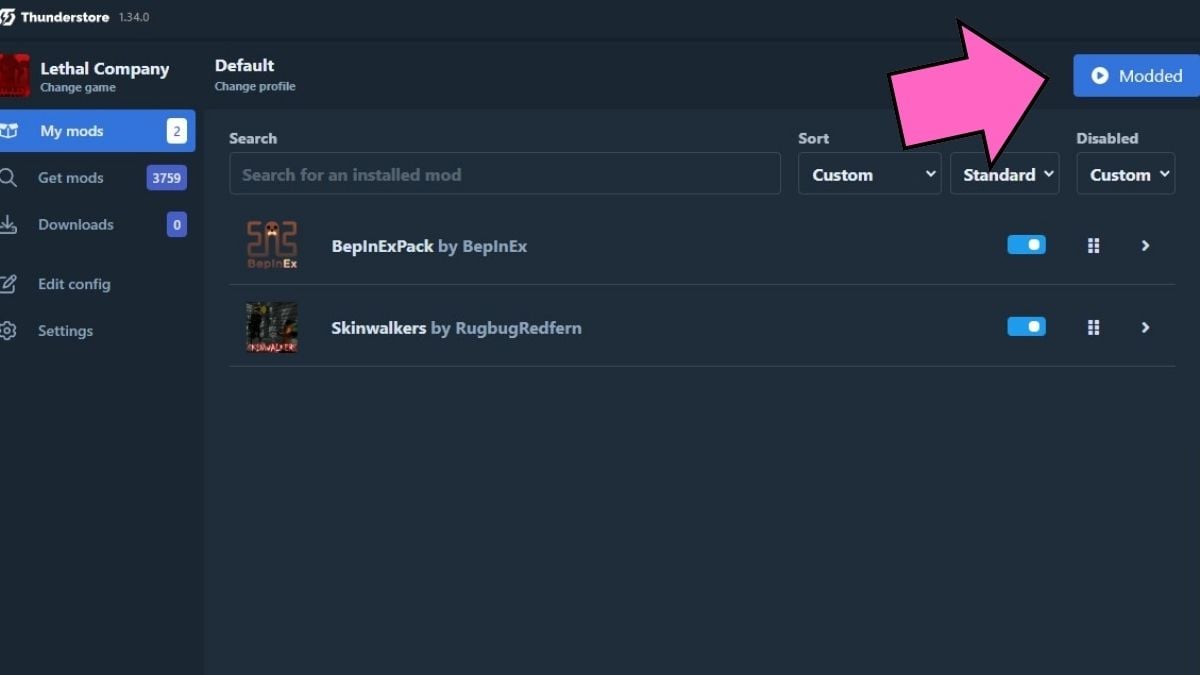
Once you've downloaded the mods, they will now show up in your 'My mods' tab. If you didn't have the BepInExPack mod installed, the Skinwalkers mod will install it, as it is required to run properly. So don't worry if you see it in your mods; it's nothing malicious. Now, all you have to do is click on the Modded button and open the game.
For more creative content in Lethal Company, check out 10 Best Funny and Creative Lethal Company mods on Pro Game Guides.