


Prioritize the screwdriver upgrade first. Skip the compressed air can entirely and upgrade the cleaning brush instead. The tip jar pays for itself across every order including online ones. Licenses are the real progression system, not tools so spend money on licenses before anything else. Check the marketplace every day for spare part boxes, keep your notepad open during reassembly, and complete online orders before their 3-day window expires. For more Beginner tips, check out the guide below.
ReStory: Chill Electronics Repairs drops you into a small electronics shop in mid-2000s Akihabara. You are responsible for running a small business, managing inventory, building relationships with customers, and making various choices that can affect outcomes in ways the game never tells you. So, to help you with that, this beginner's guide covers everything you need to hit the ground running without wasting your early game on the wrong upgrades.
How Does Repair Work in ReStory: Chill Electronics Repairs?
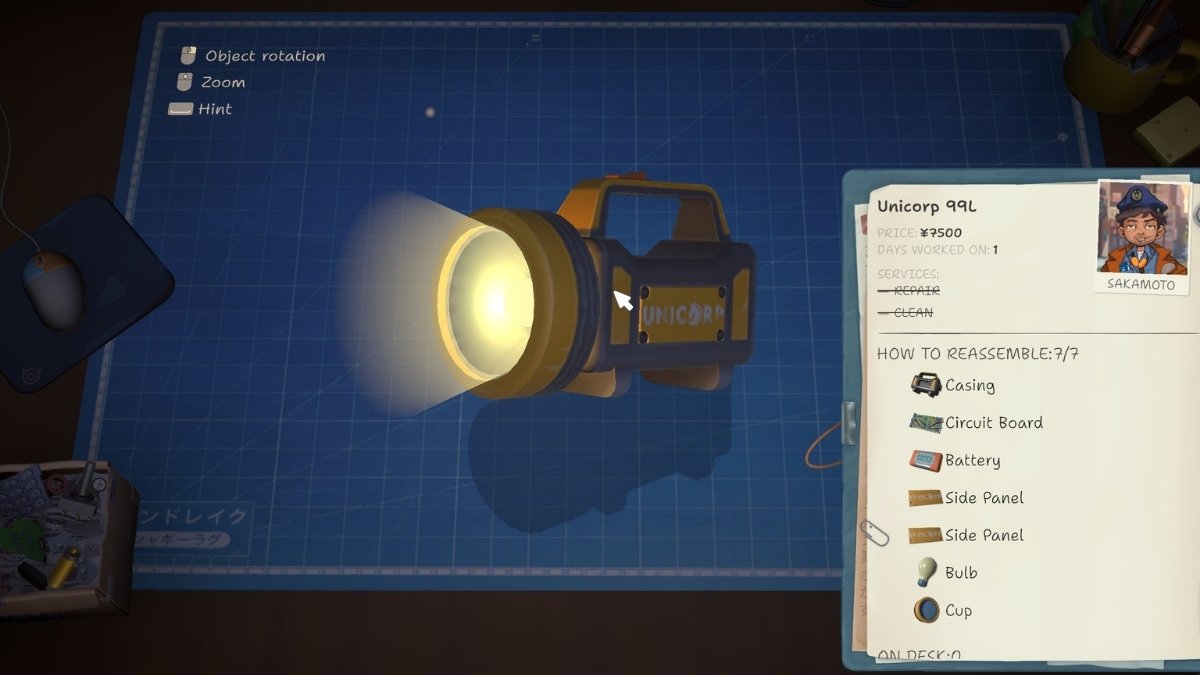
Every repair follows the same structure regardless of device type. A customer brings in a device or you check your emails, you accept the job, and the device goes to your workbench. From there the process is always the same. Follow these steps to repair every device:
- Unscrew the outer casing to open the device
- Remove components layer by layer
- Inspect each part. Dirty parts need cleaning, broken ones need replacing.
- Place dirty parts on one side of the workbench and clean parts on the other. This makes it much easier to track what still needs work.
- Brush clean every dirty component before reassembly
- Source any replacement parts for broken components
- Reassemble in the reverse order of disassembly
- Complete and send the job
The notepad on the right tracks the entire process helping you know which parts are dirty, broken, or missing, and crucially, the order in which components need to go back together. If you ever lose track of where something goes during reassembly, the notepad is more reliable than memory.
TIP: For more detailed breakdown of the most difficult device repairs, check out our detailed walkthrough.
How Do You Farm Money in ReStory: Chill Electronics Repairs?
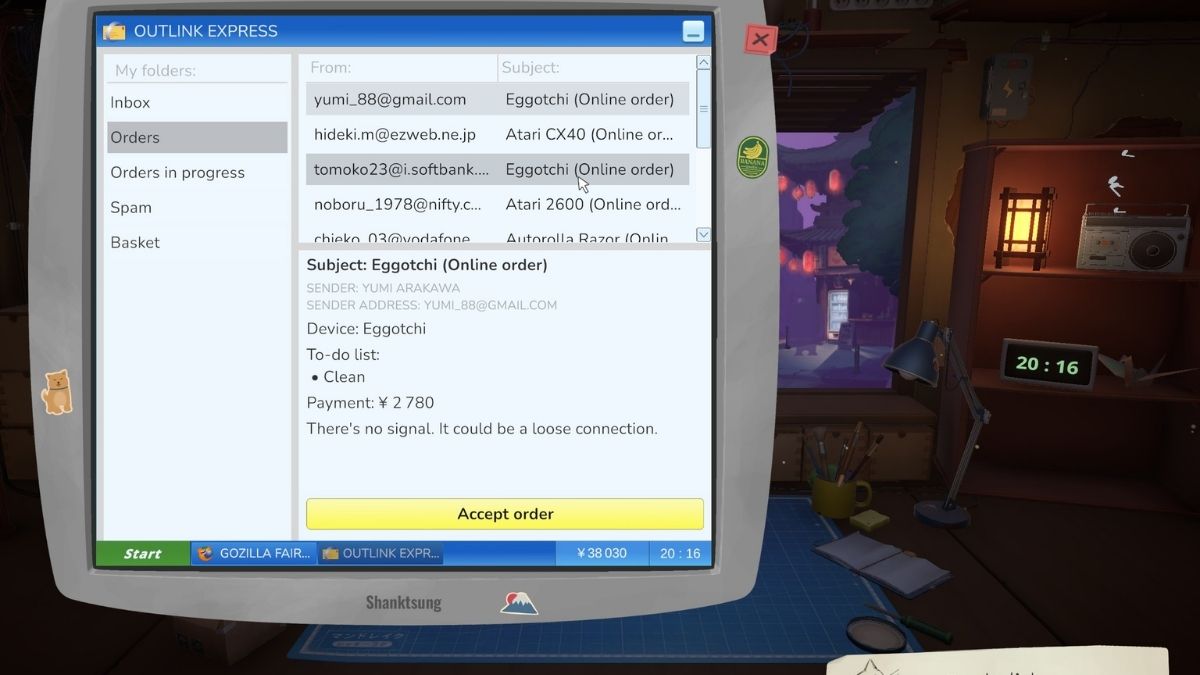
Money in ReStory comes from four main streams: completed walk-in repairs, online orders, tips, and shredding broken parts. None of these require grinding. They all happen as a natural byproduct of playing through each day. Here's a more detailed breakdown of each way to get extra Yen:
Walk-in Repairs
Walk-in customers are your primary income. Complete their jobs as quickly as possible and send them back. Reputation affects customer satisfaction ratings, so do not miss deadlines on jobs that have one.
Online Orders
Eleven online orders refresh in your email every day. Each one has a 3-day completion window before it expires, which is long enough to be manageable. These orders are a mix of cleaning-only jobs and full repairs.
You can complete cleaning-only jobs fairly quickly during quiet hours when the shop is closed, which makes them one of the best income sources per unit of effort. The shop closes at midnight and does not reopen until 8 AM.
Tips from the Tip Jar
The Tip Jar is a physical item you place in your shop. Once installed, upon completing jobs, both walk-in and online, pay out an additional 200 to 500 yen per completion as a tip. This compounds across every single order you complete for the rest of the game, making it one of the best passive investments available. Buy it early.
Shredding Broken Parts
In the early game, broken components go straight in the trash bin. Once you get the shredder, every broken part you feed into it returns approximately 200 to 500 yen. Since nearly every repair produces broken components, the shredder generates a consistent income stream without requiring any extra effort. Plus, you were throwing those parts away anyway.
How Do You Get Spare Parts in ReStory: Chill Electronics Repairs?
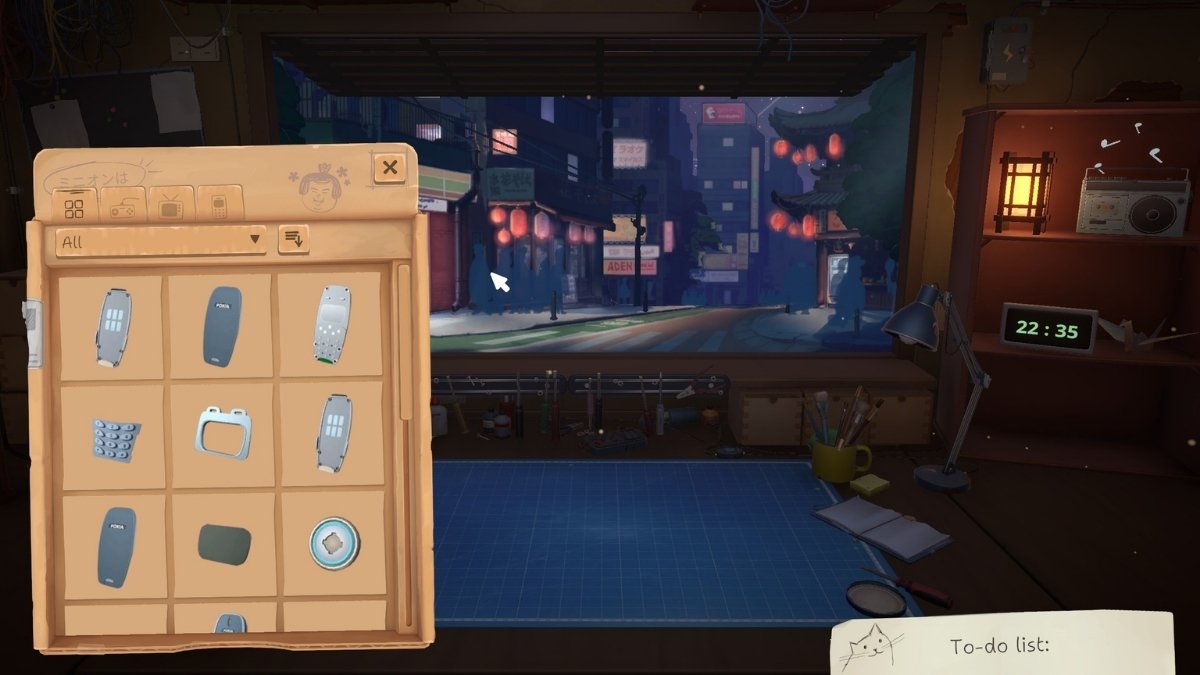
Spare parts are essential for completing any repair job in ReStory and they come mainly from three sources: the secondhand marketplace, spare part boxes, and direct manufacturer purchases once a license is acquired. Here's more details on how each of these work:
The Secondhand Marketplace
The marketplace sells secondhand devices and individual components at variable prices. The catch is that condition reports and seller descriptions are unreliable. For example, a device listed as needing only minor cleaning can arrive with multiple broken internal components.
Always factor in the risk when buying from the marketplace, especially early on before you have a parts buffer. Regardless, you should check the marketplace every day without exception. Good listings disappear quickly, and spare part boxes in particular sell out fast.
Spare Part Boxes
The marketplace stocks small, medium, and large spare part boxes that contain random assortments of components. You do not know exactly what is inside until they arrive, but the cost per part is significantly better than buying individual components or purchasing whole devices to strip. These boxes are the most cost-effective way to build a parts inventory and you should get them whenever they appear in the shop.
Direct Manufacturer Purchases
Once you purchase a license for a specific device, the manufacturer becomes available as a direct supplier. This removes the condition uncertainty of the marketplace entirely. You know exactly what you are ordering and it will arrive in perfect condition. Direct purchases are not always cheaper than the marketplace, but reliability is worth paying for when you need a specific part to complete a job.
What Upgrades Should You Get First in ReStory: Chill Electronics Repairs?
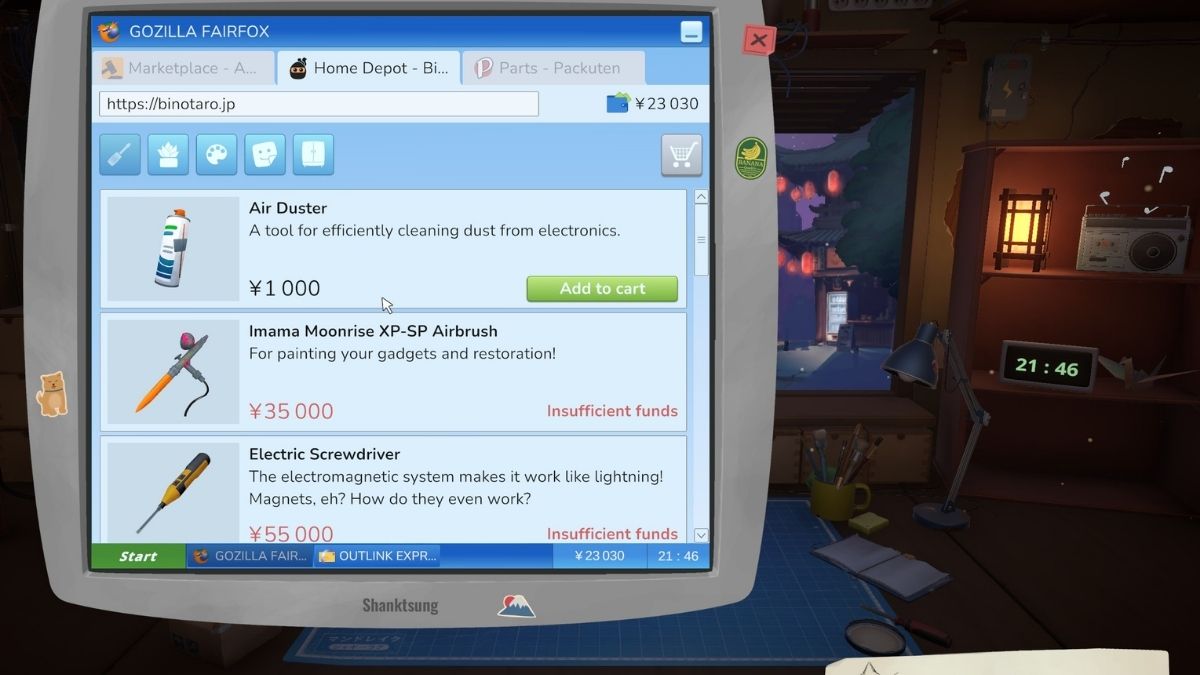
Most upgrades are not urgent. In the early game you will probably be tempted to buy every new tool as it becomes available, but spending yen on licenses beats spending it on tools in almost every case. That said, a few tools are worth prioritizing. Here's all of the ones you should prioritize:
Upgrade the Screwdriver First
The screwdriver has two upgrade levels. The second and final upgrade makes screw removal instant. Since every repair starts and ends with screws, this upgrade saves a noticeable amount of time across hundreds of repairs. It is the highest-priority tool purchase in the game.
Upgrade the Cleaning Brush Early
Cleaning is the most repetitive part of every repair. The brush radius upgrades lets you to clean larger areas with each stroke, which compresses the cleaning phase of each job significantly. These upgrades are inexpensive and pay back quickly. Prioritize them over the compressed air can entirely.
Skip the Compressed Air Can
The can of air sounds useful since it promises fast dust removal and efficient cleaning but it is a consumable that depletes and needs replacing. The brush upgrades are cheap and permanent. Skip the can entirely and put that money toward brush upgrades or a license instead.
Get the Tip Jar Early
It is cheap, it is permanent, and it pays out on every completed job for the rest of the game. There is no reason to delay buying it.
Hold Off on the Sonic Bath, Airbrush, and Toolkit
The Sonic Bath cleans multiple parts simultaneously but takes 30 seconds per cycle. Early in the game when you are doing smaller devices, you spend more time waiting for the bath than you would just brushing the parts yourself. It becomes worthwhile later once you are repairing large devices with many components.
The airbrush lets you paint devices but does not increase their sell value. It is a creative feature, not an income tool. The toolkit lets you reprogram devices through a rhythm-style minigame that similarly adds no value to the finished product. Both are fine to eventually acquire, but do not spend early yen on either unless a specific job requires it.
Which Licenses Should You Get in ReStory: Chill Electronics Repairs?
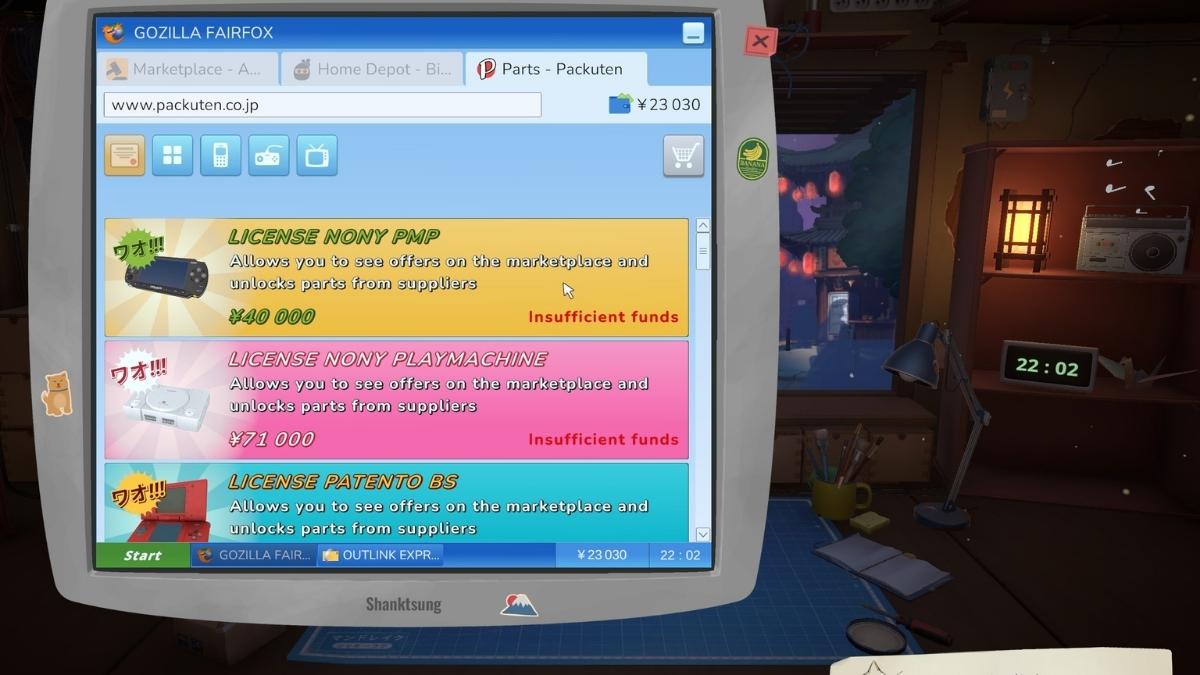
Licenses are the actual progression system in ReStory. Every license you buy unlocks a new device type, which means new customers, new story lore, and access to new manufacturer parts. Without licenses, customers with unlicensed devices will drop them at your shop and the story will stall until you can fix them.
Buy licenses as soon as you have the Yen available rather than stockpiling money for tools. The game's story only advances through license-gated repairs, so delaying licenses delays everything else.
NOTE: There are 21 licenses in total. Purchasing all of them earns the PLATINUM PARTNER achievement.
Frequently Asked Questions (FAQs)
Yes. Go with the 1,500 yen per week plan. As of the current version the tier does not change gameplay, but the developers have indicated on Steam it can matter later. The cost difference between plans is small enough that the 1,500 plan is worth choosing.
Bills arrive weekly and cover rent, internet, and eventually electricity and a security fee once the story progresses. If you take the highest internet plan, your weekly bill total is 6,000 yen. This is manageable even in the early game. Keep at least one week's bills in reserve at all times and you will not run into problems.
No. Dialogue choices are permanent within a save file. The game does not prompt you to reconsider or warn you that a choice has long-term consequences, it simply records your answer and the story continues.
Missing a deadline negatively impacts your customer ratings, which affects your shop's reputation. Orders expire after 3 days, so staying on top of your inbox and not overcommitting to more jobs than you can complete in that window is important.
For more on ReStory:Chill Electronics Repairs, check out ReStory: Chill Electronics Repairs How to Fix Walkthrough on Pro Game Guides!


