Updated: September 20, 2026
As of September 20, 5 working BloxLock codes are ready to be redeemed: enter DELAYTSUO, SORRY4DELAY, and more to secure free Coins, Style Rolls, and Ego Rolls. Bookmark this guide so you don't miss future freebies!
BloxLock from RukumiStudio brings another take on Blue Lock-style football to Roblox, where winning comes down to how well you use your players' abilities. Roll for styles inspired by stars like Reo, Chigiri, and Kunigami, then use them to speed past defenders, create openings, or unleash powerful shots. The BloxLock codes listed below can give you some useful rewards to help you get started.
What Are All the Active BloxLock Codes?
There are 5 BloxLock codes available at the moment. Use them to get free Coins and spins for your next big game! If you've enjoyed this experience, make sure to also check out our All Active Blue Lock Rivals Codes post to score free rolls!
Blox Lock Active Codes
| Code | Copy | Description |
|---|---|---|
| DELAYTSUO NEW | 15k Coins, 20 Style Spins, 6 Lucky Spins NEW | |
| SORRY4DELAY NEW | 10k Spins 4 Lucky Spins NEW | |
| EGO | 2.5K Coins and 3 Style Rolls | |
| LOCKIN | 5 Style Rolls and 5 Flow Rolls | |
| RELEASE | 1K Coins and 3 Flow Rolls |
Blox Lock Inactive Codes
| Code | Copy | Description |
|---|
Related: Blue Lock Card Battles Codes
How Do You Redeem BloxLock Codes?
BloxLock codes are pretty simple to redeem; just click on the Codes icon and follow the steps below:
- Run BloxLock on Roblox.
- Click on the Codes icon at the bottom of your screen.
- Input your code into the text box.
- Hit Redeem to claim your rewards.
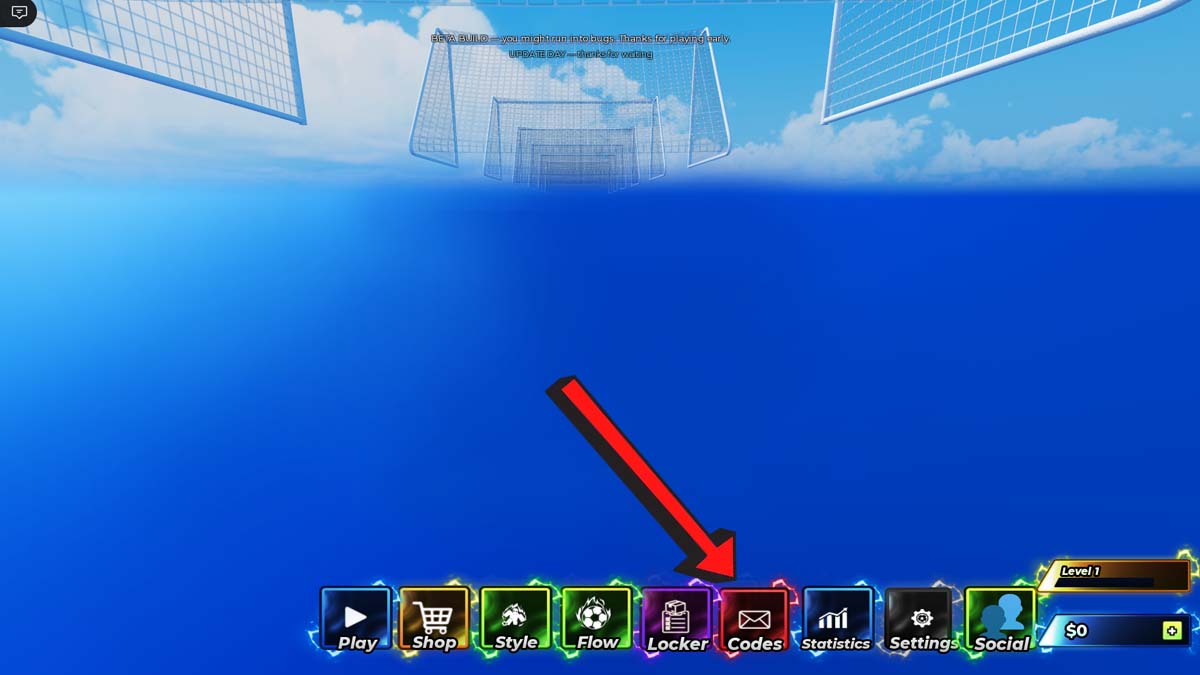
To prevent any typing mistakes, copy and paste these codes directly from our list into the game. Codes often expire unexpectedly, so grab your free Coins and rolls before they go inactive!
Where Do You Find New BloxLock Codes?
Hop into the official Bloxlock Discord server to connect with fellow players and stay on top of upcoming code drops! Save this page to claim every new reward as soon as it goes live.
What Do Coins Do in BloxLock?
In BloxLock, you spend Coins in the main menu to buy essential Style Rolls and Ego Rolls. Spinning these rolls unlocks distinct abilities, styles, and stat enhancements inspired by top anime strikers. Investing your Coins lets you customize your player, boost speed or shot power, and dominate the pitch.
Explore our Roblox Game Codes list to unlock freebies for games like Kaiju Showdown, along with endless other Roblox experiences!