


Hyper Realistic Ragdoll is a Roblox sandbox that focuses on raw physics and where you can interact with AI-controlled dummies. As you do so, you can also experiment with realistic ragdoll mechanics, explore destructible environments, and discover various activities around the map. The game features an interesting Body Scan system, interactive NPCs, environmental events, wildlife, and vehicles. Beginners should start by learning the basic controls, understanding how the physics system works and familiarizing themselves with the available weapons and tools. You can also track your progression through the Next indicator, which shows your upcoming unlocks.
If you enjoy experimenting with physics and exploring interactive sandbox environments, Hyper Realistic Ragdoll is a Roblox experience worth checking out. The game combines realistic ragdoll mechanics with interactive dummies, destructible environments, and plenty of activities to discover. However, several features and gameplay systems might be confusing when you first join. That's where our complete Hyper Realistic Ragdoll beginner's guide in Roblox comes in. We will explain how the main mechanics work, how to track your progression, and what to explore first to make the most of your time in the game.
What Is Hyper Realistic Ragdoll and How Does It Work?
Hyper Realistic Ragdoll is a physics-based sandbox experience where you can interact with AI-controlled dummies and experiment with a variety of environmental mechanics. Instead of following a traditional story or completing a linear series of missions, the game provides an open environment filled with interactive characters, destructible objects, and different activities.
The main attraction of this game is obviously the ragdoll physics system, which makes individual body parts react independently to different interactions. This means that dummies do not simply fall over whenever they get damaged. Their movements and physical reactions depend on the situation, making each interaction feel different.
There are several other mechanics that make the experience more interesting:
- Interactive Dummies: NPCs can communicate, react to their surroundings, and interact with one another.
- Body Scan: An X-ray-style feature that lets you examine a dummy's physical condition.
- Destructible Environment: Various structures, walls, towers, and trees can break apart.
- Environmental Events: Different events introduce new situations and change what's happening around the map.
- Wildlife: Various creatures inhabit the game world, including sharks, crocodiles, spiders, and dinosaurs.
- Vehicles: You can explore the map using different vehicles and discover additional interactive objects.
The best part is that you aren't restricted to a single activity; you can freely explore different mechanics at your own pace and discover how the various systems interact.
Another important aspect is the behavior of the dummies themselves. They are not completely passive characters waiting for you to interact with them. They can move around, panic if threatened, communicate, and even help one another. This makes the environment feel more dynamic, especially when several NPCs are present in the same area.
In general, Hyper Realistic Ragdoll is designed around experimentation rather than a traditional quest-based progression system. Learning how the different mechanics work is therefore much more important than rushing through the available activities.
How to Farm KOs in Hyper Realistic Ragdoll?
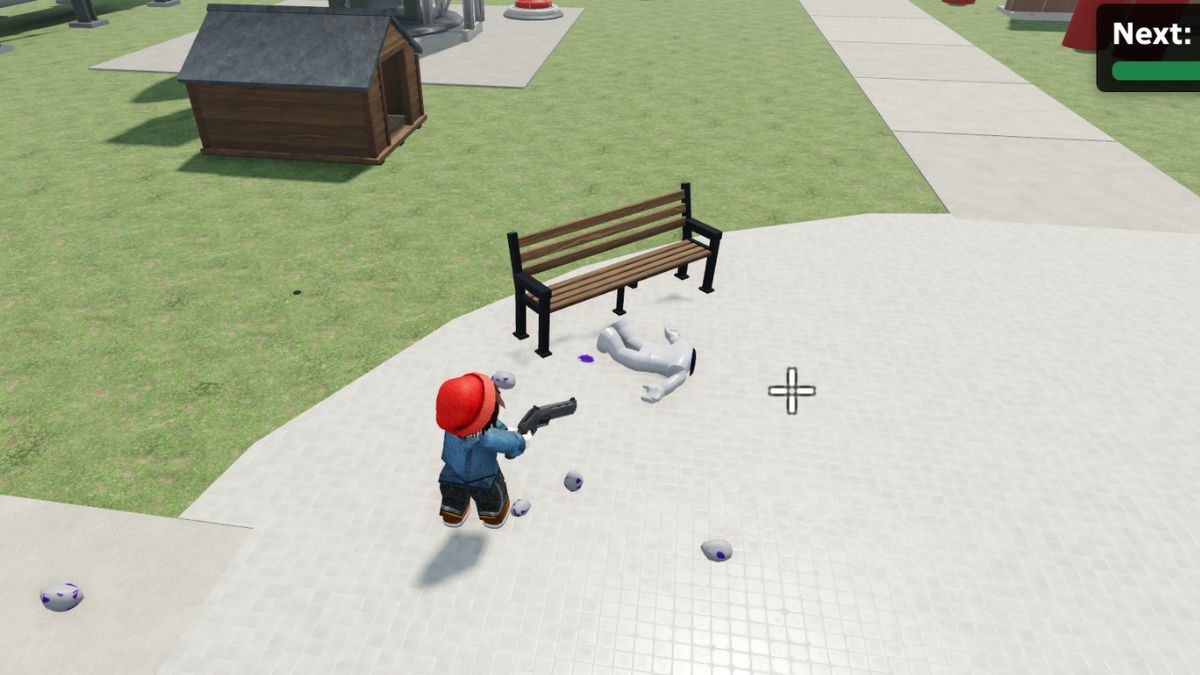
To farm KOs most efficiently, use tools such as the Handgun or the Hand Cannon, and aim for the dummies' heads. This will ensure that the dummies are killed instantly. Additionally, you can increase your character's move speed from the lab menu, located at the bottom-left side of the screen, allowing you to start marauding across the map. The KO progression system unlocks additional tools in Hyper Realistic Ragdoll, and you can track your advancement through the Next indicator displayed on the right side of the screen. It shows your upcoming unlock and how much progress you have made toward reaching it.
As you continue playing, you will encounter different tools and activities that contribute to the sandbox experience. The progression tracker is particularly useful because it gives you a clear indication of what you're working toward instead of leaving you to guess which unlock comes next. From a purely KO-farming perspective, you want to avoid unwieldy tools such as throwing knives, spears, and poison bottles, since they're hard to use and take a lot of time to finish off a dummy, during which they can even get healed by other dummies.
The game features a variety of tools that become available as you progress, giving you additional ways to experiment with its physics system. The key is to understand how the progression tracker works and use it to track your overall advancement.
How to Spawn, Scan, and Revive Dummies in Hyper Realistic Ragdoll?
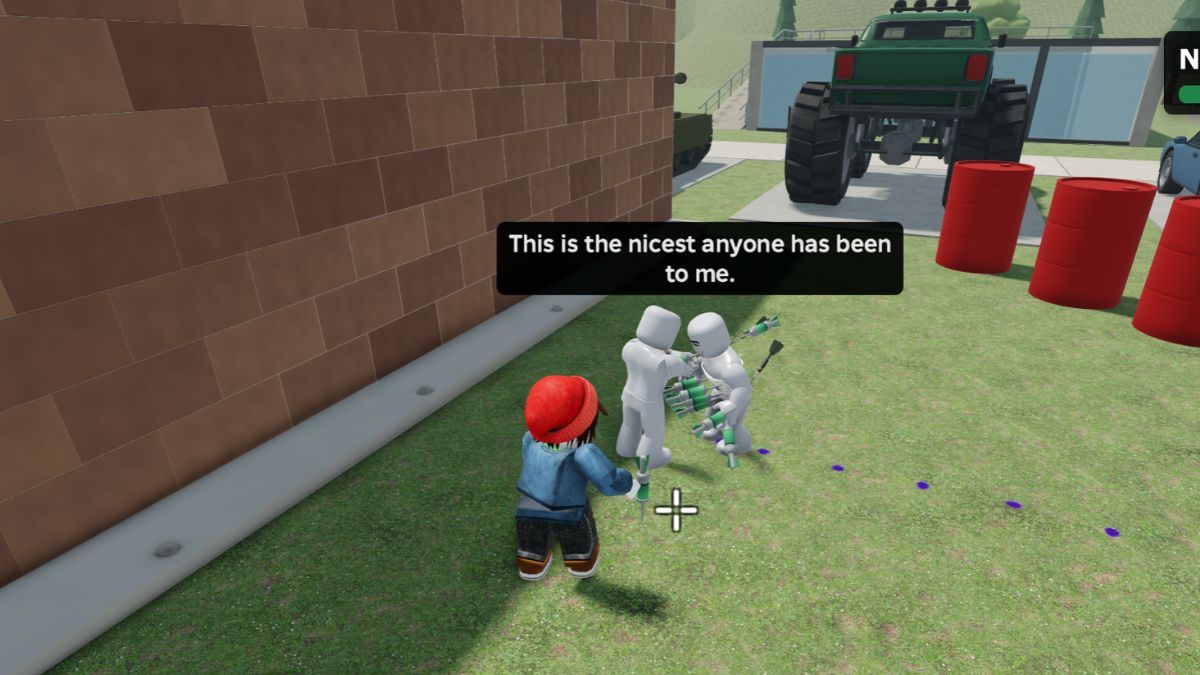
You can spawn new dummies whenever you need additional characters to interact with in Hyper Realistic Ragdoll. The game also provides several recovery options, allowing you to bring back inactive characters instead of constantly creating new ones. These mechanics are particularly useful when experimenting with the physics system or exploring the different features available around the map.
Here are the most important keyboard shortcuts to remember when playing on PC:
| Key | Function | Description |
|---|---|---|
| G | Spawn | Creates a new dummy. |
| R | Revive | Restores an inactive dummy. |
| V | Scan | Opens the Body Scan interface. |
| C | Fall/Recover | Makes your character fall over and recover. |
You can also interact directly with dummies using your mouse. The left mouse button allows you to grab a character, while the mouse wheel adjusts the distance between you and the grabbed dummy. You can then throw it to see how the physics system reacts.
The Body Scan feature deserves special attention because it provides a detailed look at a dummy's physical condition. Once activated, it displays an X-ray-style view that allows you to inspect individual body parts and identify broken bones. This is particularly interesting because the game does not rely exclusively on a traditional health bar to represent a character's condition.
If you want to bring an inactive dummy back, you can use either a Medkit, Defibrillator, or the Healing Dart. Both are recovery tools that restore characters, letting you keep interacting with them.
Dummies also have their own behavior system. They can stumble, react to their surroundings, and sometimes get back up without your assistance. They can even help one another, making the environment feel more alive than a typical physics sandbox.
We highly recommend experimenting with spawning, grabbing, scanning, and reviving early on. These are some of the most important mechanics in Hyper Realistic Ragdoll, and understanding them will make navigating the rest of the experience much easier.
What Events, Vehicles, and Animals Can You Find?
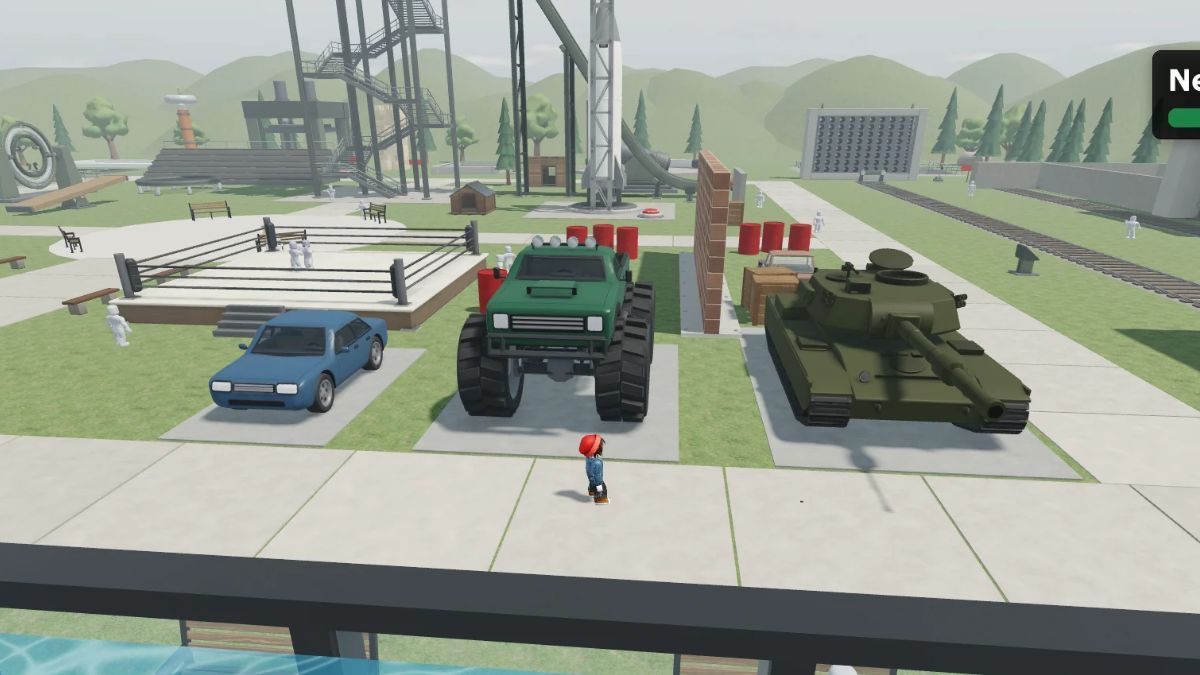
Hyper Realistic Ragdoll features several environmental events, vehicles, and creatures that make exploring the map considerably more interesting. These activities provide additional ways to interact with the environment, while some of them introduce entirely new situations that change how the sandbox behaves.
Environmental events are among the most noticeable features. They introduce different environmental effects and unexpected situations, giving you something new to experience beyond the regular gameplay. Some of the events you can encounter include:
- Tornado: A powerful weather phenomenon that pulls objects and characters towards it.
- Tsunami: Introduces a massive wave that changes the surrounding environment.
- Meteor Rain: Features falling meteors and destructive environmental impacts.
- Zombie Outbreak: Introduces zombies into the experience, with undead characters appearing from the graveyard.
- Weightless: Changes movement and physics by eliminating gravity.
- Disco Party: Forces all dummies to dance, even the wounded ones.
- Giant Dummy: Features an unusually large character that stands out from the regular NPCs.
- Wildfire: Brings up a large fire that ravages the map.
These events are worth checking out because they demonstrate how the physics system interacts with different environmental conditions. Some affect the entire surroundings, while others introduce additional characters or unusual gameplay situations.
Vehicles and interactive objects are another important part of the experience. You can find different types of transportation around the map, including:
- Car: A standard vehicle for exploring the environment.
- Monster Truck: A larger vehicle with a distinctive design.
- Battle Tank: A heavy vehicle that provides another way to destroy the dummies, thanks to its large gun.
Several oversized interactive objects are scattered around the environment. These include giant fans, rockets, cannons, crushers, and the Fight Ring. Each provides a different type of interaction, so exploring the map is worthwhile if you want to discover everything the game offers.
Finally, the game features a variety of animals and other NPCs. Some of the creatures you can encounter include sharks, crocodiles, giant spiders, and even a T-Rex. These creatures add another layer of variety to the environment, especially when combined with the game's interactive dummy behavior.
Overall, I recommend spending some time exploring the different areas instead of sticking to one location. There are plenty of environmental features to discover, and the mix of vehicles, creatures, and special events makes the sandbox feel much more varied.
We also suggest checking out our Roblox section, which contains many useful guides on the most popular experiences.


