




The Roblox Abyss minimap is, if you ask me, one of the best additions to this extremely fun Roblox fishing experience. It helps you navigate the vast open ocean and move from one point of interest to another with relative precision. This is especially important because your Oxygen is limited, and you don’t want to get lost and drown. In this guide, I’ll explain where to find the minimap in Abyss and how to use it.
How to Find Minimap in Roblox Abyss
The Minimap in Abyss is not avilable right from the start of the game. In order to unlock the minimap, you'll have to leave the starting zone (the Forgotten Deep) and travel to the second biome of the game, called the Ancient Sands. It will take you a while until you reach the second zone, as you'll first need to progress through the game and unlock better equipment, mainly a much better tube.
RELATED: Roblox Abyss Beginner’s Guide – Tips & Tricks for Getting Started
To reach the minimap location in Abyss, you’ll need to dive to around 230 meters, which means you must have at least a Zepeline Tube or Boat Tube equipped. Anything weaker has a much lower depth limit, making it impossible to even reach the second zone. Another reason you’ll need a better tube is that reaching this area requires a significant amount of Oxygen.
Abyss Minimap Location
Once you have the required gear, head to the Ancient Sands. This biome is located directly west of the starting zone. Head west until you reach the brown, sandy area, and the game will notify you when you enter it.
RELATED: Abyss Scientist’s Teleporter Quest – Find Toilet Paper, Toilet, Door & Power Relays
At the center of this zone, you’ll spot a massive, bridge-like natural structure (a large stone arch with a big tunnel/passage beneath it). Head into that tunnel, and at the very bottom, you’ll find Crazy Jeff’s Shop.
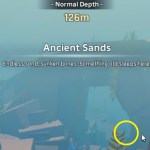
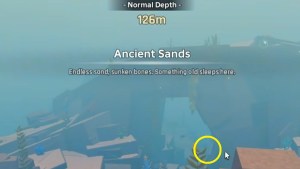
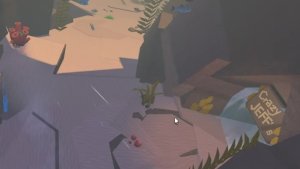
Enter the shop (you don't need oxygen inside), and make sure to activate the Abyss teleport inside. Then find Jeff, talk to him (he might have some quests for you), but more importantly, make sure to purchase the Abyss minimap from him! And that's it, now you have the minimap, congrats!
How to Use the Minimap
Now that you’re the proud owner of the minimap, let’s see how you can actually put it to use. It’s quite simple; all you have to do is open your Backpack by pressing G, then place the minimap into any of the 1–9 quick-use slots. From there, whenever you want to check the map, simply press the designated quick-slot number, and the minimap will open, showing you everything you’ve discovered up to that point.
RELATED: All Roblox Abyss Tubes – Stats, Locations, Price & Progression
Roblox Abyss Minimap FAQ
The minimap is located in the Ancient Sands, the second zone of the game.
You'll need to visit Crazy Jeff’s Shop and buy it from him.
Insert it into any quick-use slot, and press that number to open it whenever you want to check it.
Locations of discovered biomes, map layout, locations of unlocked teleports, and more
And that's about all you need to know about the topic. Now you know how to find and use the minimap in Abyss. If you want to learn more about the Roblox Abyss experience, make sure to check out our Roblox Abyss hub for all the latest guides, tier lists, news, and walkthroughs! Have fun and safe diving!
 Nikola is a Senior Staff Writer at Pro Game Guides with over 13 years of experience in gaming journalism. He has been playing video games since his father bought him an NES and a Sega Mega Drive in the early 1990s. Over the years, he has mainly become a PC gamer with a love for narrative-driven RPGs, real-time strategy games, and psychological/survival horror titles. Still, he enjoys any game that’s worth his time.