


The Brookhaven RP collaboration with LEGO is finally here, and it brings four new LEGO-themed vehicles that you can obtain for a limited time. For everything you need to know about unlocking the cars in time, follow our Brookhaven RP Full LEGO Event Guide.
How to Unlock All the LEGO Cars

As soon as you spawn into the Brookhaven RP town, you'll notice something new to your right, that being the LEGO Event Square. Here you'll be able to interact with new props for the event duration, like the LEGO French Fries Truck, which you can use to roleplay as a food truck owner and serve food to the other players.
More importantly, however, the four new vehicles are showcased here, and you can interact with the panels next to them to start the quests needed to unlock them. They are exclusive to this event and will be removed after it ends, but if you unlock them before then, you get to keep them in your inventory forever.
How to Unlock The LEGO Gaming Car
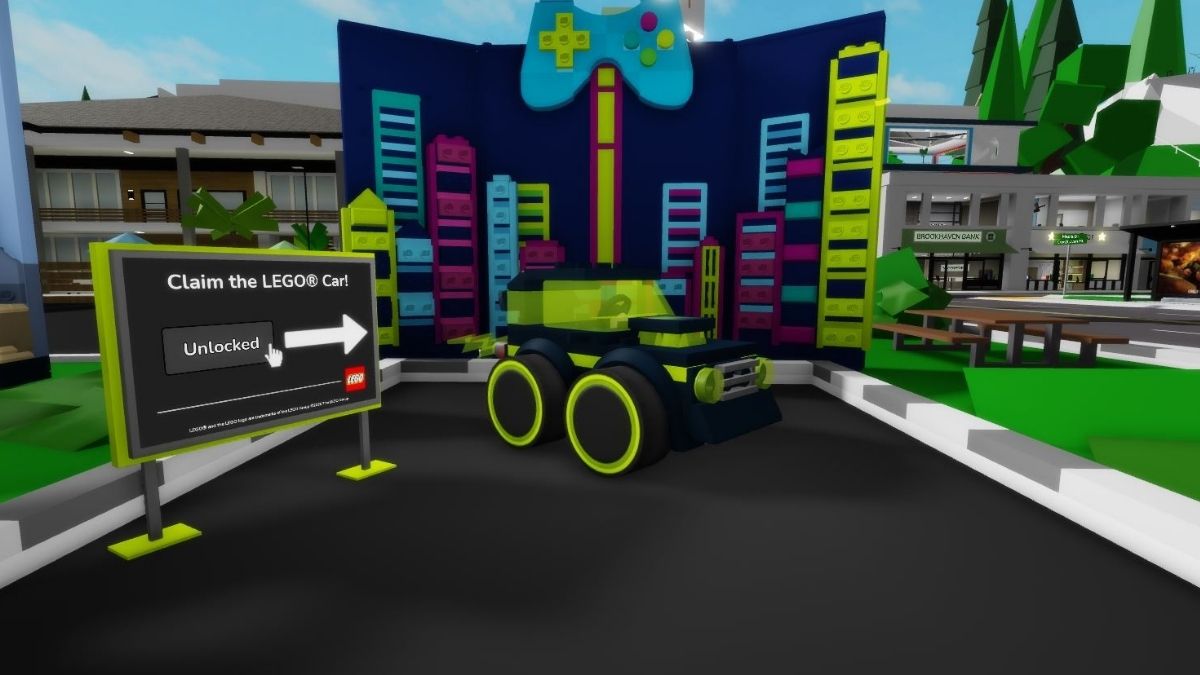
The Gaming Car is by far the easiest one to get, since all you need to do is click on the panel next to it, and it will be added to your inventory. It's a pretty cool-looking one-seater that feels at home in street racing events and is the perfect car for unlocking the rest of the vehicles. It spews out green flames whenever you speed up or take a hard turn, and besides driving it, you or someone else can also sit on its spoiler and enjoy a wild ride.
How to Unlock The LEGO Bulldozer

To the left, you'll find the Bulldozer. To unlock it, you'll need to complete a race of sorts, where you need to collect 55 orange LEGO bricks by driving (or walking if you're a madman) around town. Just use the panel to start the quest and follow the orange arrow that pops up, with the route taking you outside of the town, following the outskirts, going through farms, and ending back at the event square.
The Bulldozer is unique among these four vehicles because it can accommodate up to four players. Besides the driver, someone can sit outside behind the cabin, one player can lie inside the front blade, and the fourth person can hang from the hook, which is hilarious in motion.
How to Unlock The LEGO Police Car
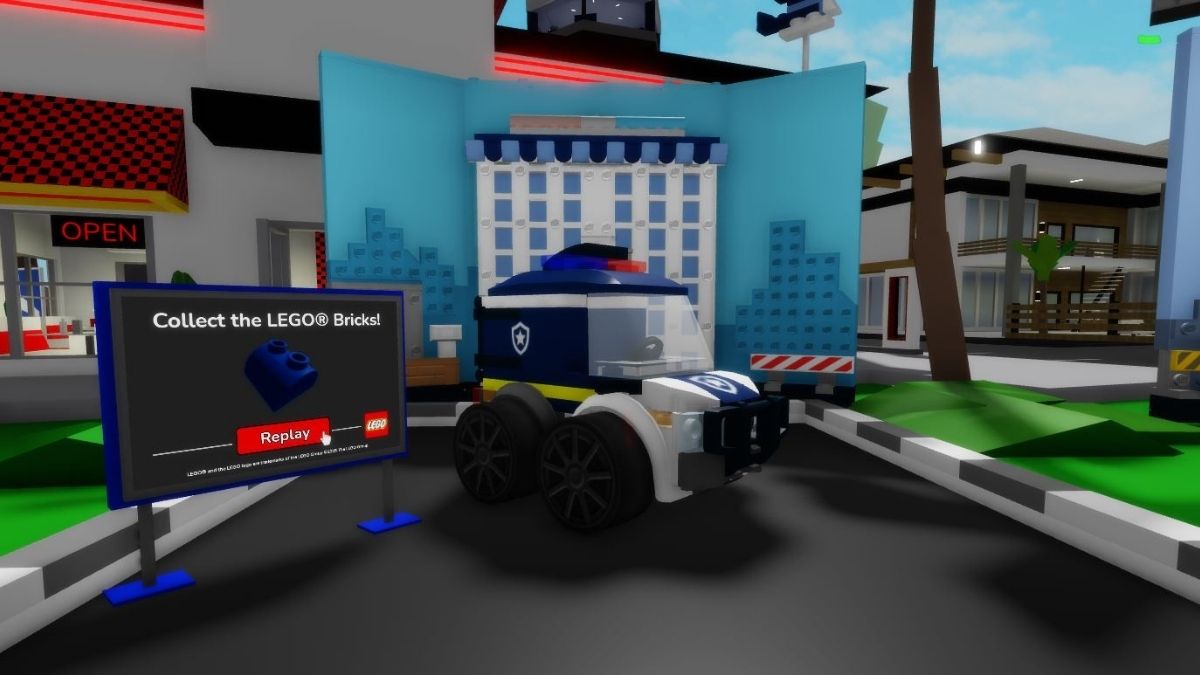
Much like the Bulldozer, the Police Car is unlocked by completing its quest. Use the panel to the left of the showcased car to start the quest, where you need to collect 53 blue LEGO bricks, by following the blue arrow that pops up and leads you to them. This route will take you off-road through the more industrial part of town, next to the power plant, and back to the event square.
Much like the Gaming Car, the Police Car can carry only two people: one driving and the other locked in the back, like a prisoner. Most importantly, yes: while driving, you can turn on the police siren and lights, allowing you to relive your favorite cop chase movies in a compact police car.
How to Unlock The LEGO Fire Engine
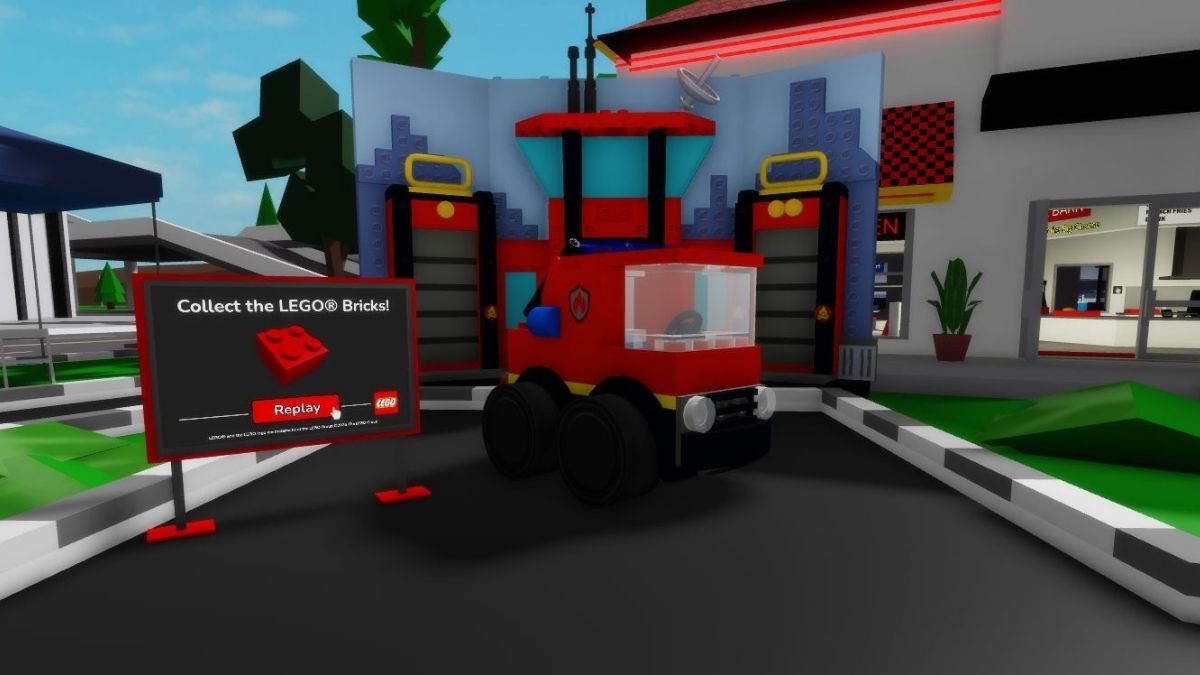
Just like the two before, you unlock the Fire Engine by completing its quest, which requires you to collect 40 red LEGO bricks. After interacting with the panel to the left, just follow the red arrow above you. This route is a bit longer, taking you all the way out to the seaside, before looping back around to town. It actually serves as a very nice race course, so be sure to challenge someone to a racing duel.
The Fire Engine can hold up to two people, one in the driving seat and the other on top of the ladder, which can also be interacted with to either extend or lower it. It also comes equipped with a siren and flashing lights, letting everyone know that help is on the way.
Brookhaven RP LEGO Event FAQ
The Brookhaven RP LEGO Event lasts until December 12, which gives you one week to collect all four vehicles. It doesn't take long, so make sure you log in to the game before it ends.
You can increase the speed limit by clicking on the speedometer icon at the top of your screen. There, you can increase the max speed to 55 mph. You can go even beyond that, but only if you purchase the vehicle upgrade pack with Robux.
You can click the car icon on the right side of your screen to open a new window with all kinds of vehicles. You're looking for the LEGO box in the top left corner for the duration of the event. Click on it, and inside you will find all the ones that you've unlocked from the event.
We hope our Brookhaven RP - Full LEGO Event Guide helped you collect all the vehicles added to the game. The event doesn't last long, so make sure to grab them before they're gone. If you're looking for more Roblox-related content and codes for different games, check out our other guides here.


