
How to load a saved game in Age of Empires IV

Save and Load game sessions with ease!

The save and load system is a life-saving feature in Age of Empires IV. Unlike most games where you can only load the game from a particular checkpoint or waypoint, Age of Empires IV allows you to save or load a game at any time. To load a game session in Age of Empires IV, you have to click on the Load Saved Game button in the single-player campaign and select the game of choice.

Recommended Videos

How to Save

Before discussing more in detail, let's take a look at how to save a game.

  • While playing your game, Press Escape to open the Pause Menu and search for the Save option
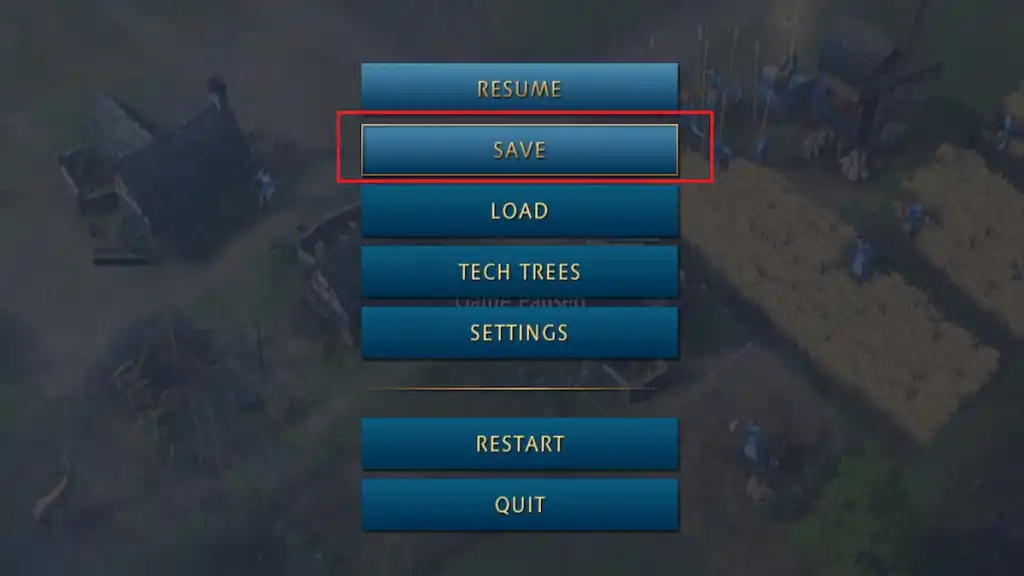
Screenshot by Pro Game Guides
  • After clicking on Save, choose an empty file or overwrite any old file and press the Save Game button

Related: How to change the Difficulty in Age of Empires IV

How to Load a Saved Game

To load a saved game in Age of Empires IV, follow the steps provided below.

  • Open your single-player campaign and click on the Load Saved Game icon present in the middle of the screen
Screenshot by Pro Game Guides
  • A new window with all your saved game sessions will be available in front of you
  • Select a file of your choice and press the Load Game button
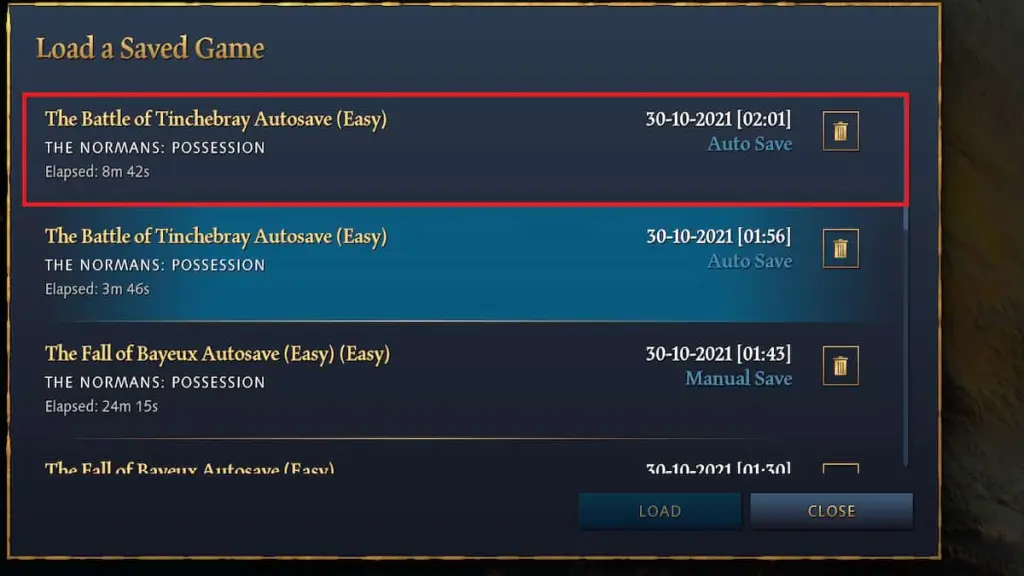
Screenshot by Pro Game Guides

Remember, you can also load any game file during your current play session. Just press the Escape key and Select the Load Game option.

For more awesome guides, check out the Age of Empires IV section on Pro Game Guides.

Follow us on Twitter and Facebook to get updates on your favorite games!

About the Author

Avatar photo

Vignesh Raja

Staff Writer

Vignesh Raja is a full-time staff writer at Pro Game Guides, formerly a semi-professional Apex Legends player. He specializes in Roblox one-piece-inspired games, focusing on Sailor Piece and Blox Fruits build optimization, tier lists, and meta breakdowns from a competitive grinding perspective.

Topics covered: Roblox codes, Roblox guides, Roblox games tier lists, One Piece games

Find Vignesh Raja on: Twitter

Forgot password
Enter the email address you used when you joined and we'll send you instructions to reset your password.
If you used Apple or Google to create your account, this process will create a password for your existing account.
This site is protected by reCAPTCHA and the Google Privacy Policy and Terms of Service apply.
Reset password instructions sent. If you have an account with us, you will receive an email within a few minutes.
Something went wrong. Try again or contact support if the problem persists.