COD points are in-game currency that can be used to purchase cosmetics from the Store, including skins, calling cards, bundles, and more. To purchase COD points, go to the Store tab in Multiplayer mode, scroll to the bottom and select COD Points. Then, select the number of COD points you would like to purchase. A […]
There are a total of 10 Camo categories in Vanguard, and each one of them consists of 10 Camos within. Every Camo category is based on a specific challenge set. Here are all Camos that you can unlock in Call of Duty: Vanguard Multiplayer. *Replace “X” with the number specified for each Camo. Pack Tactics […]
Players can select from 12 different Operators in Call of Duty: Vanguard’s Multiplayer. Each one of these Operators has a favorite weapon. When you equip an Operator with their favorite weapon, the progression works differently and you level up the gun faster. Here’s a list of all Operators and their favorite weapons in Vanguard. Hellhounds […]
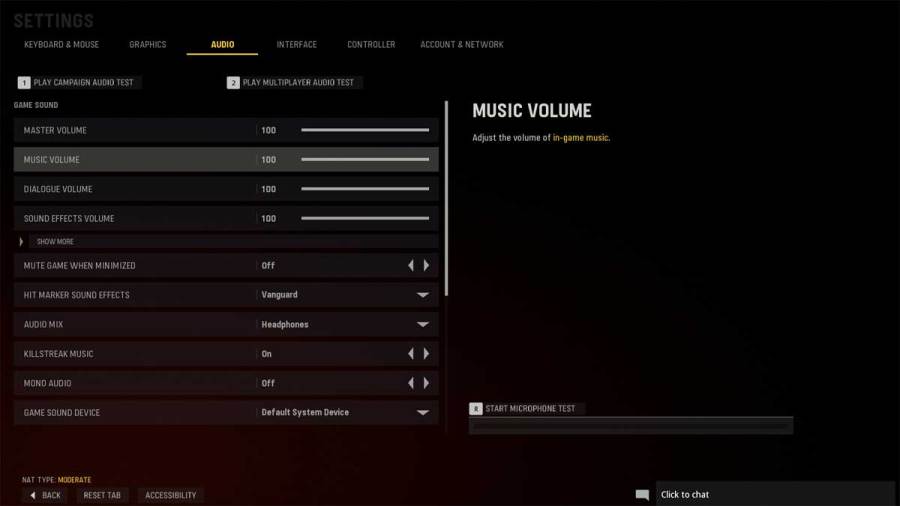
Audio customization options in Call of Duty: Vanguard allow you to change volume, music, hitmarker effects, voice chat, and several other settings. Here’s a guide to the best audio settings in Vanguard. Master Volume – 100 Music Volume – 0 Dialogue Volume – 50 Sound Effects Volume – 100 Keep the music volume off unless […]
There are multiple playable Operators in Call of Duty: Vanguard Multiplayer. Each Operator comes from a different part of the world and features several customization options, such as finishing moves, MVP poses, and outfits. But in order to access an Operator, you’ll first have to unlock them. The unlock challenge for Operators from each group […]