


Updated: September 17, 2026
Added the Phasmophobia Twitch Drop rewards that you can get during Phasmophobia's 6th Anniversary celebration on Twitch.
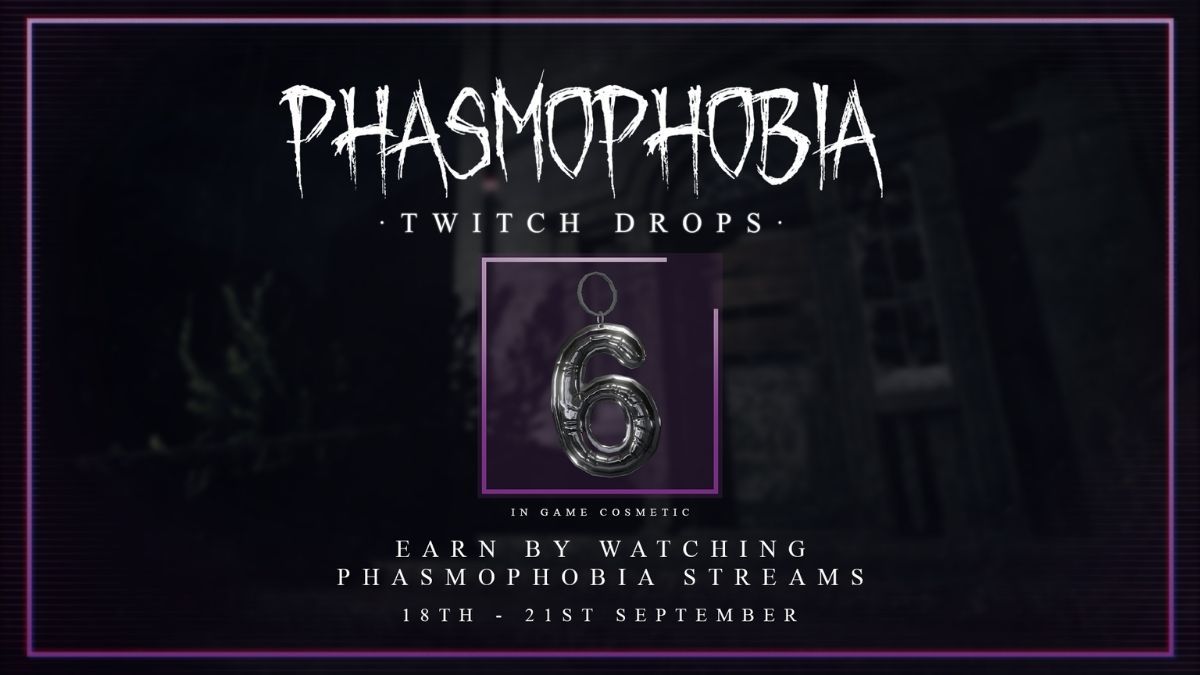
Phasmophobia's 6th Anniversary falls on September 18, 2026. To celebrate the 6th year, Kinetic Games has started another Twitch Drop campaign that will last for four days (September 18 to September 21, 2026). Join and complete this Twitch Drop campaign to earn a cool in-game cosmetic. Keep reading for the exact time of the live event and the rewards you can earn!
All Phasmophobia Twitch Drop Rewards
You can collect Phasmophobia's 6th Anniversary Twitch Drop campaign rewards from September 18 to September 21, 2026. Join any of the "Drops Enabled" Phasmophobia streams on Twitch and watch for 2 hours (watch time accumulates) to get the following reward:
- 6th Anniversary Charm
How to Get Phasmophobia Twitch Drop Rewards
Follow the steps below to set up Phasmophobia Twitch Drops and receive the rewards without any issues:
- Launch Phasmophobia and go to the Main Menu.
- Click on the Twitch Drops icon. It’s located to the left of the Settings icon.
- In the pop-up window, click on Connect. This will generate a code. Copy the code or write it down somewhere.
- Now, head to https://www.twitch.tv/activate, enter your code, and click on Activate.
- After a few seconds, another screen will appear asking you to approve the connection. Tap Authorize to complete the process.
Just to be sure, go back to the Twitch Drop menu in Phasmophobia and check the Twitch Status. If it says Connection Good, you’re all set to receive all Twitch Drops. You’ll see a red exclamation mark if there are any connection problems, in which case you'll need to repeat the whole process. If you did everything right, wait a few minutes or reboot the game to let the changes take effect.
Now, you just have to watch Phasmophobia Twitch streams for 2 hours to receive the rewards. You can join Twitch streams of the official Kinetic Games Channel or any of the Phasmophobia Community streams with Twitch Drops enabled.

Once you’ve completed the watch time, simply head back into Phasmophobia to claim your reward from the pop-up window.
What if My Phasmophobia Twitch Drop Rewards Are Missing?
Phasmophobia automatically claims your Twitch Drop rewards, so there is less room for issues and errors. However, if you have completed the requirements and still haven’t received the reward, it’s time for some troubleshooting:
- Check your Twitch Drops connection status in the game. If you see a red exclamation mark in the Twitch Drops menu, you haven't received the reward because your Phasmophobia x Twitch connection isn’t working properly.
- Exit and rejoin the game after a few minutes to give the servers time to load and the rewards time to transfer to your account. Repeat this 2-3 times.
If the rewards still don’t show up, you may need to contact the developers via the Phasmophobia Discord. Check out our dedicated Phasmophobia section for more helpful guides, including a detailed guide on All Phasmophobia Ghost Movement Speeds.


