Updated October 09, 2026 - Replaced 7 old non working links with new ones.
The Brookhaven RP Private Server Links guide provides 10 working links to enjoy and roleplay with your friends—trusted community members & veterans of the Brookhaven community, like ehoo & more, own all of these servers.
The best way to experience Brookhaven's role-playing features is to use a private server. If you want to roleplay privately with friends or other Discord members, here are some Brookhaven private server links to use.
All Active Brookhaven Private Server Links
You can access all the links below on your PC or mobile phone by clicking them. If you are on a console, ask a PC/mobile friend to join the server first and send you an invite.
| Server Links | Host | Status |
|---|---|---|
| Server Link 1 | Xotic | ✅ Working |
| Server Link 2 | Santy | ✅ Working |
| Server Link 3 | Voldertmort | ✅ Working |
| Server Link 4 | ClenActiuon | ✅ Working |
| Server Link 5 | Elevatioen | ✅ Working |
| Server Link 6 | Pickiup | ✅ Working |
| Server Link 7 | ShemarHJE | ✅ Working |
| Server Link 8 | Saibe | ✅ Working |
| Server Link 9 | Dumbe! | ✅ Working |
| Server Link 10 | Oliverkong | ✅ Working |
How do you purchase a Brookhaven Private Server?
If you prefer playing on a private server, I recommend purchasing one. To do this:
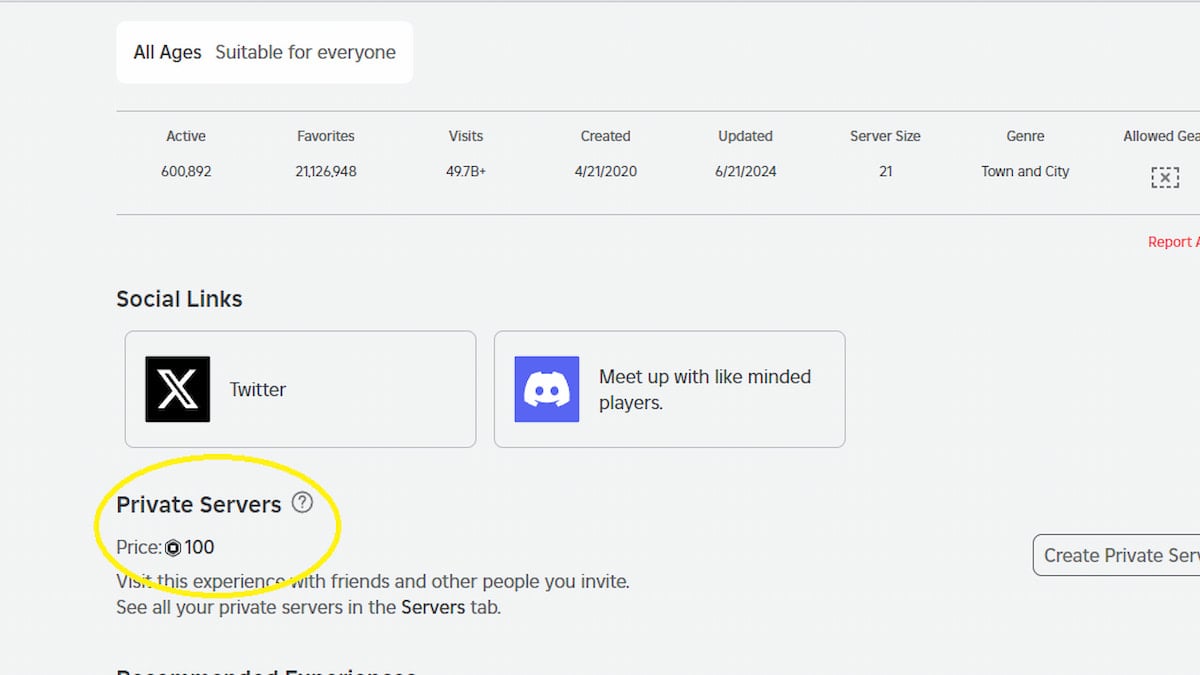
- Open Brookhaven on Roblox.
- Scroll down to the Private Servers section below the Social Links.
- Click it and pay 100 Robux to get your own private server.
What is the size of a Private Server in Brookhaven?
Like most Roblox Games, a Brookhaven private server can hold up to 30 players for roleplay. You can't increase the size, and you have to kick existing members to make room for new ones.
Is the Brookhaven private server worth it?
Yes, the Brookhaven private server is worth paying if you find yourself spending a lot of time playing the game. If you’re serious about roleplaying, I recommend buying one server by pooling money with your friends.
Is there a difference between a Private and Public Server in Brookhaven?
No, there is no difference between a Private and a Public Server in terms of the gameplay experience. You can do any quest and join all events, even on a private server.
How to join a Brookhaven Private server?
To join a Brookhaven private server, click the links provided above. If you want to invite your friends or others to your private server, copy and send them the server URL. You can find the invite URL when you create the server.
If you're playing on console or mobile, you'll need a friend to join the private server and invite you in-game.
Looking for more Roblox Brookhaven? Check out some of our other guides about How to enter a Banned House in Brookhaven RP – Roblox or 50 Music ID Codes to play in Brookhaven RP – Roblox here on Pro Game Guides!