


BloxNG is a Roblox driving game built around realistic vehicle damage and soft-body crash physics. As a beginner, your main goals should be learning how the vehicles behave, earning Cash, and gradually expanding your vehicle collection. You can earn money through regular driving and various other in-game activities, then spend it at the dealership to purchase new cars. The Garage, which is located at spawn, also offers several customization options, allowing you to change the appearance and other parts of your vehicles.
If you're looking for a driving experience that puts vehicle physics front and center, BloxNG is worth checking out. Unlike traditional racing games, this Roblox experience focuses on detailed vehicle deformation, interactive environments, and a progression system that gives you reasons to keep playing. However, there are several features worth understanding before you start spending your hard-earned Cash. This complete BloxNG beginner's guide in Roblox covers the basics, from understanding the game's physics to earning money, purchasing vehicles, and making the most of the Garage.
How Does Crash Physics Work in BloxNG?
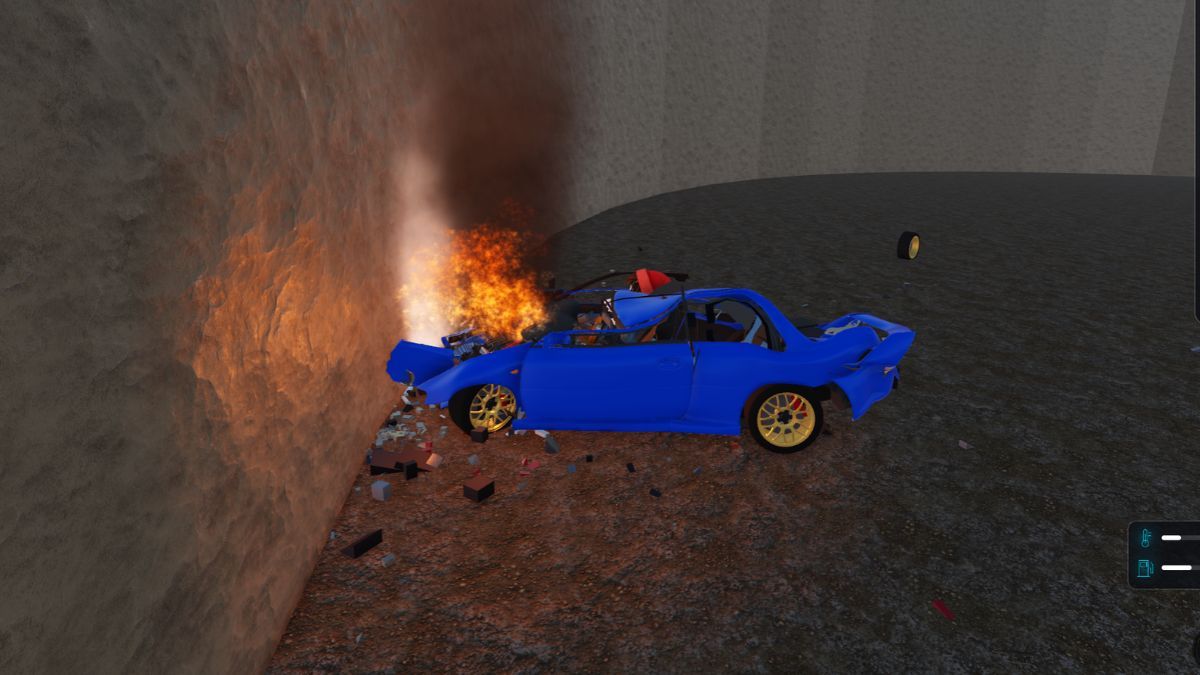
The main attraction of BloxNG is undoubtedly its soft-body deformation system. How it works is that rather than simply displaying a damage effect after an impact, the game allows individual vehicle components to react to collisions. For example, metal panels can crumple, doors can become detached or hang open, windows can crack, and wheels or other parts can break off.
The amount of damage a vehicle receives depends on several factors, including its speed, weight, and the angle of an impact. This means that different vehicles can react differently to similar situations, making the physics system an important part of the overall experience. You can also inspect the damage your car has sustained through the on-screen vehicle diagram, which highlights affected components and displays their current condition. It is located in the top left corner of the screen.
For example, the damage display can indicate that a particular wheel has been lost or that the engine has become seized. These details are more than visual effects, as significant damage can affect how your vehicle behaves and whether it remains usable. We strongly suggest getting familiar with this interface, as it will help you understand what has happened to your car and when it might be the right time to repair it.
It is also worth remembering that BloxNG is still in beta testing, meaning that some features, vehicle statistics, and gameplay systems may change as the developers continue updating the experience.
How to Farm Cash in BloxNG?
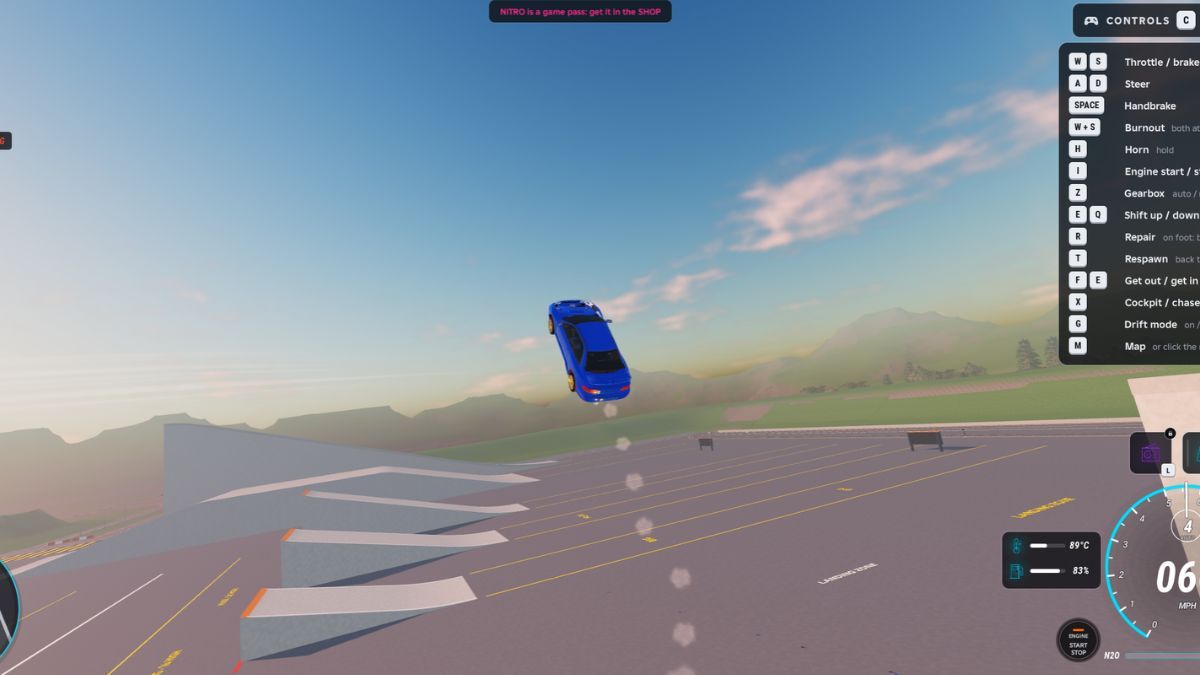
Cash is the main currency in BloxNG, and you'll need it to purchase additional vehicles and pay for various customization options. Fortunately, you can earn money simply by spending time in the game, with regular driving and other activities contributing to your balance.
Here are some of the main ways to earn Cash:
- Driving: Spending time driving around the map rewards you with Cash. You will see earnings appear on your screen, making this one of the more straightforward ways to build up your balance. You will want to drive as fast as possible and perform near-misses, since those are the activities that will yield the most cash
- Crashes: The game also rewards certain crash-related activities. These earnings are separate from regular driving rewards and can vary by activity. Typically, the harder a crash is, the more money you will make.
- Skill Chains: BloxNG features a Skill Chain counter that tracks certain driving-related actions. Keeping an eye on this system is useful because it provides additional opportunities to earn rewards. For example, getting air time and performing successful drifts all contribute towards extending this skill chain, and the longer it lasts, the more cash you will make. However, make sure not to crash, repair, or respawn while it lasts, since it will be canceled and you'll lose the potential income.
- Police-related activities: Police encounters are another gameplay feature associated with the game's bounty and reward systems. The more wanted level you accumulate, the more cash you will earn if you succeed in escaping. This can add variety to your sessions, although it is not something beginners need to focus on.
The best approach is to spend time learning the game and collecting rewards naturally, rather than spending everything you earn immediately. Your first major purchase should ideally be a vehicle that you can comfortably afford, leaving you with some Cash for future improvements.
You should also pay attention to any objectives that appear during your session. For example, BloxNG can display a Drive to the Crash Zone objective, complete with a progress indicator and timer. These activities provide additional structure to your gameplay and give you something to work toward.
Additionally, free cash can be obtained by redeeming some of the codes the game offers, so make sure you don't forget to do that.
A passing mention should be made that cash can also be purchased with Robux. You can do so by accessing the Robux Shop, represented by the shopping cart button on the left side of the screen.
How to Buy and Manage Cars in BloxNG?
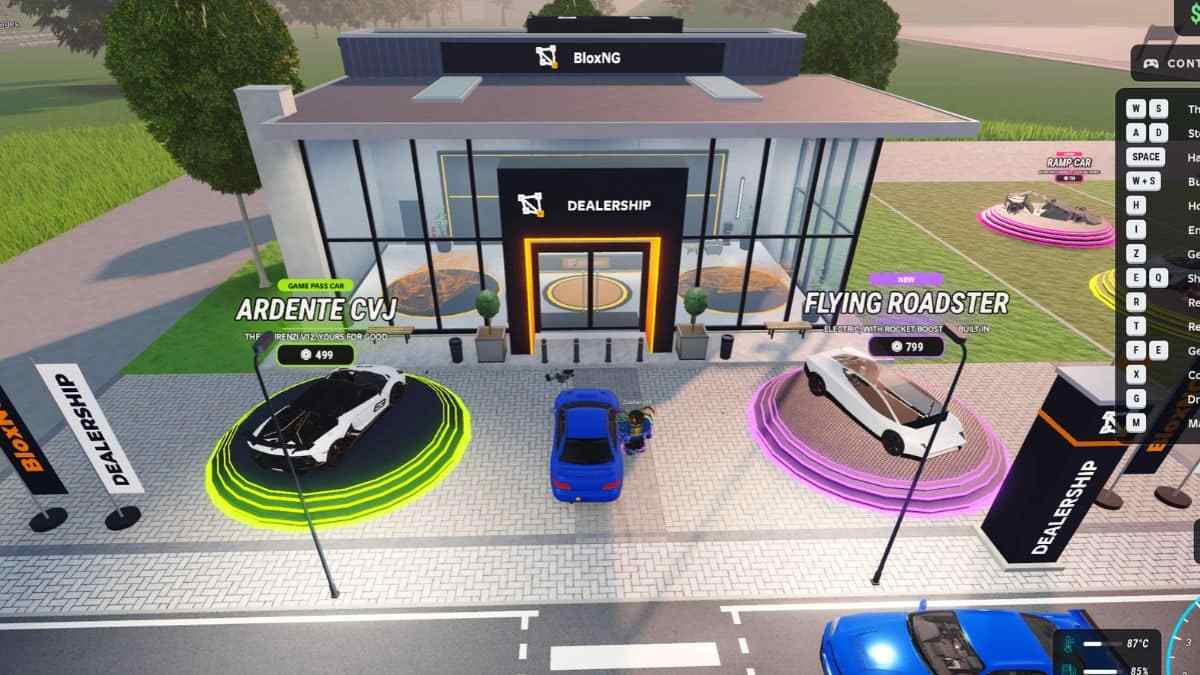
You can purchase new vehicles at APEX Motor House, the main dealership in BloxNG. It is located right at the main spawn, and thus should be hard to miss. It offers several vehicle categories, allowing you to browse the available selection and compare different models before spending your hard-earned Cash.
The dealership organizes vehicles into categories such as Everyday, Utility, Performance and others. Each vehicle listing includes useful specifications, including horsepower, acceleration, top speed, and weight. These statistics give you a general idea of what to expect from each model and make it easier to compare your options.
Some vehicles can also be associated with game passes, so pay attention to the displayed price before making a purchase. You don't need to spend Robux to enjoy the basic progression system, as vehicles are available through regular in-game Cash.
Once you have purchased a car, you can access it through the Garage. This is where you can browse your owned vehicles and choose which one you want to use. Having multiple cars is useful because it allows you to experiment with different vehicle types instead of sticking to the same starter model throughout your entire playthrough.
Before buying anything particularly expensive, take a moment to compare its specifications with those of your current vehicle. A higher price does not automatically mean that a car will suit your preferences, especially while you are still getting familiar with BloxNG's physics.
How Does Vehicle Customization Work in BloxNG?
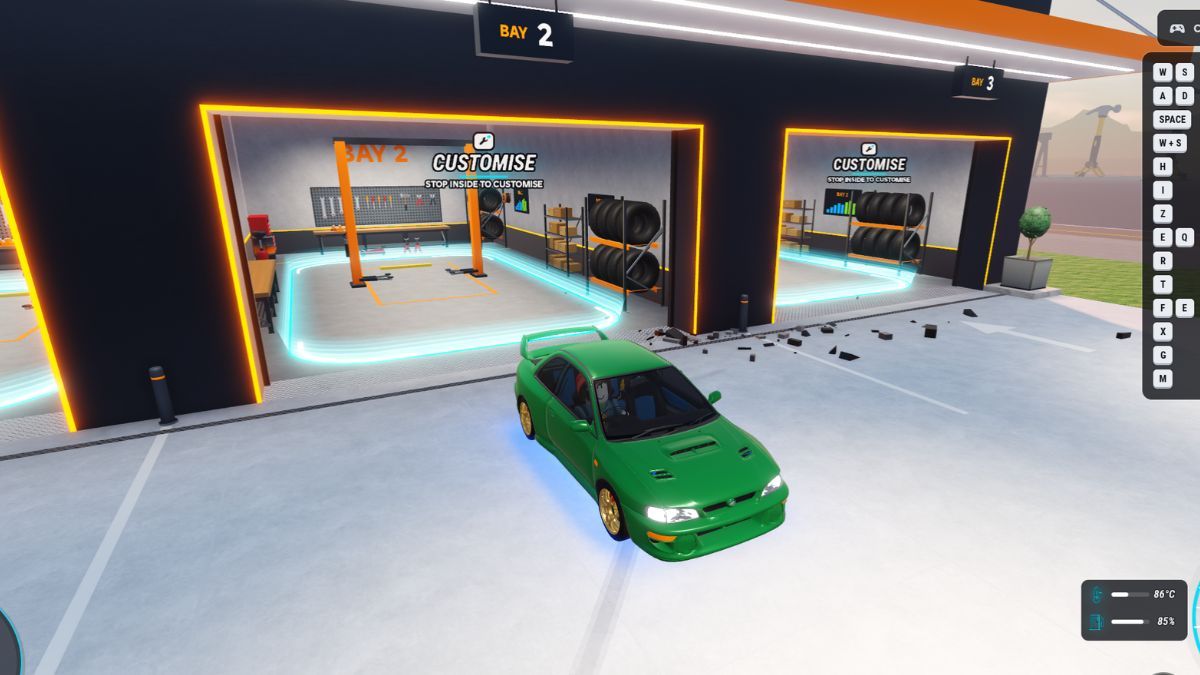
The Garage isn't just a place to select your owned vehicles. BloxNG also features a dedicated customization area where you can change several aspects of your car, including its paint, engine, turbo, horn, window tint, license plate, and underglow.
To access these options, drive your vehicle into one of the marked customization bays. The garage features designated areas called bays. A "Customize" inscription marks precisely where you need to position your car. Make sure your vehicle is completely stopped inside the marked area, as failing to do so will not bring up the customization menu.
Once the menu becomes available, you can browse the different customization categories and select the parts or appearance options you want. We suggest prioritizing Engine and Turbo upgrades, since they will directly influence how fast you can drive. Once you have selected your preferred upgrade, click the Fit button to apply it. Most choices cost Cash, so check their prices before confirming anything.
Other categories, such as window tint and paint, give you more freedom to create a car that looks different from the standard models available at the dealership. You can also return to the Garage whenever you want to make further changes, as long as you have enough Cash for the options you are interested in.
One important thing to remember is that customization can become expensive if you purchase several options at once. If you are still saving for your next vehicle, it is worth prioritizing that purchase instead of spending most of your balance on cosmetic changes.
How to Repair and Recover Your Vehicle?
Vehicle damage is a central part of BloxNG, but you don't have to abandon your car when it becomes unusable. The game provides repair and recovery options that let you get back into the action without having to buy another vehicle.
The main repair function is assigned to the R key on the keyboard. When your vehicle has sustained damage, you can use this option to repair it. If you are no longer inside your car, the same key can also bring your vehicle back to you, making it particularly useful when you cannot reach it.
Another option is the respawn function, which returns you to the starting area when you press the T key. This is useful when you want to reset your position and start over rather than continue in your current situation.
It's important to distinguish between repairing and respawning. Repairing restores your current vehicle, while respawning resets your position completely. Both options are useful, but the right one depends on what has happened during your session. Namely, repairing only reduces the bounty money you can acquire during a police chase, while respawning cancels it entirely.
What Should Beginners Focus on First in BloxNG?
When you first join the game, there's no need to rush into purchasing expensive vehicles or exploring every available feature. Instead, spend some time getting familiar with the basic gameplay systems and understanding how everything fits together.
Start by learning how your starter vehicle behaves and checking the information displayed on the screen. The vehicle diagram, Cash counter, minimap, and other HUD elements provide useful information throughout your session. Also familiarize yourself with the repair and recovery options so you know what to do when your vehicle becomes unusable.
Once you are comfortable with the basics, focus on earning enough Cash to purchase another vehicle. Take your time comparing the available models at the dealership, paying attention to their specifications rather than choosing solely based on appearance. After making your purchase, you can experiment with the Garage and its customization options whenever your budget allows it.
Make sure to check out our Roblox section since it contains plenty of useful guides about other popular Roblox experiences.


