


To claim Opera GX rewards in Forsaken, download Opera GX, open the GX Rewards menu using the gift box icon in the sidebar, and enter your Roblox username. Then open Forsaken, select GX Rewards from the top left corner, and press Check Enrollment to verify your account. The six-day pass is completely free and includes two exclusive character skins, Web Surfer Veeronica and Digital Rider 1x1x1x1, alongside XP Boosters and a Killer Chance Token.
Opera GX has partnered with Forsaken for a free, limited rewards pass that gives out three exclusive character skins alongside XP Boosters and a Killer Chance Token over several days. There is no purchase involved, just a browser download and your Roblox username. The skins are the main draw, especially Digital Rider 1x1x1x1 at the end of the pass. So, here's everything you need to do to get these skins.
What Is the Opera GX Rewards Event in Forsaken?
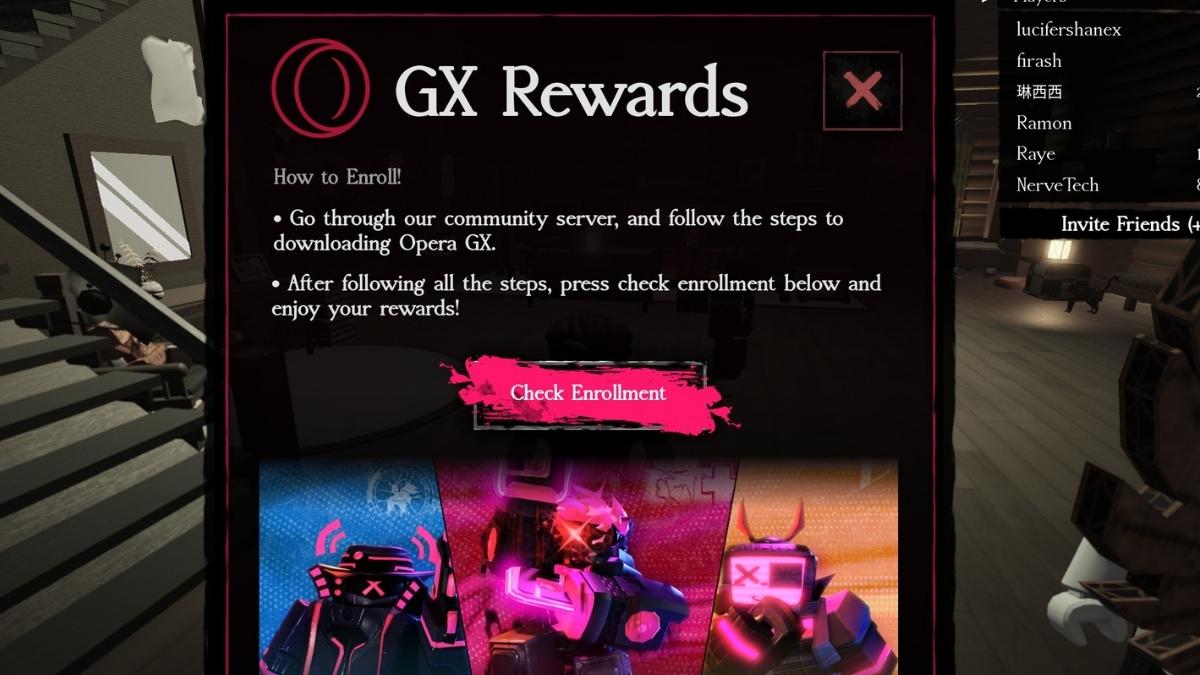
Opera GX Rewards is a free partnership pass between Opera GX and Forsaken that hands out exclusive skins and in-game items over multiple days. Every reward in the pass is free to claim with no Robux, no subscription, just an Opera GX download and a linked Roblox username. Each reward can only be claimed once, so you collect them as they unlock across the pass.
How Do You Set Up Opera GX to Claim Forsaken Rewards?
Download Opera GX from the official landing page and open the GX Rewards menu once installed. The menu icon looks like a gift box and sits in the middle of the browser's sidebar. Follow these steps below to finish the setup:
- Download Opera GX from the Forsaken rewards landing page
- Open the GX Rewards menu. Look for the gift box icon in the middle of the sidebar
- Enter your Roblox username in the rewards menu to link your account
NOTE: If you already have Opera GX installed, you can access the same menu directly from the sidebar without reinstalling.
How Do You Claim Your Rewards in Forsaken?
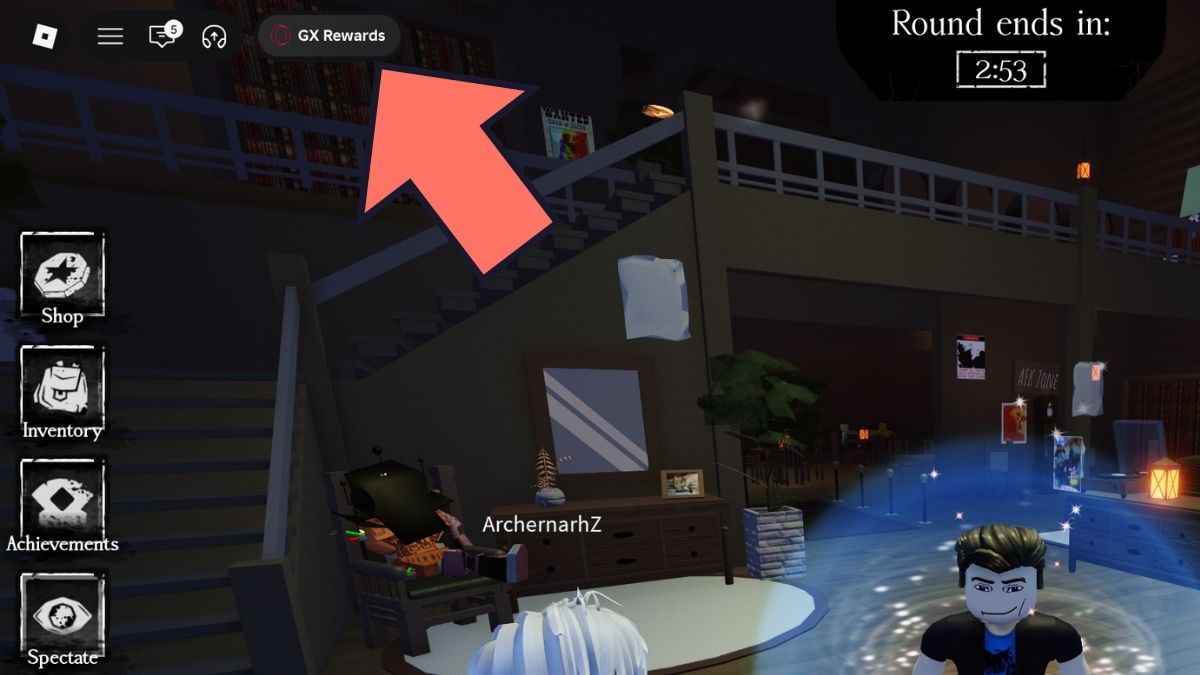
Once your Roblox username is entered in Opera GX, launch Forsaken and head to the GX Rewards option in the top left corner of the screen. An event page will appear from which you need to press Check Enrollment to verify your account.
After verification goes through, rewards become available to claim as each day of the pass unlocks. You do not need to log into an account or connect anything beyond your Roblox username. There is no Roblox account linking through OAuth or anything similar.
What Are All Rewards from the Forsaken Opera GX Pass?
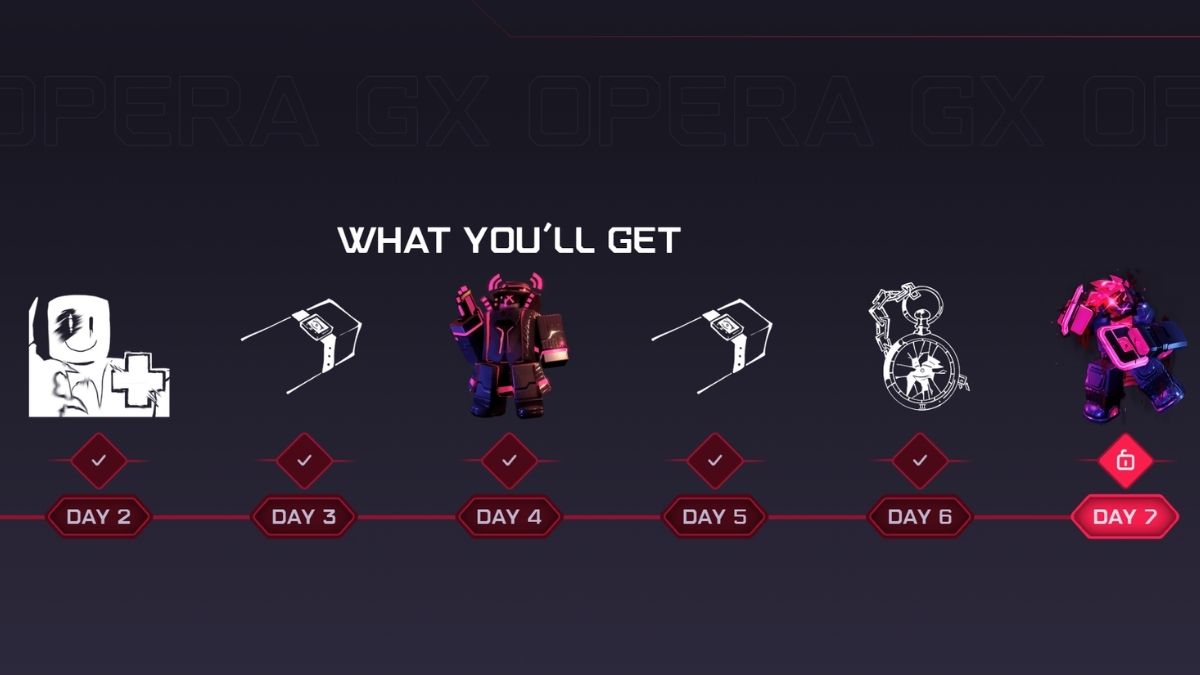
The pass runs across multiple days with a mix of exclusive skins and functional in-game items. The three skins, Web Surfer Veeronica, Binary Breacher Chance, and Digital Rider 1x1x1x1, are the permanent cosmetic rewards.
| Day | Reward |
|---|---|
| Day 1 | Web Surfer Veeronica (Skin) |
| Day 2 | Killer Chance Token |
| Day 3 | XP Booster (1 HR) |
| Day 4 | Binary Breacher Chance (Skin) |
| Day 5 | XP Booster (1 HR) |
| Day 6 | XP Booster (3 HR) |
| Final Day | Digital Rider 1x1x1x1 (Skin) |
Frequently Asked Questions (FAQs)
No account login or OAuth connection is required. All you need is to enter your Roblox username in the GX Rewards menu and confirm it in Forsaken using the Check Enrollment step. The rewards are tied to your username directly.
Yes. If Opera GX is already installed, open the GX Rewards menu via the gift box icon in the sidebar. You do not need to reinstall or download anything. The rewards menu is accessible from any existing Opera GX Browser.
Click the question mark icon inside the GX Rewards menu in Opera GX for a step-by-step troubleshooting guide. If that does not resolve the issue, the Forsaken official Discord server is the best contact point for your problems.
For more on Forsaken Roblox, check out Forsaken Halloween Event Guide – The Masquerade or How to play Slasher in Forsaken – PVP Tips and Tricks on Pro Game Guides!


