There are 15 Custom Character Codes for Jujutsu Shenanigans that players can equip and fight with friends. Some of these are extremely popular characters like Spider-Man, Gojo, Sonic & more. You can equip these on a private server using the Character Block feature to battle against your friends or even in tournaments.
If you are tired of playing the same old characters in Jujutsu Shenanigans, you can always use custom character codes and import new characters with an exciting moveset. So, if you are looking for some cool new characters for you to play inside Jujutsu Shenanigans, here is a list for your browsing.
All Active Custom Character Codes in Jujutsu Shenanigans
Below, you can find a list of 15 Custom Character Codes for you to use inside Jujutsu Shenanigans. Simply use the Copy button to add to your clipboard.
| Character Name | Export Code |
|---|---|
| Spider Man | |
| Sonic | |
| Island Owner | |
| Luffy Gear 5 | |
| King Von | |
| Base Gojo | |
| King Von 2 | |
| Super Senior Gojo | |
| Nightmare | |
| Old Sans Is Back | |
| Void | |
| Steve | |
| Flower (Horror) | |
| Devstrikes Mahoraga and Agito | |
| Omniman Custom | |
How to use the Character Codes in Jujutsu Shenanigans
To import Character Codes in Jujutsu Shenanigans, follow the steps below.
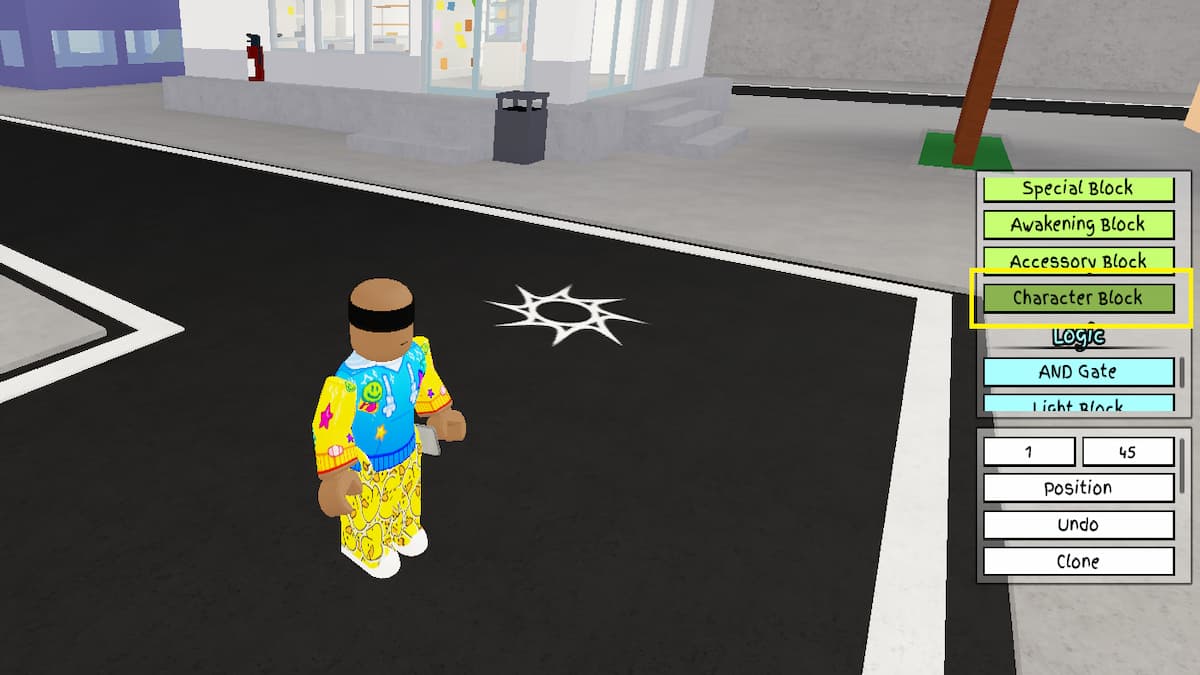
- Create or join a private server in Jujutsu Shenanigans. You can make one for yourself for free using the Servers tab on the game experience page.
- Press the + button in the top middle of the screen. This button is only visible on private servers.
- Navigate to the Players tab and toggle the Free Build option to allow the import of custom character builds.
- Scroll down to the middle to find the Character Block option inside the Free Build Menu, which spawns immediately after you enable the option.
- Select the Configure option and use the import button to spawn a text input box.
- Paste the code above into the Import Box and give your Custom Build a name and icon.
- Close all the menus and equip your character from the Characters menu.
Why is my Custom Character Import Code not working in Jujutsu Shenanigans?
The custom character codes in Jujutsu Shenanigans are extremely long and big; you can definitely make a mistake if you are trying to copy codes manually from Discord or Reddit. Instead, use the copy button in our table above to copy the code to your clipboard. Then paste it into the game to use the Custom Character Codes. Also, these codes may get corrupted or not work if any moveset associated with the custom character gets removed from the game.
For more on Roblox, check out 52 Songs to play on the Piano in Jujutsu Shenanigans or All Controls in Jujutsu Shenanigans - Roblox