


Similar to most battle royale experiences, to enjoy Mugen to the fullest, you need to use a private server, especially a Private Server+. So, if you are looking for such a server, don't worry! I will provide you with some free links and explain how to use them to their fullest potential.
All Active Mugen Private Server (PS)+ Links
Below, you can find a few Mugen Private Server + links for your use. If you are on a PC or Mobile Device, simply click the link to access the server. If you are on the console, ask one of your friends from the platform above to join first, and then send them a party invitation to join.
| Private Server Link | Host |
|---|---|
| Link 1 | Ranyel |
How do you buy a Mugen Private+ Server?
To purchase a Mugen Private Server, follow the given instructions.
- Open the Mugen game on the Roblox platform.
- After opening, scroll down slightly to find the "Create Private Server" option under the "Socials" section.
- It is entirely free, as the charge applies only to the Private+ Servers.
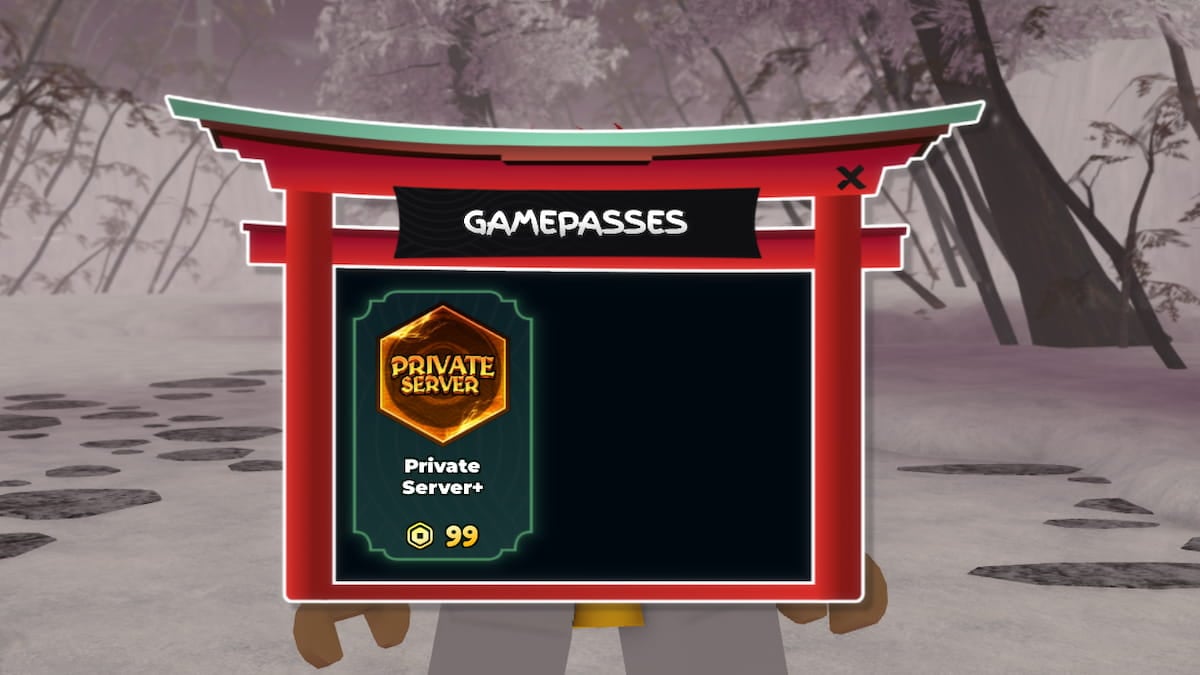
- Hop inside your game and open the Shop.
- Select the Private Server+ and pay 39 Robux to get the server.
Please note that this is a one-time purchase of a permanent game pass, which does not require a monthly subscription.
What is the maximum size of a Private+ Server in Mugen?
A total of 20 players can play together on a private Mugen server. This is similar to the number of players on a public server. To make space for more, you must either kick existing players using Admin permission or join an entirely new server.
Is the Mugen Private+ server worth it?
Yes, the Mugen Private Server is absolutely worth your time and money if you wish for a peaceful gameplay experience, free from the constant nuisance of other players who may spoil your gameplay by standing in your way or engaging in unnecessary fights. Instead, on a private server, you peacefully play with friends and learn your favorite combos.
Is there a difference between a Private+ and a Public Server in Mugen?
Yes, there is a considerable difference when comparing a private+ server with a public server in Mugen. Firstly, you can spawn dummies to train with your friends or yourself. On top of that, you can turn off cooldowns, turn off stuns, and even increase movement speed. At the same time, none of these options are available for a player on a public server except for the play option and the ability to choose a style.
For more on Mugen, check out Official Mugen Trello Link & Discord, All Style Combos in Roblox Mugen & How to do them or Roblox Mugen Codes


