




The Roblox page of Sailor Piece does not have the link to join the official Sailor Piece Discord server. So, we’ve found the official Sailor Piece Discord server that will help you join the community right now. You’ll also find the official Sailor Piece Trello link below that you can use to learn more about the different mechanics and features of the game.
What is the Sailor Piece Discord
You can join the official Sailor Piece Discord server using the link shared below:
Once you join the server, you’ll have to perform a verification before you can access all channels in the server. For that, head to the #verification channel and simply click on the Verify with Bloxlink button. You’ll soon see a message indicating that the verification is complete. Now, you can explore and use all channels in the server.
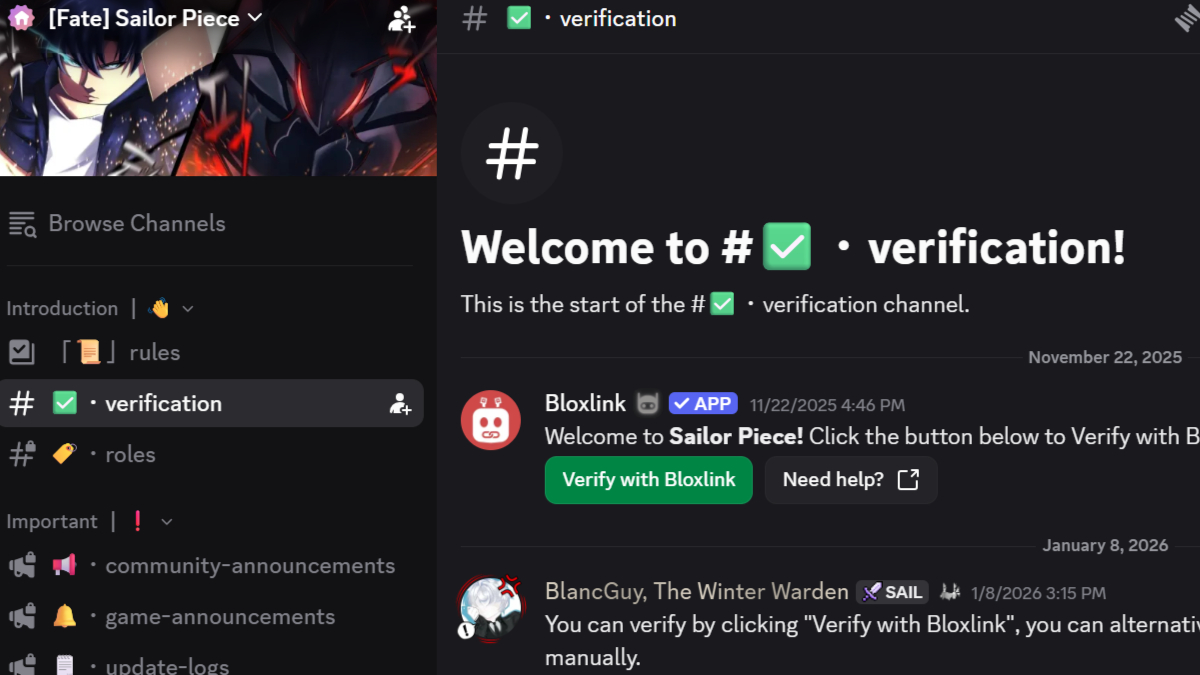
The most important channels to keep an eye on include the #game-announcements, #update-logs, and #codes-list. You’ll find the latest news about the game, complete update logs, and the latest Sailor Piece Codes in these three channels, respectively.
If you’re looking for a Sailor Piece Value List, check out the #value-list channel in the Information tab. General chat and community channels are in the Texting tab, where you can chat with the community, ask questions, find party members, and even make suggestions about the game.
What is the Sailor Piece Trello
Sailor Piece has an official Trello board that you can check out using the link below:
The Trello board is free to view for everyone. However, edit control is in the hands of the Trello Staff to make sure the information shared on the Sailor Piece Trello is always accurate. On the Trello Board, you’ll find separate columns for all major features/mechanics of Sailor Piece.
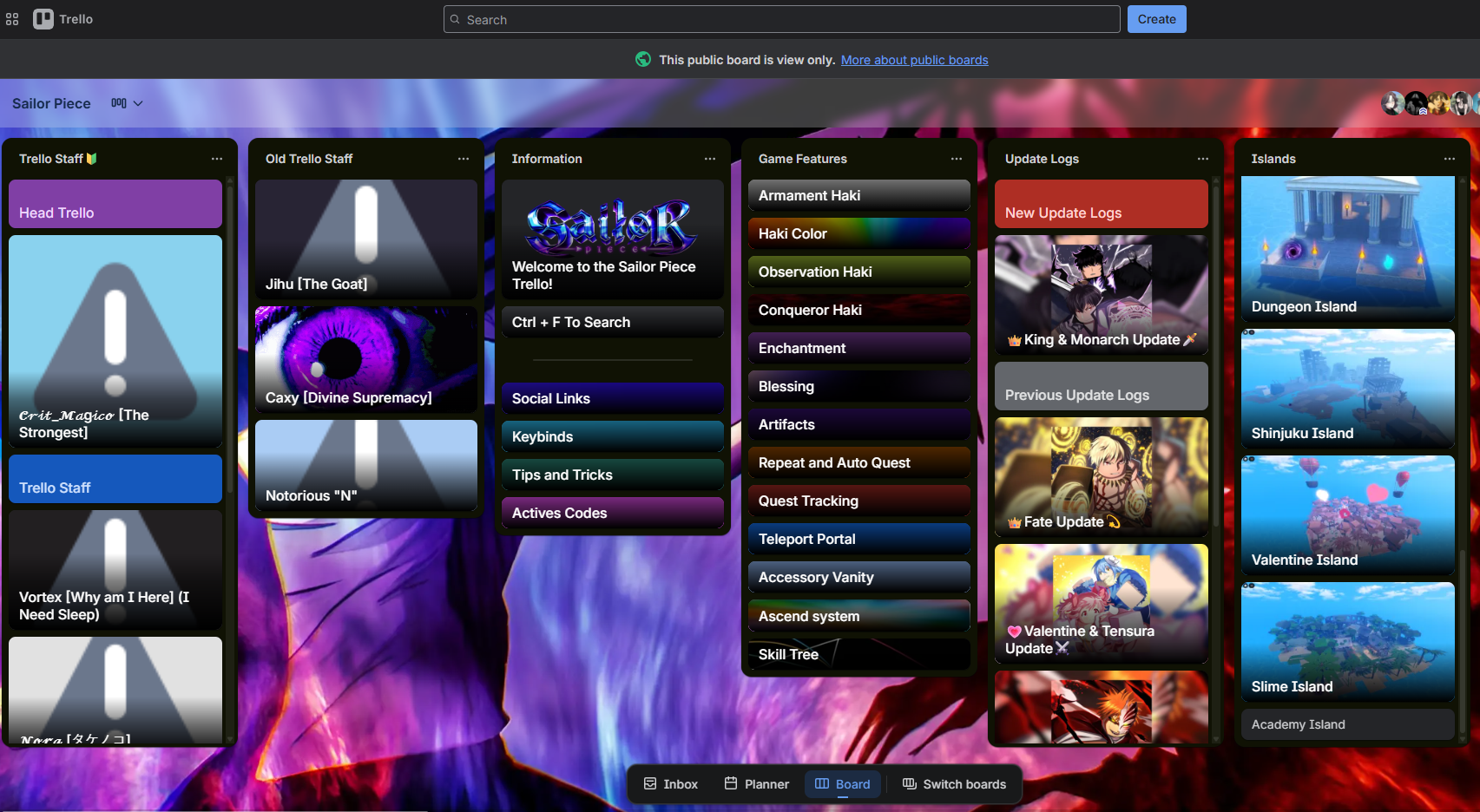
For example, the Information column lists all the controls/keybinds, provides helpful tips and tricks to get started, and lists all the active Sailor Piece Codes. The very next column is Game Features, where you’ll learn about all the core features of Sailor Piece, including Haki, Enchantments, Artifacts, and more.
The Trello Board also has dedicated sections for Islands, NPCs, Bosses, Weapons, Fruits, and more.
Related: Sailor Piece Boss Locations, Drops, and How to Spawn
Is There an Official Sailor Piece Wiki
While there is an official Sailor Piece Discord server and Trello board, the game does not have an official wiki yet. Moreover, the devs are completely invested in maintaining the Trello, and we might never get an official wiki for Sailor Piece.
If you don’t get all the information you’re after on the Trello board or it seems too complicated to use, you can find a helpful Sailor Piece guide on Pro Game Guides. Simply use the search icon in the top-right corner to search for whatever you need to know.
Related: Sailor Piece Weapons Tier List - Best Melees & Swords Ranked
Sailor Piece FAQs
To get access to all the channels in the Sailor Piece Discord, you must complete a Bloxlink verification by visiting the #verification channel under the Introduction tab.
If you’re facing any bugs/errors, you can report them to the developers using the #bug-reports channel in the Sailor Piece Discord. You’ll find the channel in the Texting tab.
Yes, you can report exploiters, scripters, hackers, and auto farmers using the Sailor Piece Discord server’s #explore-reports channel. Scripting/macroing/exploiting is not allowed in Sailor Piece.
If you're not happy with your current race, check out our Sailor Piece Race Tier List to find the best one and start saving up on Race Rerolls.
 Shah is a Roblox specialist with years of experience covering the platform’s biggest games, updates, and code drops for top-tier gaming sites. Formerly an accountant, he now applies the same precision to analyzing mechanics, meta shifts, and game trends across the Roblox universe. He’s especially known for breaking down Blox Fruits treasure hunts and mastering the grind in Grow a Garden.