
How to pause in Age of Empires IV

Pause at your will!

Age of Empires IV is one of the best RTS games to release on PC in recent times. The latest installment in the series has several new features improving the overall quality of life among players. But at the same time, keeping many fan-favorite features from older editions. One such core feature keeping its place in the latest edition of the game is the ability to pause the game's simulation. To stop the simulation of the game completely, press the "Pause" hotkey during your game. 

Recommended Videos

Pausing the simulation of the game

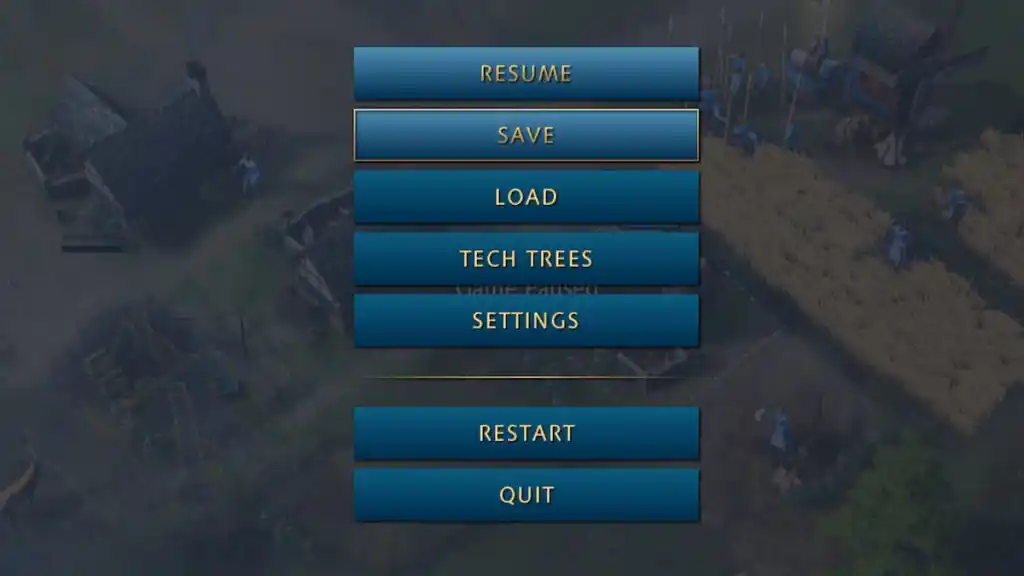
As mentioned before, To pause the simulation, you will need to press the "Pause" button. Pausing the simulation will stop the game from running in the background. You can also use the Esc or F10 buttons to stop the game apart from the Pause button.
Related: Age of Empires IV English Longbow Rush Build Order

Screenshot by Pro Game Guides

You cannot stop or pause any multiplayer games as it is a real-time event involving various parties.

Remember, unlike other famous RTS games, you cannot alter the simulation rate of the game in Age of Empires IV. As of now, you can only pause the simulation of the game. The ability to control the speed of simulation may arrive in future updates.

For more on  Age of Empires IV, check out How to heal units in Age of Empires IV on Pro Game Guides.

Follow us on Twitter and Facebook to get updates on your favorite games!

About the Author

Avatar photo

Vignesh Raja

Staff Writer

Vignesh Raja is a full-time staff writer at Pro Game Guides, formerly a semi-professional Apex Legends player. He specializes in Roblox one-piece-inspired games, focusing on Sailor Piece and Blox Fruits build optimization, tier lists, and meta breakdowns from a competitive grinding perspective.

Topics covered: Roblox codes, Roblox guides, Roblox games tier lists, One Piece games

Find Vignesh Raja on: Twitter

Forgot password
Enter the email address you used when you joined and we'll send you instructions to reset your password.
If you used Apple or Google to create your account, this process will create a password for your existing account.
This site is protected by reCAPTCHA and the Google Privacy Policy and Terms of Service apply.
Reset password instructions sent. If you have an account with us, you will receive an email within a few minutes.
Something went wrong. Try again or contact support if the problem persists.