


To complete the Around the Block Achievement, you will need to move to a minimum of ten different streets in your lifetime using the wander option.
Recommended Videos
Moving to different streets/locations
- Select a life where you get to live as a stray animal. Otherwise, run away from your home or pet store using the Escape option from the Activity tab. Being a stray dog allows you to travel and move to various new locations/streets of your choice.
- Once you are on the streets, go to the Activities tab on the bottom right corner of your screen and look for the wander option under the menu.
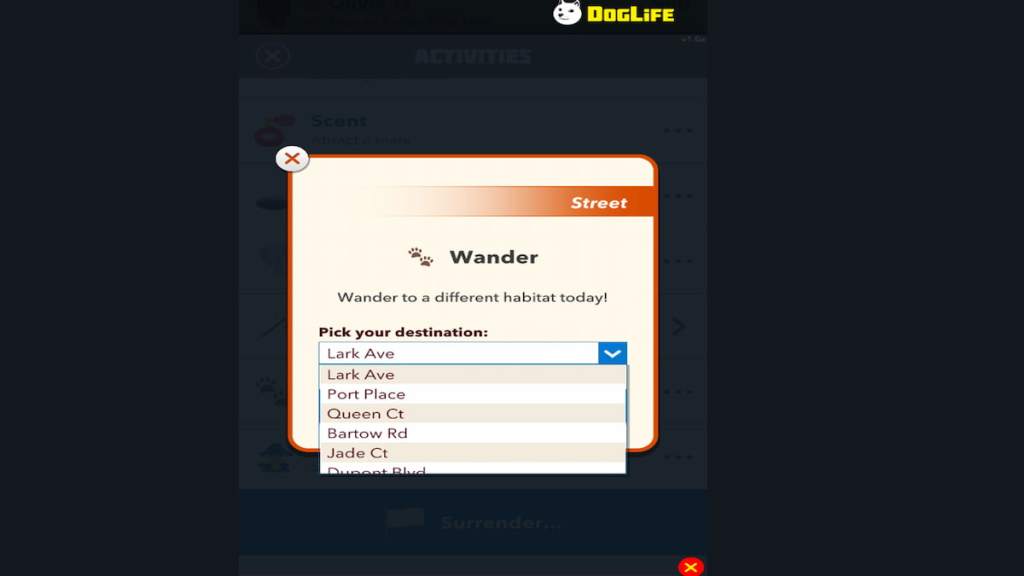
- Select the wander activity option, and in the new drop-down menu, choose the "Move to a new street/location" option.
Related: How to bite a tiger in DogLife – Fear the Fangs Achievement
- After selecting, you will move to a new street. Just keep aging up and Wander to new streets a minimum of ten times to complete the challenge successfully.
- There is no mini puzzle attached with the wander option. So you can spam the wander activity as much as you want.
Remember, the achievement is a tad boring. So you can pair the particular achievement with other exciting ones like Fear the Fangs, My Mane Man, and Infected!.
For more awesome guides, check out the DogLife section on Pro Game Guides.


