


To start a shelter riot in DogLife, you must find the riot option under the activity menu and complete the riot mini-game.
Related: How to master a trick in DogLife
First, To enable the try to start a riot activity button, you should spend around six months inside the same shelter. The button will be automatically available in your activity list. After clicking, you have to play a mini-game similar to Snake games on old mobile phones. You start with yourself and slowly gather all your buddies from the shelter without hitting any walls or guards. After grouping, ten dogs you will successfully begin a riot.
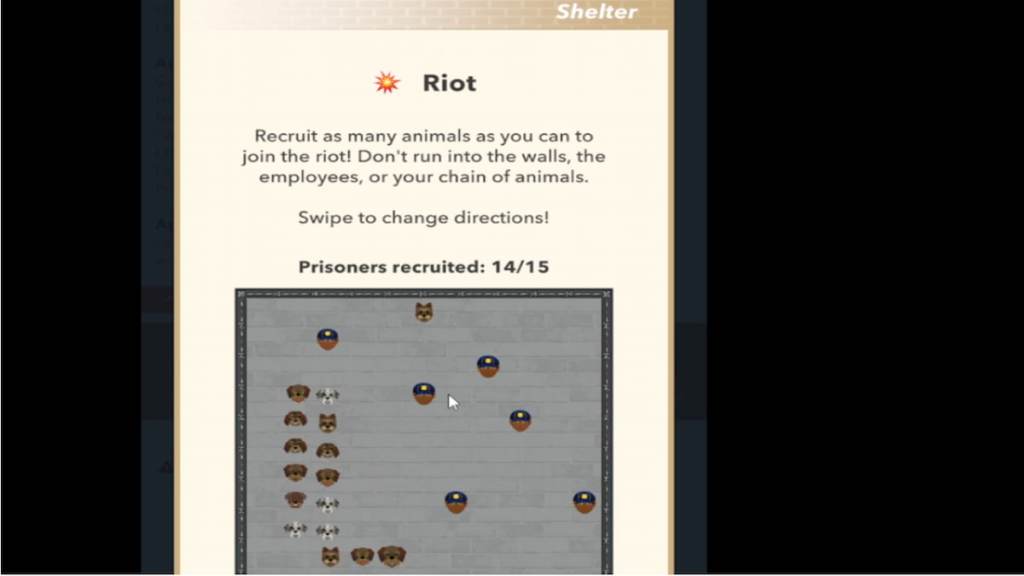
As mentioned before, riots are a source of distraction and can help you get out of the shelter. Mostly, you will not be able to escape in your first riot. But during your second riot, which you can begin after another six months from the first riot, you will be asked to group fifteen dogs instead of ten, causing bigger distractions, helping you escape the shelter finally.
Remember, Escaping during a riot in the first turn is random and not always possible. So if you want to escape from the shelter using a riot, quickly age up and target the second one.
For more awesome guides, check out the DogLife section on Pro Game Guides.


