


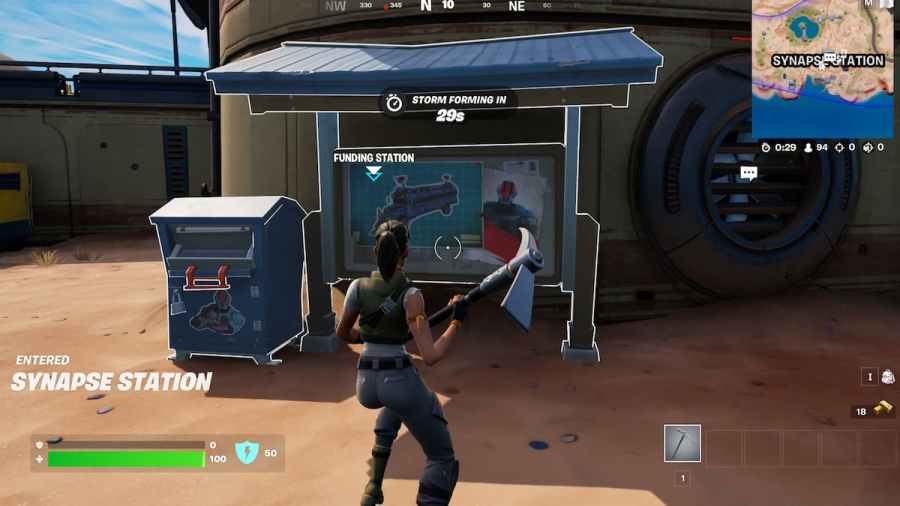
One of the newly added features to the base game in Fortnite Chapter 3 Season 2 is the Armored Battle Bus. Unlike other game items, the Armored Battle Bus will only be available to players after receiving enough funds via gold bars from the community. To fund the Armored Battle Bus, you will need to jump at one of the funding stations and pay a fee in terms of gold bars.
Where is the funding station in Fortnite Chapter 3 Season 2?
There are several funding stations on the current map. We recommend that you jump at Synapse Station for the easiness of location as its right outside the main building.
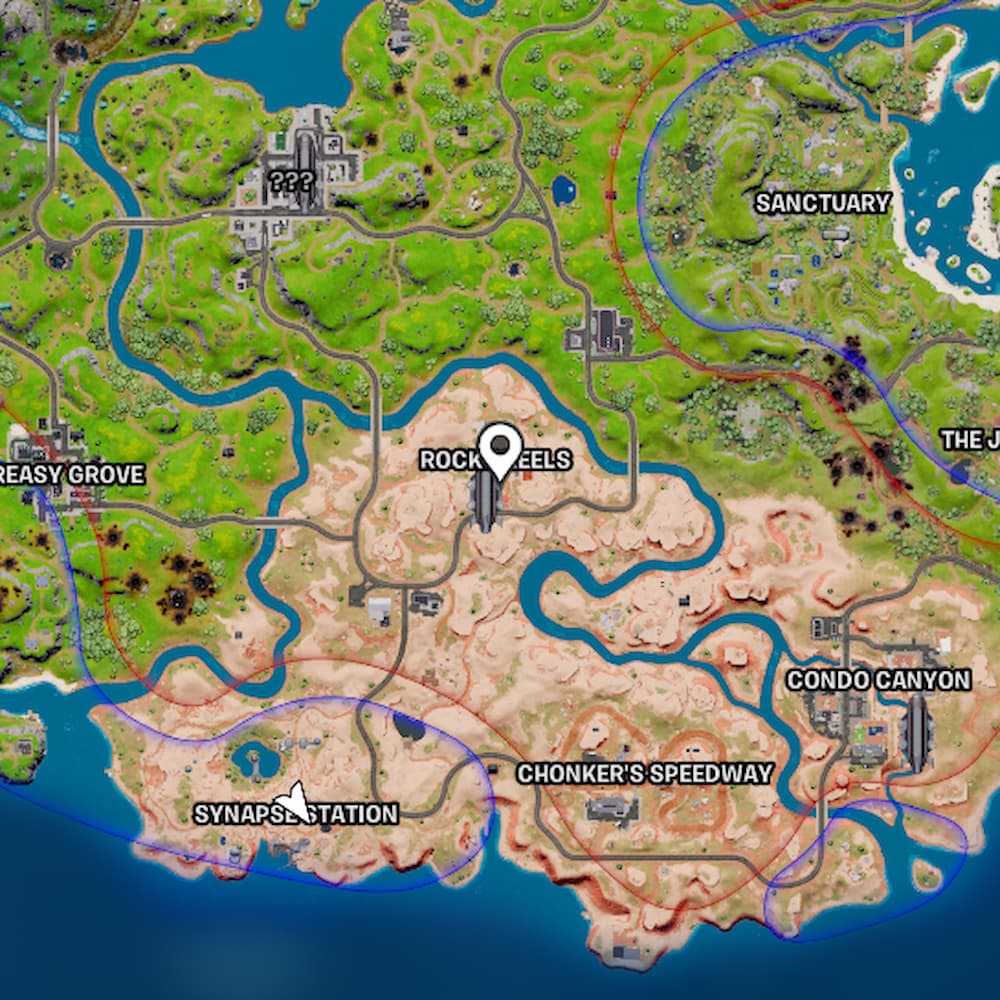
We will update the image with all the funding locations as the season progresses.
Funding the Armored Battle Bus in Fortnite
Before funding the bus at the funding station, you will need to collect a lot of gold bars from your surroundings. You can accumulate gold bars from any prominent POIs, loot boxes, and even from dead enemies. After collecting, interact with the funding station and donate as much as you want in a pack of 50.
Once the funding has reached 100%, you can find and drive the Armored Battle Bus from Resistance-occupied POIs.
For more on Fortnite, check out Where to find Omni Chips in Fortnite or How to drive a tank in Fortnite on Pro Game Guides.


