




The intricate and expansive world of Naruto ninjutsu is teeming with action as always, and if you're a fan, what better way to unlock the full potential of your chakra flow than through highly moddable Minecraft. The compatibility of the realm of shinobi with the Minecraft game environment is undeniable, and the AHZNB's ShinobiCraft mod is one of the living testaments to that with over 1.5 million downloads on record. While it may be actively the most popular modpack of this genre, it's far from the only one. We've tested some of the best Naruto Minecraft mods for you and compiled the list of the most immersive and fun jutsu and shinobi modpacks. Come check it out!
Naruto Mods Quick Comparison Table
Before we get down to the nitty-gritty of every mod, it's important to mention that all of these are made for Java version of Minecraft. As is the case with the majority of mods, they mostly lag behind what is the current latest release of the game, so be prepared to select and download the correct version of Minecraft, a change that can be handled through installing the Forge mod installer client.
| Mod | Jutsu count | Complexity | Downloads |
|---|---|---|---|
| Version 1.12.2 | 100+ | Medium Best for advanced players | 1.5M+ |
| Version 1.20.1 | 500+ | High Best for advanced players | 210K+ |
| Version 1.20.1 | 50+ | Low Best for beginners | 1.8M+ |
| Version 1.16.5 | 120+ | Low Best for beginners | 40K+ |
| Version 1.19.2 | 150+ | Medium Best for beginners | 75K+ |
| Version 1.12.2 | 30+ | Low Best for AHZNB users | 210K+ |
How to Install Naruto Minecraft Mods
In order to keep your game clean and bug-free, the best way to go about mod installation is through the Forge client. Let's go through the steps needed to set up the environment for installing mods.
- Download and Install Latest Java
- To make your .jar files properly executable, make sure you have the latest Java environment from the link, and install them if you don't.
- Download and Install Minecraft Forge
- Download Forge from its main download page.
- Make sure to pick the correct version of Forge, the one that matches the newest available supported version of mod.
- Hit the box Installer icon, then download the .jar forge file by clicking the top right skip button.
- Run the Forge .jar and select Install Client.
- Download Your Chosen Naruto Mod
- From the mod's Forge page, click the orange Download button on the right.
- Hit the bottom right arrow Download button to manually download the mod .jar file.
- Wait for the automatic download to start, or manually select Download if it doesn't.
- Make sure to also obtain any supplementary mods needed for the correct behavior of your mod.
- Locate Mods Folder and Install the Mod
- Depending on where your game is installed, you might have to hit the folder icon that appears on game version hover in the Installations tab in your Minecraft launcher.
- A typical installation path is likely to look like: C:\Users\PCname\AppData\Roaming.minecraft but this depends on the drive your game is installed on and your PC name.
- Once you're in .minecraft folder, either find or create a mods folder. You'll know it's in the right place if it's now placed below assets, bin, downloads, libraries, logs folders.
- Drop your .jar mod file into mods folder.
- Start Minecraft Launcher
- Make sure you have the newly created Forge profile selected from the drop-down, left of the big Play button.
- Cross-check that its description mentions the correct version of the game indicated by the mod!
- Start the game.
- Installation Precautions
- Unless otherwise specified by mod creators, never run multiple mods at the same time, as this will cause game-breaking bugs!
Mod 1: AHZNB ShinobiCraft
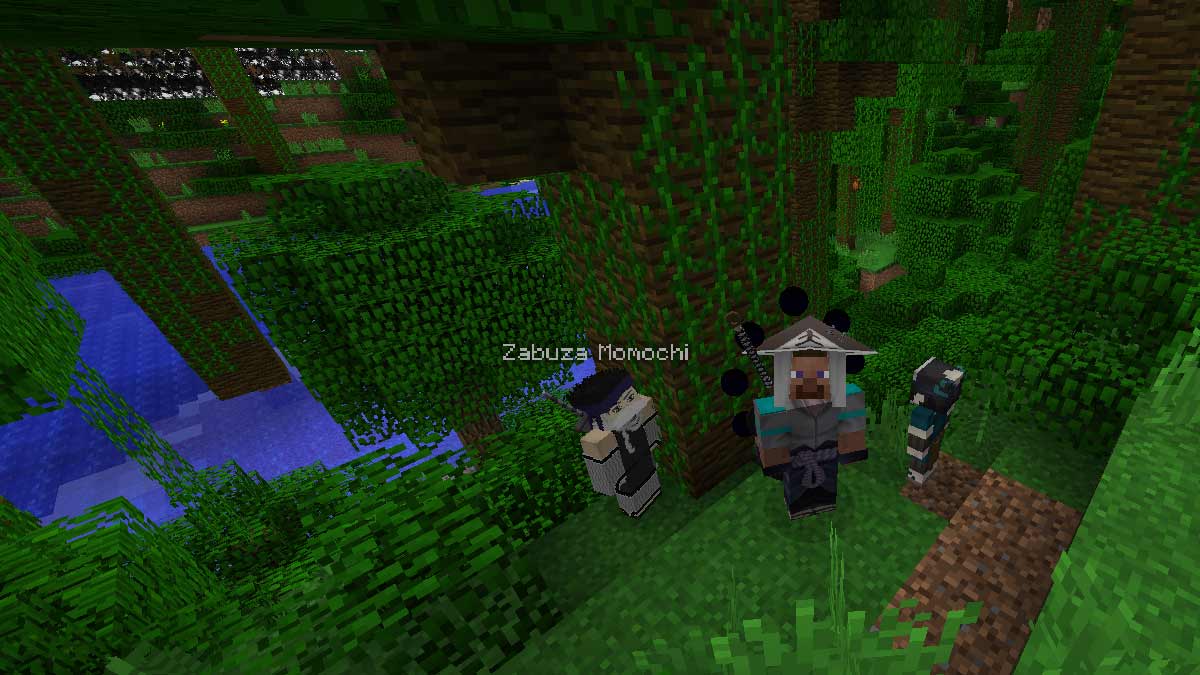
AHZNB ShinobiCraft is an intricate work in progress mod with a lot of potential; the modder claims even more jutsu and NPCs will appear in its roster later down the line. The range of available features already looks impressive, with amazing NPC figures that sport high-detail textures and models, many beautiful shinobi outfits and powerful weapons with unique effects.
While there's no clan system in place as of now, there's still plenty of jutsu of all types to use, including the high-tiered kekkei genkai. The mod also offers access to the tailed beasts and an opportunity to seal them and turn into them as a jinchuriki.
This mod offers so many highly detailed features, many minor CurseForge mods base entirely around it. With active support and a lot of care put into it, it's no wonder this mod is currently the most popular within the Naruto fanbase of Minecraft players.
Mod 2: Ninshu: Origins
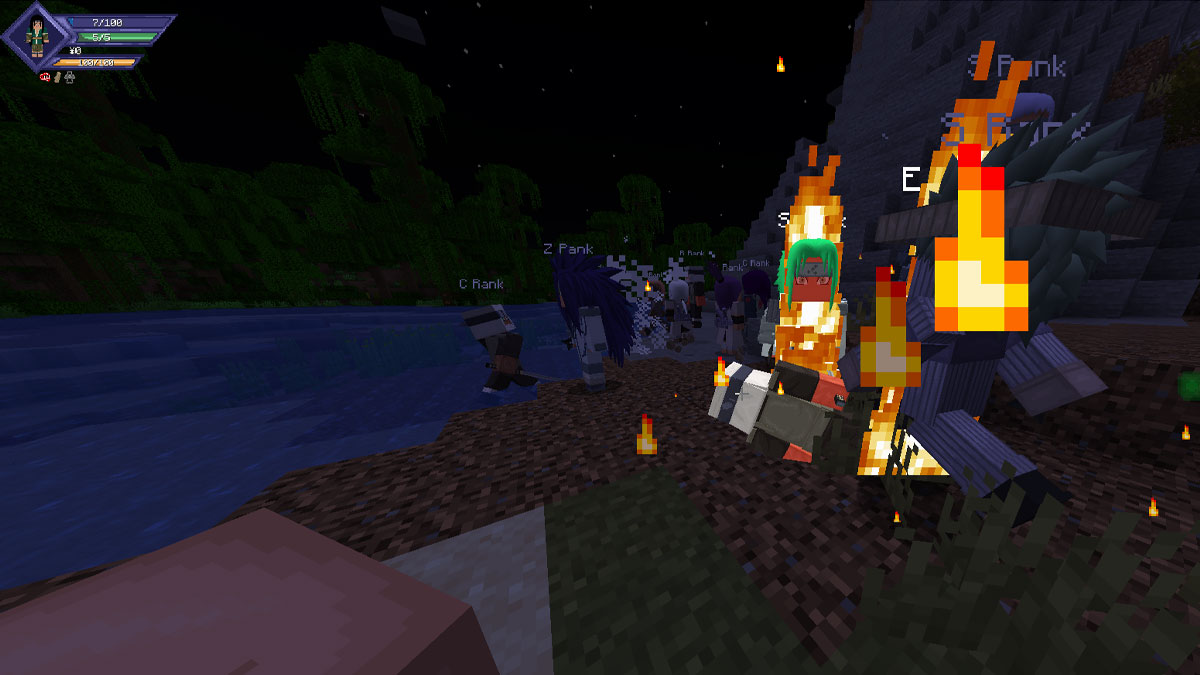
A tremendously ambitious project, Ninshu: Origins has quickly garnered many supporters for its in-depth technique, summon and clan system. The cosmetics are aplenty, weapons too, and the techniques cover all the basic ninjutsu schools, but also special clan-specific jutsu. You can even get a custom hairstyle!
There is also a beautiful UI added for extra immersion, currency and trading system, a task/questing system, and much more. Though NPCs can be spawned, in order to get the maximum out of this mod, we recommend joining their ranks in multiplayer through Discord. This mod is still being actively updated, which is another trait to look forward to. Just pay extra attention with compatibilities when you install the three supporting mods for this one!
Mod 3: Sekwah41's Naruto Mod
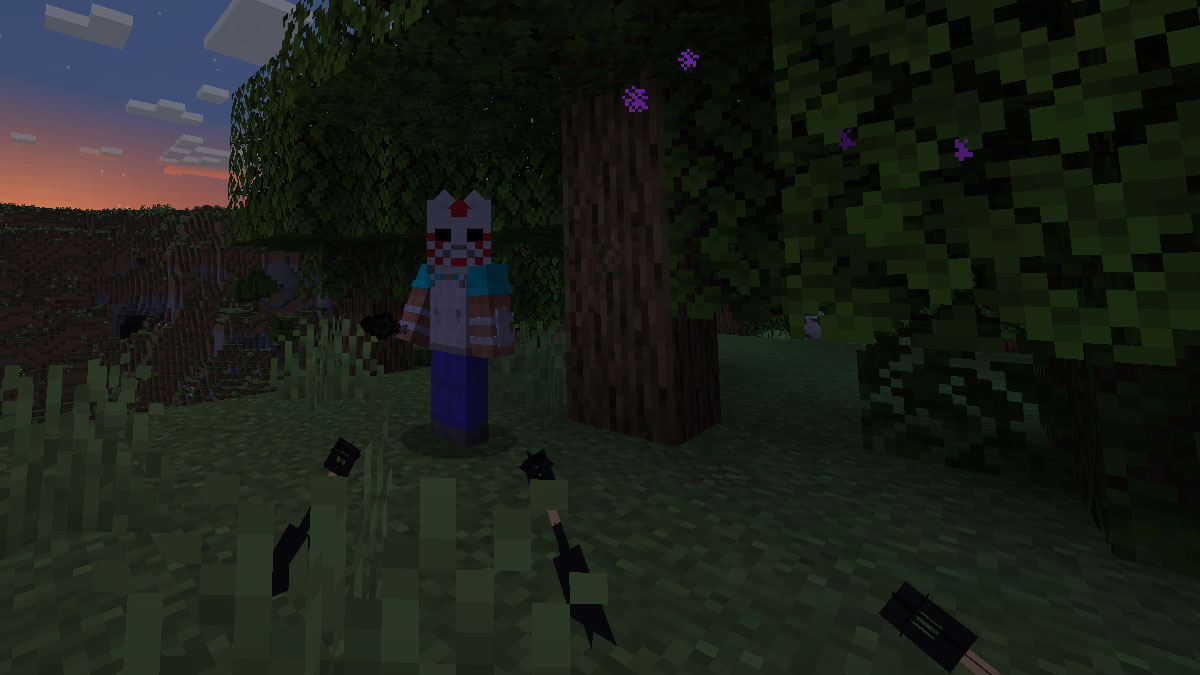
The oldest mod on this list and the one with the largest total amount of downloads, Sekwah41's Naruto Mod has been going through a large overhaul for a while now. As of now, it features basic shinobi weapons such as shuriken, kunai, katanas and even super handy throwing senbon. You also have access to many types of ninja armor, masks and the whole variety of headbands.
Judging by what the modder said, many things that consist the body of the mod are currently inactive for updates, including some mobs and jutsu, rendering this mod a very lightweight version of what it used to be. We hope it will be updated in the future!
Mod 4: Naruto Unleashed
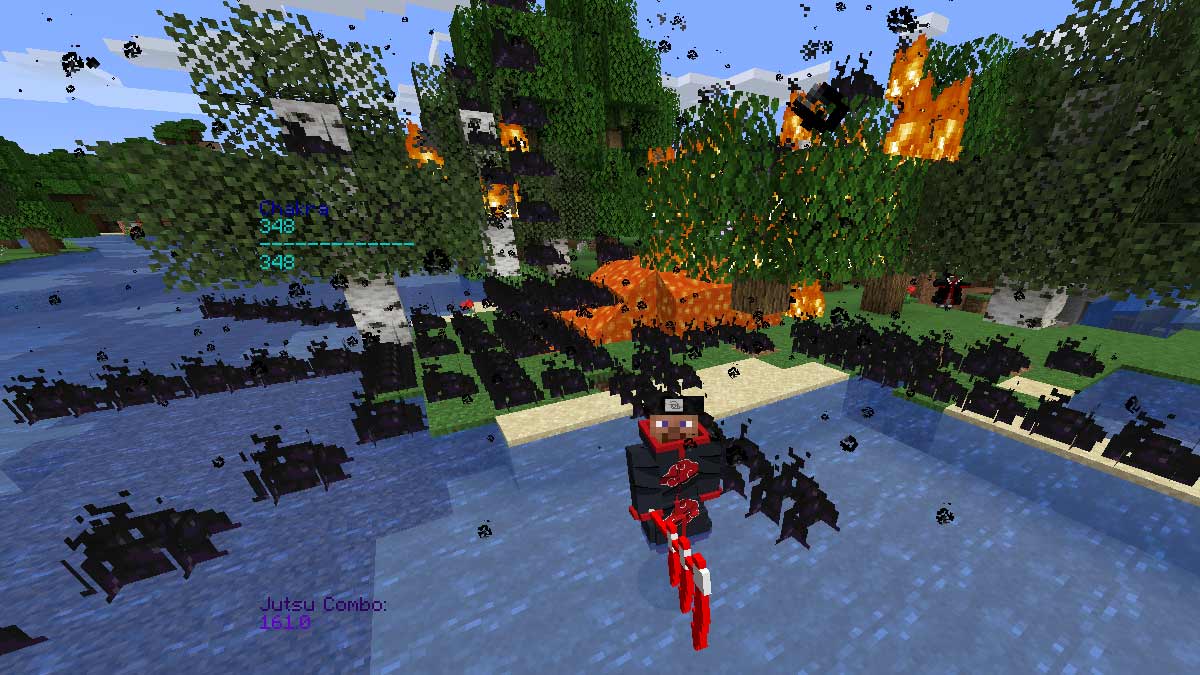
This modpack keeps it pleasantly simple; if you need quick access to the most important jutsu trees, Naruto Unleashed got you covered. And it needs no additional mods to work either, it's drag and play! Though you can only belong to either the Uchiha or Uzumaki clan, we all know these are the most important ones, and you can still experiment around with cells.
The nice range of readily available jutsu, weapons and shinobi accessories is there to serve. And even the mobs have been ninja-fied for the fun of it! You can also summon the full team of Akatsuki which feature unique behaviors. Just watch out if your PC is bad with particle handling when you're waving around those Amaterasu techniques.
Mod 5: Shinro
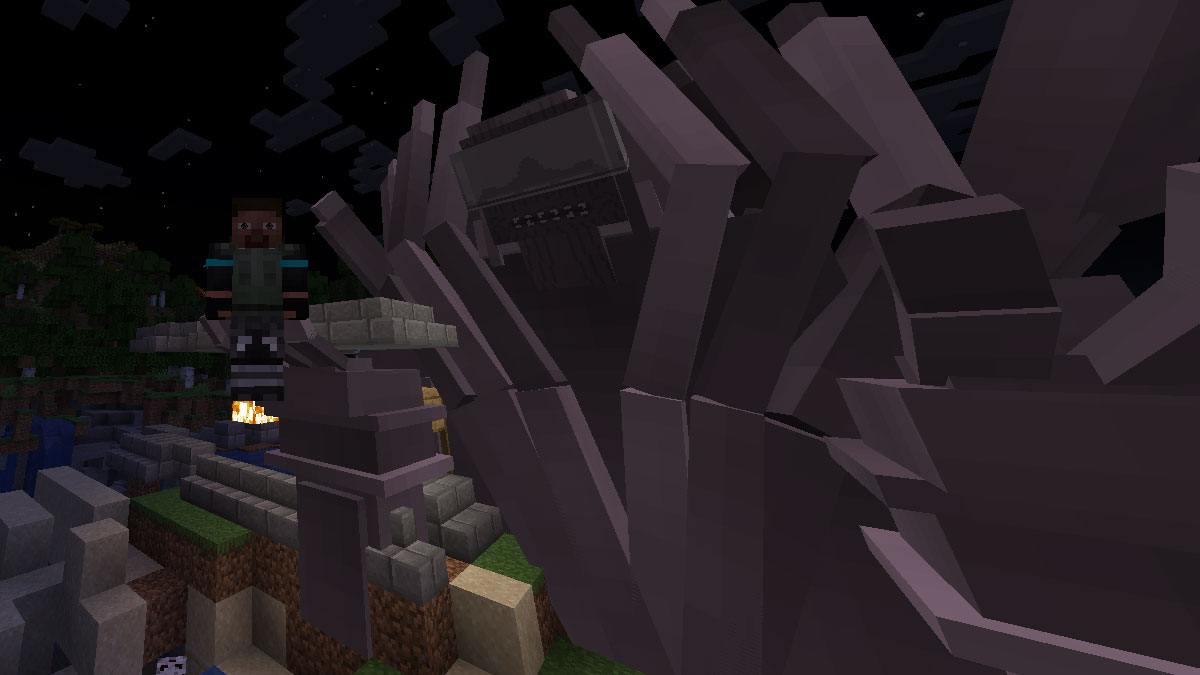
The Shinro modpack features a unique questing and EXP progression system, several skill trees which will help hone various types of jutsu for you, and access to some of the coolest techniques Naruto universe has to offer.
Additionally, you can battle summonable iconic characters from throughout the series, such as but not limited to Orochimaru, Itachi, Danzo and others. Gaining the tailed beasts' power for yourself and conquering legendary enemies is at hands reach!
This mod also features a small spawnable shinobi classroom for practice. With a ton of uniquely animated weapons, you can also casually enjoy Minecraft itself with your newly acquired shinobi powers. Gather new jutsu through cell experimentation and garner more EXP to progress, but be warned, this mod wants you to play the long game with tons of time and EXP needed.
Mod 6: The Boruto Expansion for AHZNB's ShinobiCraft
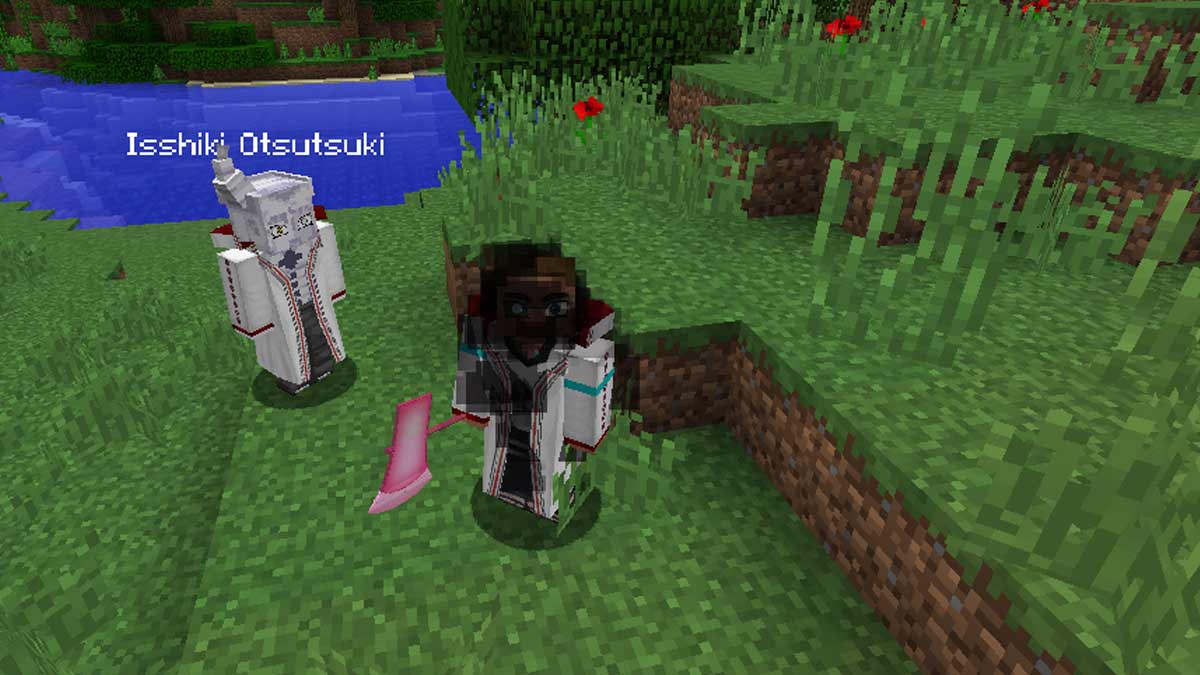
While not a standalone mod itself and instead an expansion, The Boruto Expansion is one of the more popular add-ons for AHZNB's ShinobiCraft among many. If you like this story continuation in the Naruto universe, you'll be happy to know that this add-on brings new cosmetics such as Boruto's, older Sasuke's, Isshiki's, Jigen's, Kara cloaks, custom eyes that appear in Boruto and some other items.
The whole range of chakra weapons is also introduced. Keep in mind that you'll need the same Forge version and AHZNB's ShinobiCraft already installed before getting access to the Boruto goodies of this mod.
Troubleshooting Broken Naruto Minecraft Mods
It just doesn't always go to plan, or even worse, you think that it did but the game either won't start or does not display the mods correctly in-game. Here's the things you should recheck in order to be able to play these Naruto mods smoothly.
- Always make sure to have the stable version of the Forge indicated by the mod creators. Check the full version number!
- Some mods can have multiple dependencies, which will require you to download and drag all of these into the mod folder. But don't just download the first thing that comes with the basic download button. You must check that these dependency mods are also compatible with your Forge version and download the correct one.
- Not all mods are easy on your hardware, check if you have enough RAM memory to use the mod at all! It may look fine at launch but if the game stutters whenever particles start flying you may be in trouble down the line.
- Lower your render distance if you have less RAM available for smoother experience.
FAQ
The best way to install any mods for Minecraft, including any from our Naruto mods list, is through Forge.
It depends on what you are looking for in terms of content. Overall, we suggest installing mods with active support that are getting updates regularly, as that means it should work smoothly on newer versions of Minecraft.
If your mods aren't working, make sure to check out our troubleshoot list. Check if you installed everything properly and make sure that your setup can run the mods in the first place.
That was our list of best Naruto Jutsu and Shinobi mods! We hope you'll have a great time experiencing the special gameplay these modpacks introduce, or just use your ninja techniques to burn the world of Minecraft for the fun of it. If you like playing with various Minecraft mods, check out our list of best Herobrine mods and follow Pro Game Guides for more news and fresh game guides!
 An avid enjoyer of everything Cyberpunk and a very slightly addicted gacha enthusiast. A sucker for good RPGs, quality turn-based games, non-linear adventures and everything that offers both good time AND long time. If the story is good, they'll always come running. Certified established gamer since year 2000.