


There are 10 Craftable Potions in Adopt Me that can be used with ingredients like Tim's Mustache, Fork & Tim's Eaten Sandwich. You can then use Potions to grant your pets various temporary effects, like making them learn all their tricks, age faster & even make a silly face.
In Adopt Me, players can collect several rare ingredients by performing certain tasks that can then be used to craft potions inside the game to gain temporary effects. So, if you are wondering how to make potions or collect ingredients in the game, here is a detailed guide on how to do it.
What are the various Potions in Adopt Me?
Below, you can find all 10 craftable potions in Adopt Me along with their required ingredients, effects & more.
| Potion Name | Ingredients | Description |
|---|---|---|
| Goofy Potion | x1 Tim’s Moustache, x2 Forks | Feed this to a pet to temporarily have it make a silly face. |
| Secret Talent Potion | x2 Tim’s Moustaches, x1 Tim’s Eaten Sandwich | Feed this to a pet to temporarily teach it all of its tricks. |
| Polymorph Potion | x7 Tim’s Moustaches, x7 Tim’s Eaten Sandwiches | Feed this to a pet to temporarily make it look like a random pet. |
| Home Potion | x3 Forks, x1 Tim’s Eaten Sandwich | Drink this potion to teleport to your house’s front door. |
| Future Sight Potion | x5 Tim’s Moustaches, x1 Fork | Feed this to a pet to learn what its next needs will be. |
| Busy Body Potion | x5 Forks, x2 Tim’s Eaten Sandwiches | Feed this to a pet to give it a random need. |
| Choosy Potion | x6 Tim’s Moustaches, x5 Tim’s Eaten Sandwiches | Feed this to a pet to give it the food it needs. |
| Preferred Potion | x7 Forks, x8 Tim’s Eaten Sandwiches | Feed this to a pet to give it a random need with a preferred item. |
| Bonus Bucks Potion | x6 Tim’s Moustaches, x5 Forks | Feed this to a pet to temporarily give it 1.2x Bucks. |
| Bonus Aging Potion | x4 Forks, x3 Tim’s Eaten Sandwiches | Feed this to a pet to temporarily give it 1.2x aging. |
How to collect the Potion Ingredients in Adopt Me?
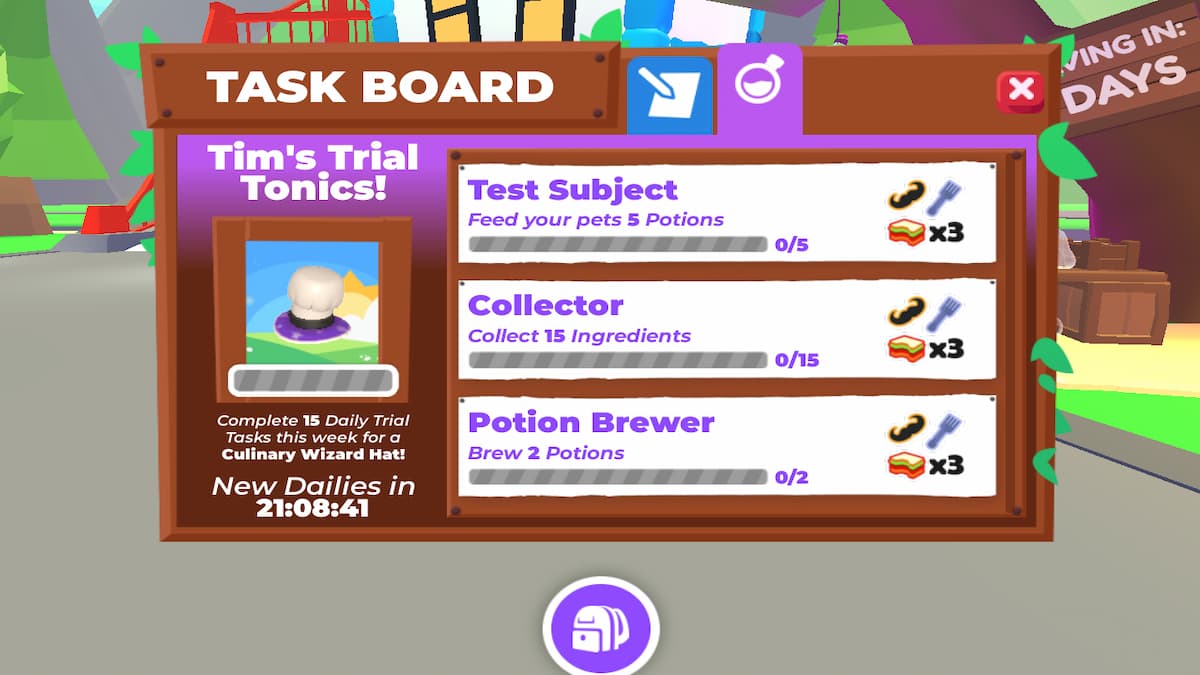
There are two ways to collect Ingredients for potions in Adopt Me: Taking care of the needs of your pet & completing Tim's Trial Tonics Quest in the taskboard. For the former, just look after your pet and fulfill the requirement to randomly get one of the ingredients. On the other hand, the taskboard lists the set tasks and the rewards next to them. So, if you just want Forks, complete the quest that gives you Forks.
How to make potions in Adopt Me
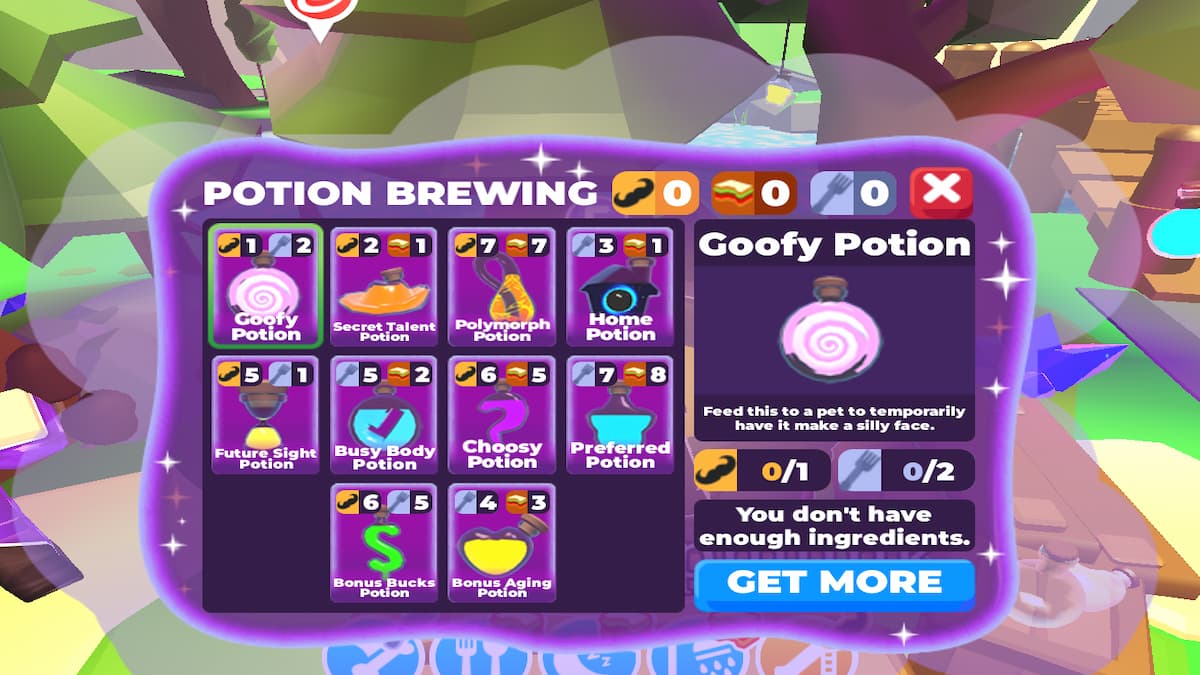
To make potions in Adopt Me, you have to access the cauldron next to the Tim NPC. After spawning inside the game, go directly to the Adoption Island. Here, go to the bridge area next to the Med building (Hospital) to locate the NPC. Access the cauldron next to him to start brewing the above potions using the ingredients related to them.
Adopt Me Potions FAQs
No, the Potions are not a permanent feature in Adopt Me. In fact, the Tim NPC and the potion crafting feature will remain only for the next 7 days, ending on 22 May, 2026.
The Bonus Buck & Bonus Aging are two of the best potions in Adopt Me. Both help in making your Pet make more money and age faster.
For more on Adopt Me, check out Adopt Me Pet Ages & Levels List - Neon Stages! or How to get Ghostly Cat & DJ Snooze in Adopt Me!


