


To get the Huntmaster's Visor & Grow a Garden Secret Badge in the Hunt Roblox 20, you must first collect 8kg of carrots by purchasing the carrot seeds from the seed shop, growing and delivering them to the NPC Green Bean. Afterwards, finish 3 puzzles to claim your prize.
First puzzle: Spell out 'GROW' using the wheels on the ground.
Second puzzle: Combine Shocked + Dawnbound to get an A grade mutation.
Third puzzle: Pull levers in this order: 5 → 3 → 7 → 10 → 2 → 9
The Secret Badge is awarded automatically upon completion of the puzzles. Return to the lobby and interact with the pedestal to get the Huntmaster’s Visor.
Wanna continue securing Secret Badges in the Hunt Roblox 20 event and be completely dripped out with goodies you can claim with each game? You're in luck because our guide will tell you exactly how to get the Grow a Garden Secret Badge & Huntmaster's Visor. Follow along carefully so that you don't miss anything and reserve those bragging rights for when you collect them all!
How to Complete the Carrot Quest in Grow A Garden
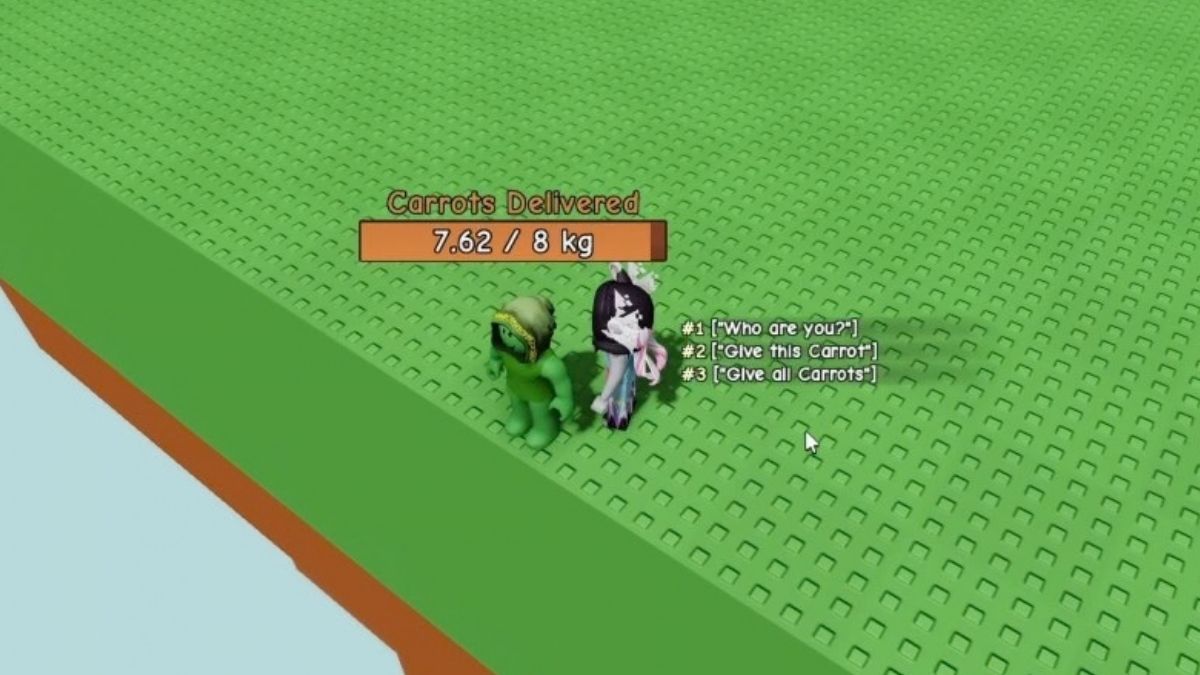
Before you can do the main challenge to obtain the Secret Grow a Garden Badge and Huntmaster's Visor, you have collect and deliver 8kg of carrots. If you don't already have them in your inventory, go to the seed shop and purchase as many carrot seeds as you can. If you start off with zero, it takes a total of 3 shop restocks to get enough. Simply plant them in your garden and wait for them to fully grow.
Don't worry, this doesn't take up too much time. In a matter of seconds the carrots emerge and are ready to be collected. Once you have the right amount, take them to the NPC Green Bean. He is located behind the Gears shop, next to a ledge. Choose the option to "Give All Carrots", if you're reached the desired 8kg, it concludes this part of the task
How to Solve All 3 Puzzles in the Grow A Garden Hunt Roblox 20 Quest
Now it's time to head on over to the other side of the map, directly parallel with the NPC Green Bean, and jump over the ledge. Use the Seed Shop NPC as your guidance, go directly behind him. Below is a bridge you will safely land on. Enter the building straight ahead to start your journey towards obtaining secret goodies! You will be faced with 3 cool Grow a Garden puzzles for the secret Hunt Roblox 20 quest, here's how to beat them:
First Puzzle
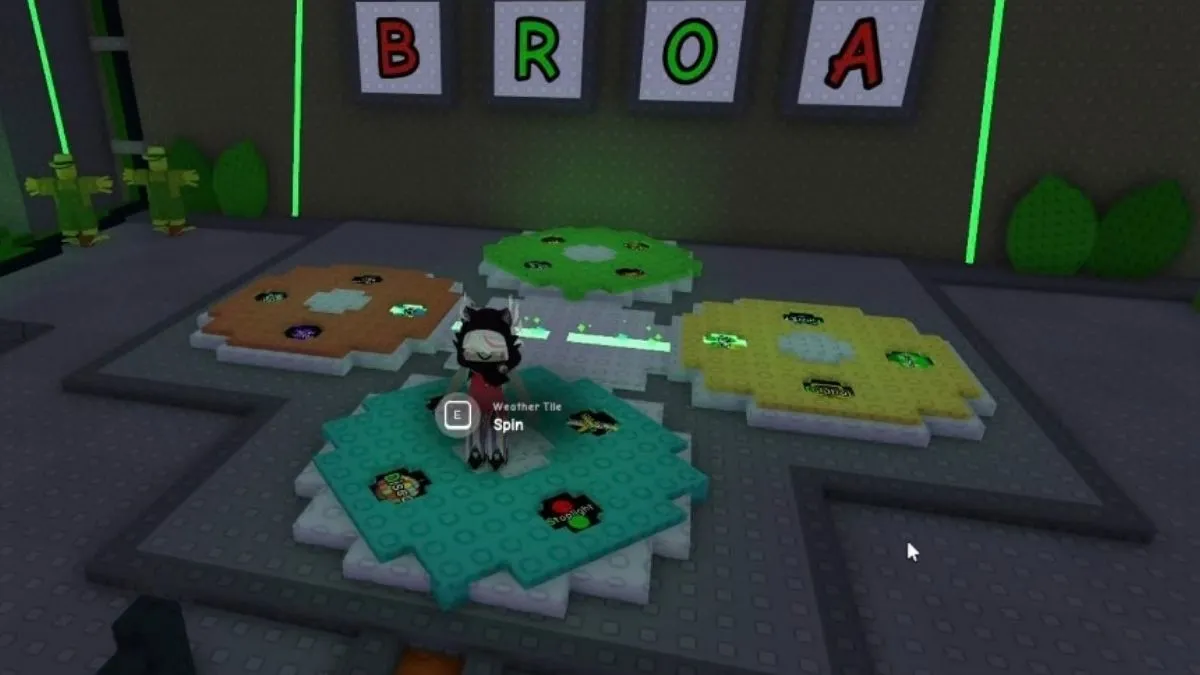
To start things off, you will see 4 circles on the ground with different images, highlighting different letters, and random red letters jumbled on the wall. Interacting with the circles makes them spin and based on the image selected, the letters on the wall change. The word you're supposed to spell out is 'GROW', so keep spinning the wheels until you've reached the correct letters and their placements. If you've gotten both of these aspects right, the letters turn green.
Second Puzzle
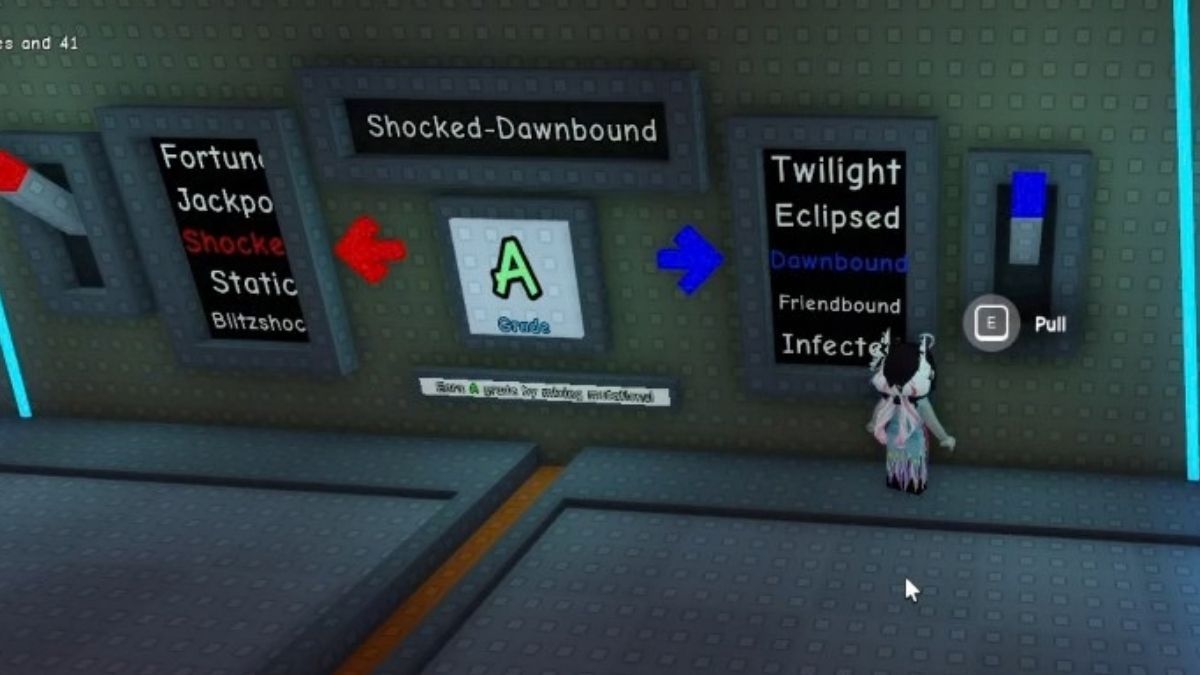
In this puzzle the goal is to combine two mutations and get an A grade. You have two levers on each side, used to shuffle the mutations until you've reached a favorable combination. If endlessly clicking in hopes of getting an answer is not your thing, you're welcome to use this example: Shocked and Dawnbound. Easy-peasy right? On to the last one!
Third Puzzle
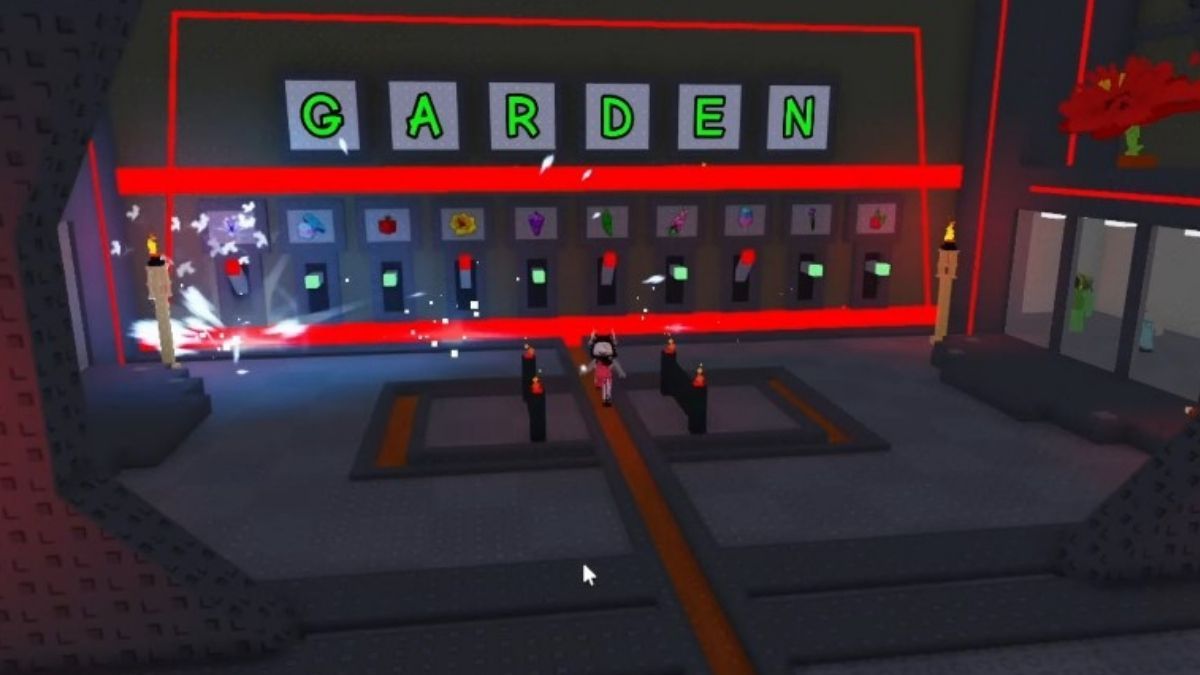
For the final puzzle, there are 10 levers total, all with different plants marking them. Pulling each one generates a letter on the screens above. The point is to spell out 'GARDEN' using the correct sequence of lever pulling.
Each time you mess up the puzzle resets and swallows a chunk of your time. If we count them from left to right, here's the exact order you need to follow:
5 → 3 → 7 → 10 → 2 → 9
If you've done it correctly, all that's left is to enjoy the lightshow and claim your prize!
How to Obtain the Grow a Garden Secret Badge & Huntmaster's Visor in the Hunt Roblox 20
So you've successfully completed the minigame and puzzles huh? Nice! The Secret Badge is automatically provided but to get the glorious Huntmaster's Visor you need to go back to the lobby and interact with the item pedestal. Equip it in your inventory and show off your brand new drip.
If you're a fan of collecting all the secret badges make sure to check out our How to Get the Secret Blade Ball Badge & UGC in The Hunt Roblox 20 and How to get the Secret Piggy Badge & UGC in The Hunt Roblox 20.


