The Work At A Pizza Place 2010 Secret Quest Challenge in The Hunt: Roblox 20 requires three steps
- Return the Secret Recipe to Tony
- Retrieve the Vault Key from the Builderman Brother Pizza Shop
- Solve the Emoji Puzzle inside the Time Machine Room
Completing both challenges will reward you with the ear Hoarder Loadout Retribution Belt UGC & Recipe Retribution Badge.
The Work at a Pizza Place Secret Quest is one of the most confusing and lengthy missions in the ongoing The Hunt: Roblox 20 event. Much of the difficulty comes from its complex puzzles, which you must solve with little to no guidance. If you're stuck at any stage, this detailed guide will walk you through each step so you can complete the mission.
How to Start the Secret Quest in Work at a Pizza Place
To start, enter the Work at a Pizza Place experience through The Hunt Roblox 20. Inside the game, press the Roblox 20 Icon and jump into the boat to start a session. You will spawn right in front of the Builder Brother Pizza Shop. Go to the backside of the Shop and take a Car.
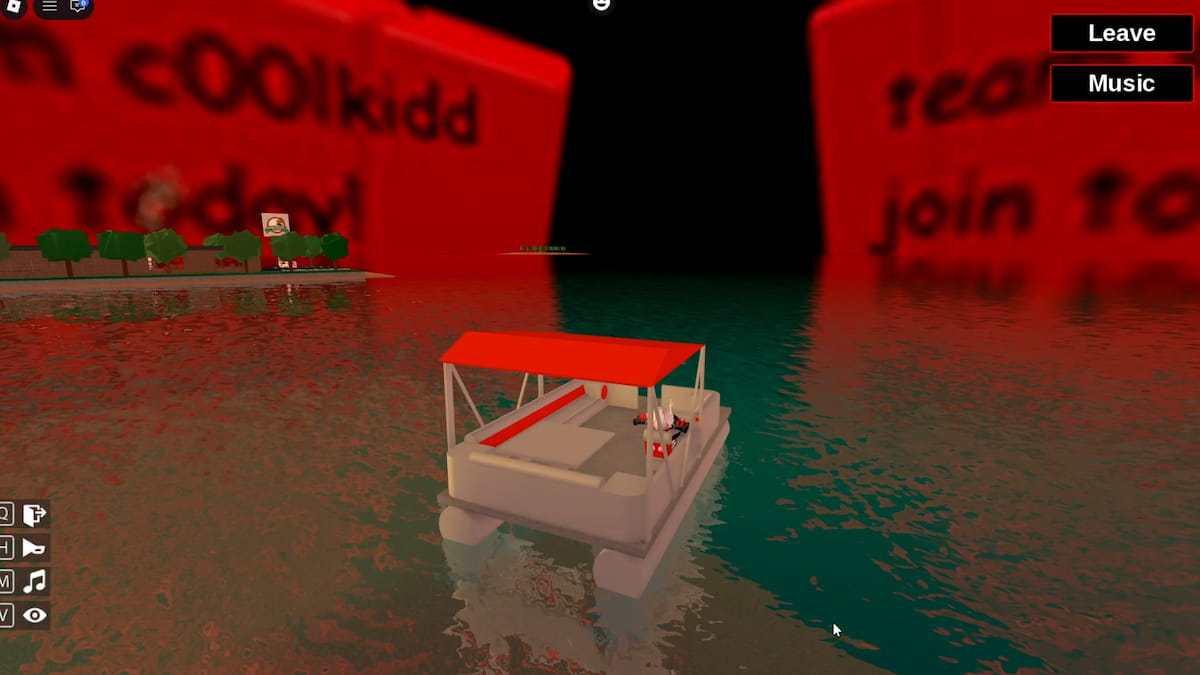
Now travel straight to the Dock area, where you can find a Boat. Use that boat to reach the Island across the water to find the broken house with the Jordan NPC who helped you access the secret Bunker.
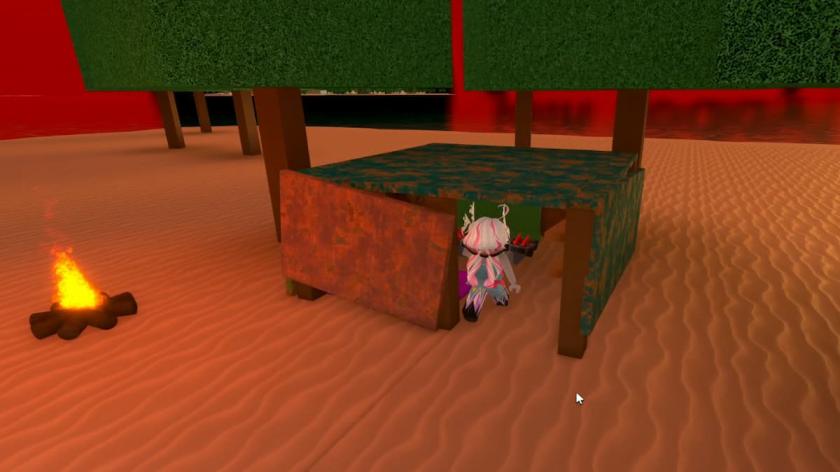
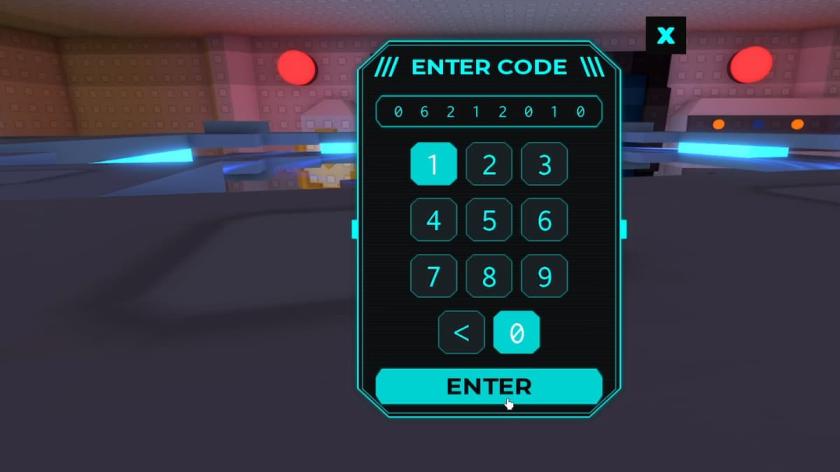
Re-enter the Bunker and type the code "06212010" into the system to start the Secret Quest in Work at a Pizza Place.
How to finish the Secret Quest in Work at a Pizza Place
The Secret Quest in Work at a Pizza Place involves finishing three Sets of puzzles. Below, I have listed those three Puzzles and methods to finish them quickly.
Returning the Secret Recipe to Tony - Puzzle 1
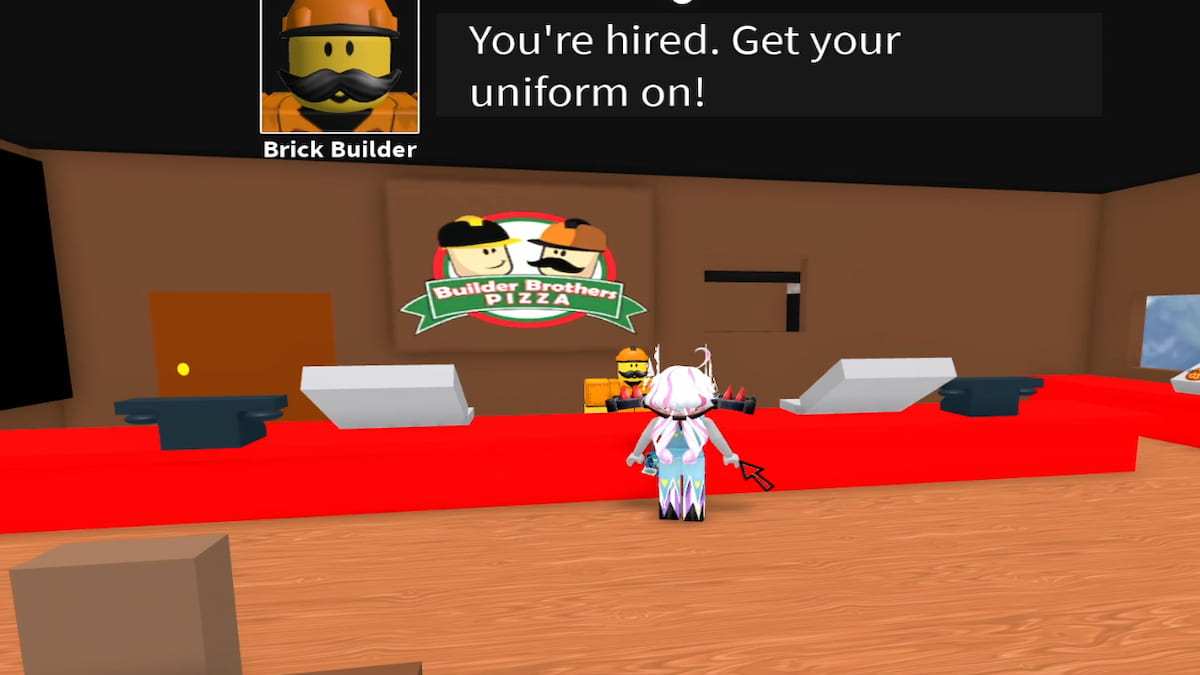
After you enter the code, the Time Machine activates, and you go back in time. Exit the machine and go out to find yourself in front of the Bulder Brother Pizza Shop again. Get yourself hired by speaking with the Manager in front.
Your first task after being hired is to take three orders. Take the first order through the machine, the second by phone, and the third from the car through the window. Then enter the Kitchen and start preparing the order. If you are confused, refer to the recipe list below.
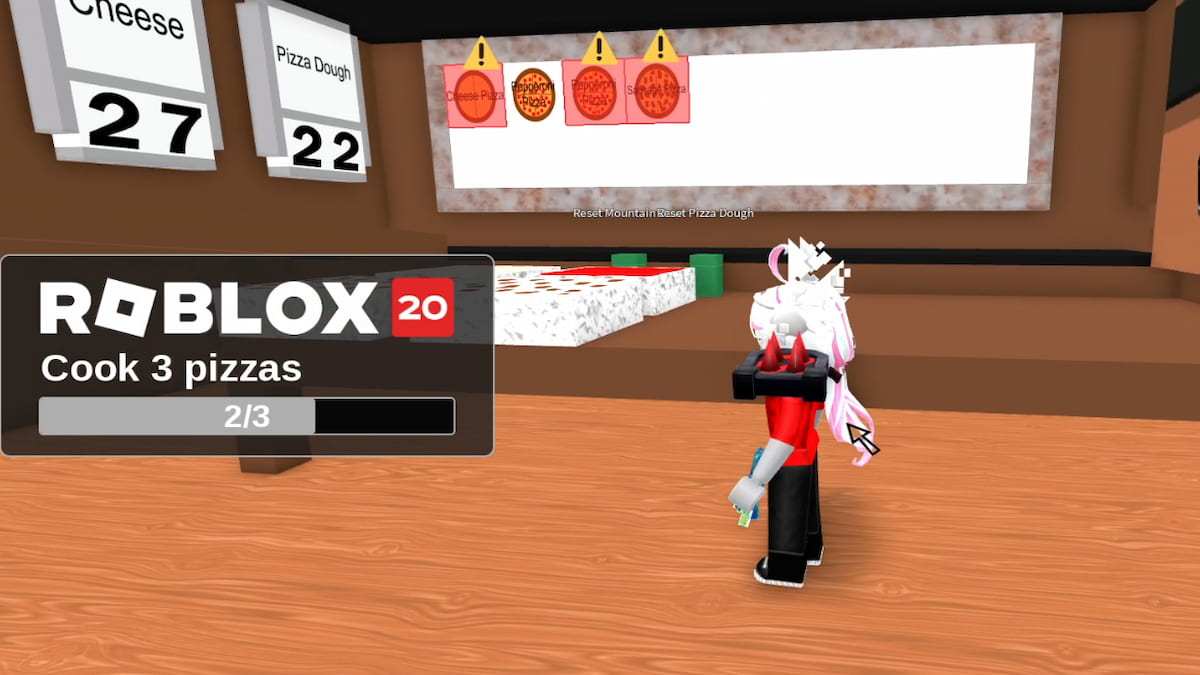
- Cheese Pizza: Standard Dough, Tomato Sauce, and Cheese
- Pepperoni Pizza: Standard Dough, Mozzarella Cheese, Tomato Sauce, and Pepperoni
- Sausage Pizza: Standard Dough, Tomato Sauce, Mozzarella Cheese & Sausage
Remember, you will notice extra orders on the board with an exclamation mark, but these are for another you. It's basically a paradox: another you shows up, and you must be careful not to let them see you.
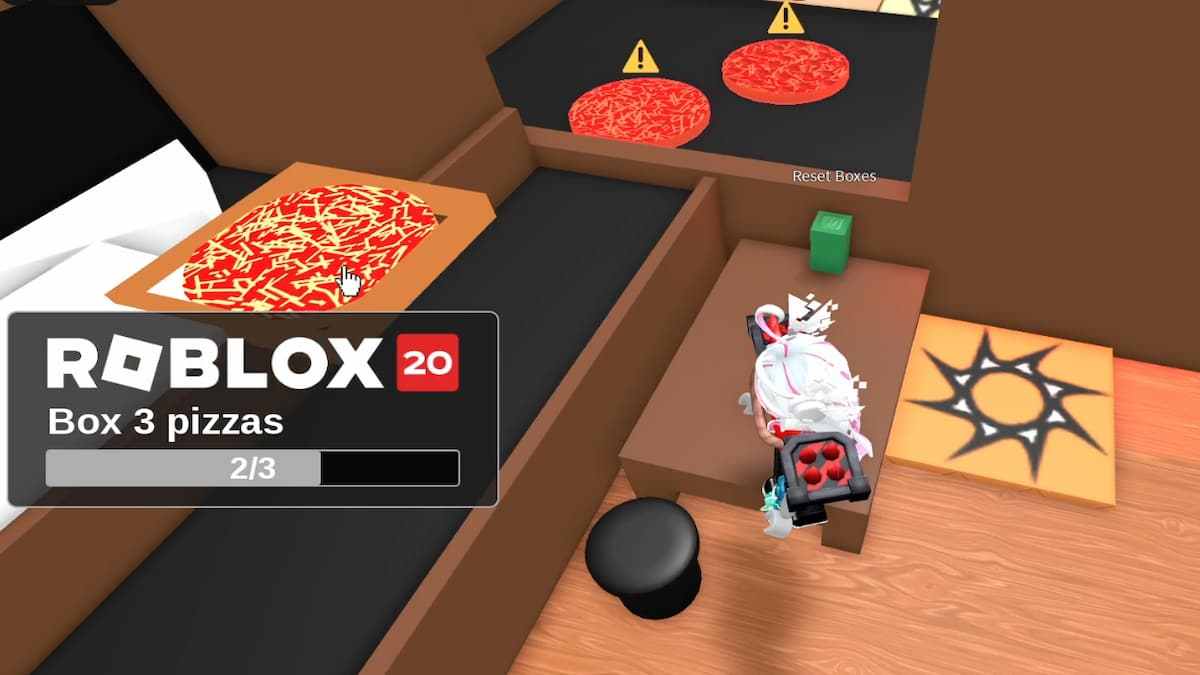
After cooking, go to the Boxing Station and pack the three pizzas you made earlier. Avoid picking up the Pizza with the exclamation mark, as your clone made it.
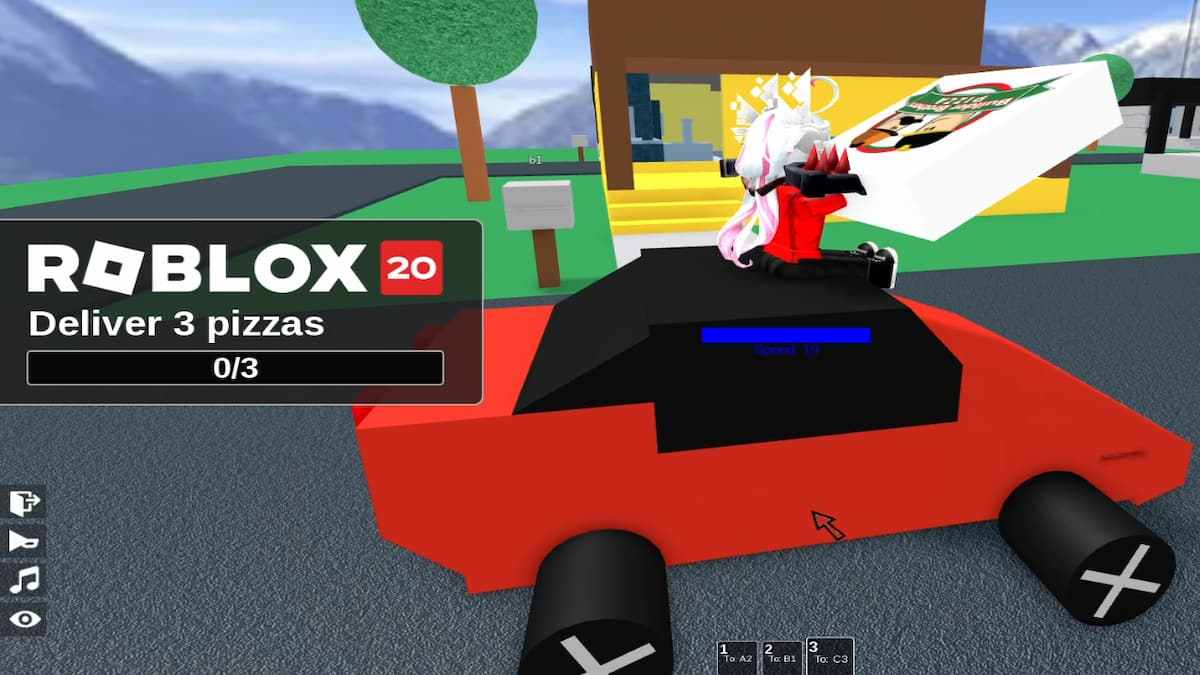
Go to the back, get in the car, and deliver the Pizzas to the correct houses using the mail codes. Return the car to the Shop and then keep hiding in the Grass until your clone versions go away.
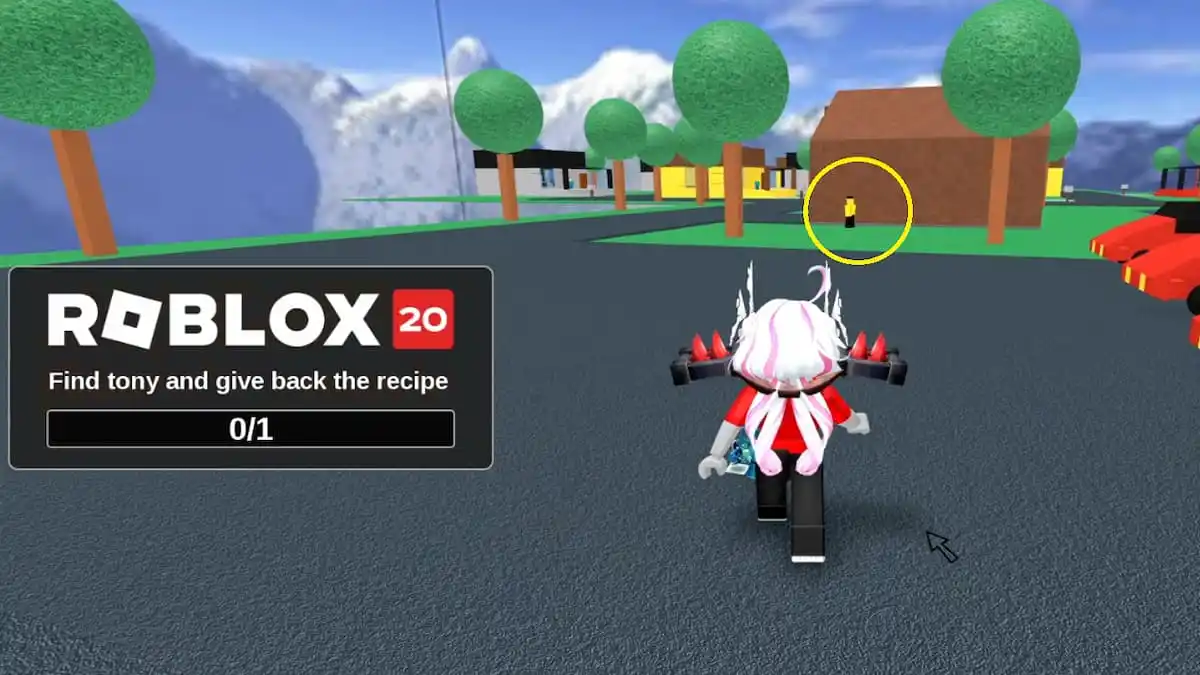
Re-enter the Shop to find both brothers fighting, as the Secret Recipe has been stolen (you stole the Recipe during the first Badge). After the fight, Tony goes to the back of the Shop and stands at the edge of the Dump. Go to him and return the Secret Recipe.
Obtaining the Vault Key - Puzzle 2
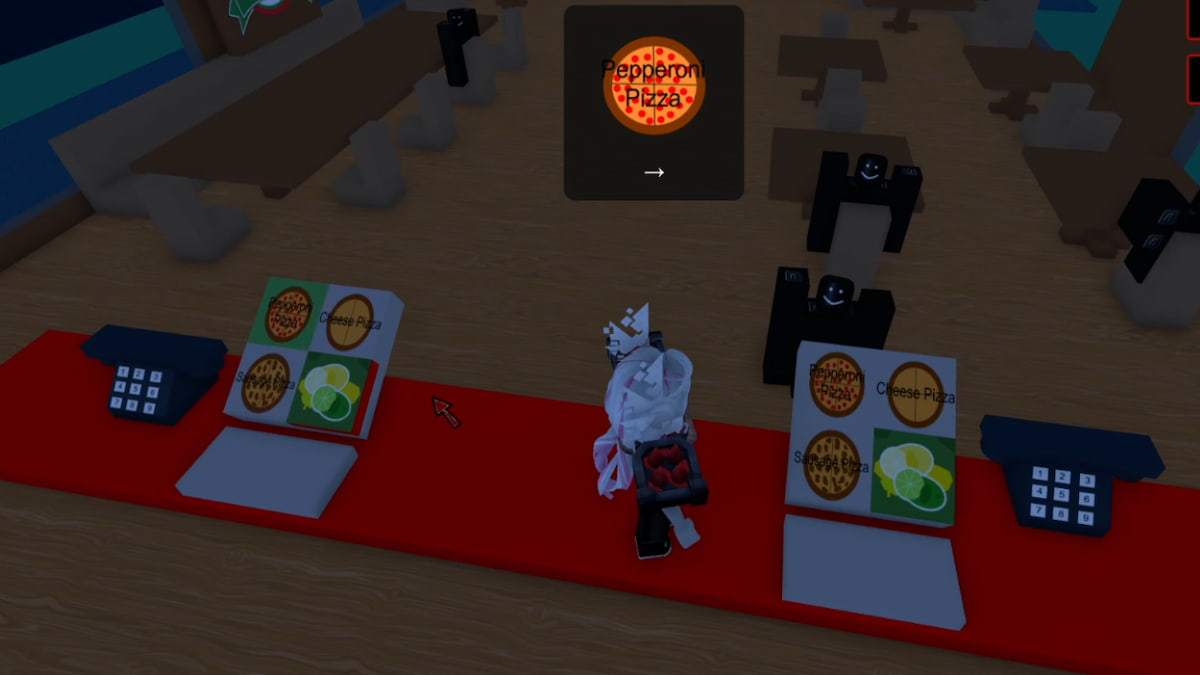
The next step in the quest is to obtain the Vault Key. You will find yourself standing in front of the main counter, where you must complete a memory game. During this challenge, you will receive orders through the phone, displayed as cards on the screen. Your task is to press the corresponding item on either the left or right side of the panel while remembering and repeating all previous orders in the correct sequence.
For example, if your first order is Cheese Pizza Left, followed by Sausage Pizza Right, and your current order is Pepperoni Right, you must press all three buttons in the order you received them. This process continues until you successfully enter a sequence of 10 orders in a single attempt.
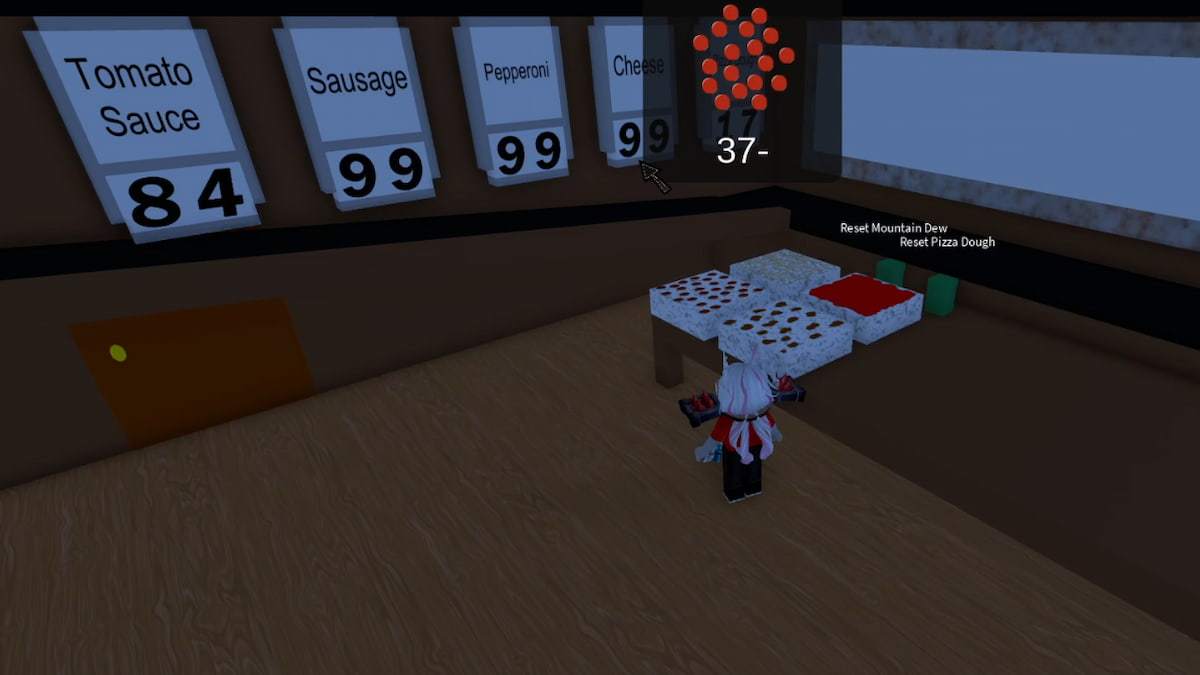
Next, you will see ingredients with numbers flashing on the screen one after another. Head to the Kitchen, where you will find an adjustable column of panels displaying the same ingredients, each starting at 99. Your task is to subtract the number shown on the screen from 99 for each corresponding ingredient panel.
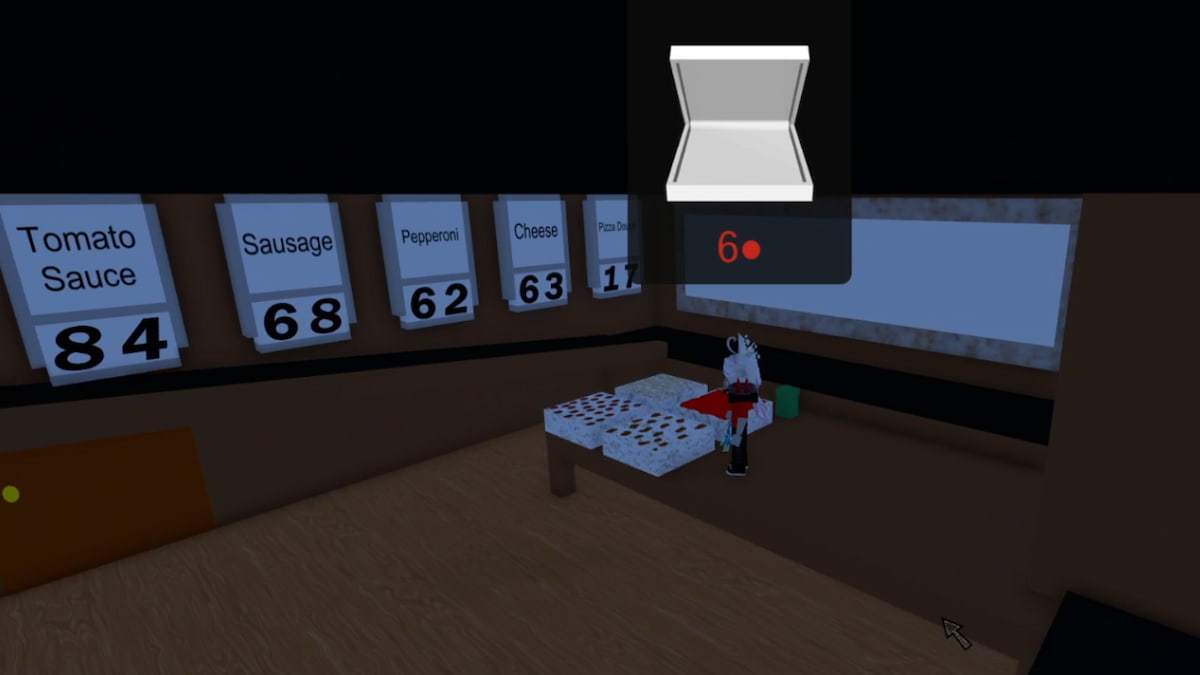
For example, if the Pepperoni Card displays 37, calculate 99 - 37 = 62. You must then set the Pepperoni panel to 62 by removing 37 Pepperoni from the Ingredient Box on the counter table. Repeat this process for every ingredient, calculate the required values, and adjust the corresponding panels until they match the numbers you obtained.
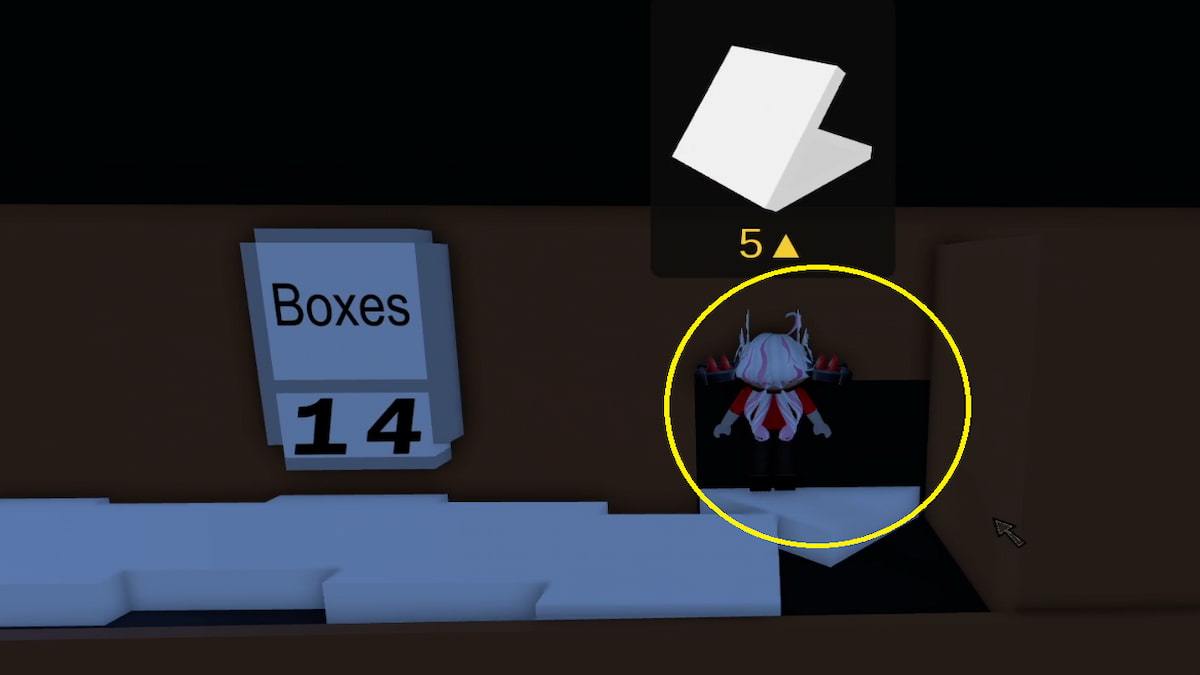
Finally, you will have a sequence of numbers as shown in the above image. This is the code to open the locker that contains the Vault key. Write down the sequence, then go to the Boxing Station. Here, you will find a small hidden spot on the edge next to the Boxes Column panel. Enter to find a locker. Enter the code from earlier to open it and get the Vault Key. Go to the Dump building outside the Pizza shop to return to the Time Machine.
Solving the Emoji - Puzzle 3
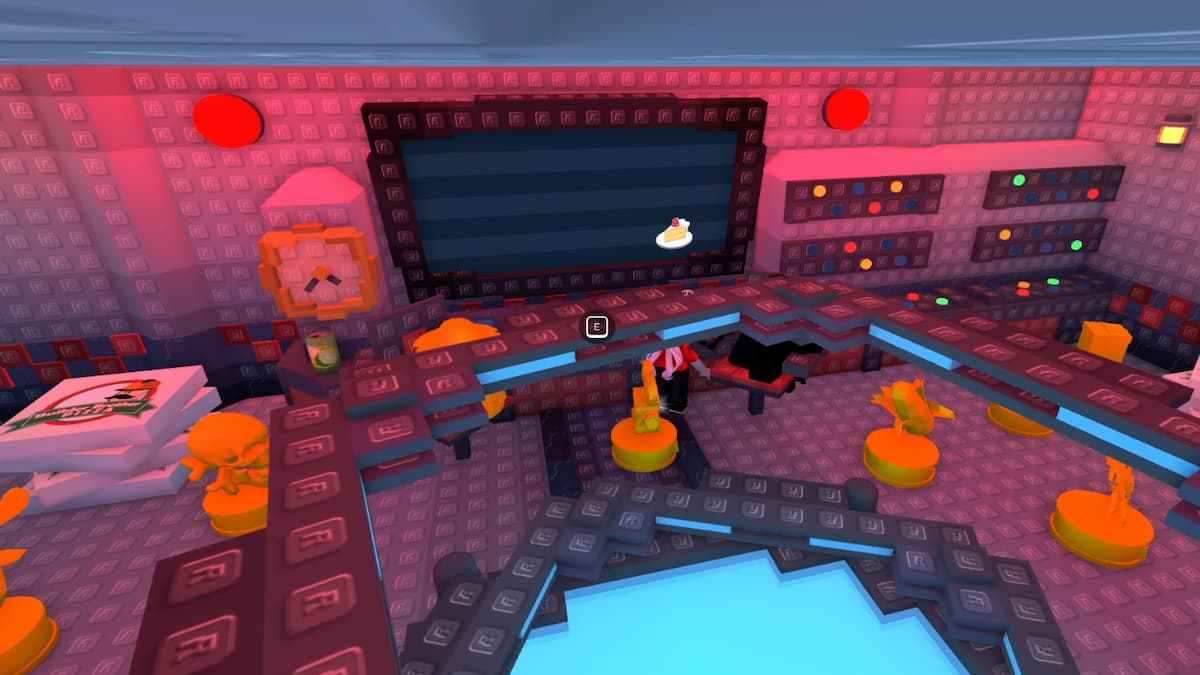
The final stage of the puzzle is the Emojis Quest. After returning to the Time Machine room, you'll notice the machine's display showing a series of strange emojis, almost like a screensaver. Your task is to observe the movement patterns of the four emojis and determine which corner of the screen each one collides with: Top Left, Top Right, Bottom Left, or Bottom Right.
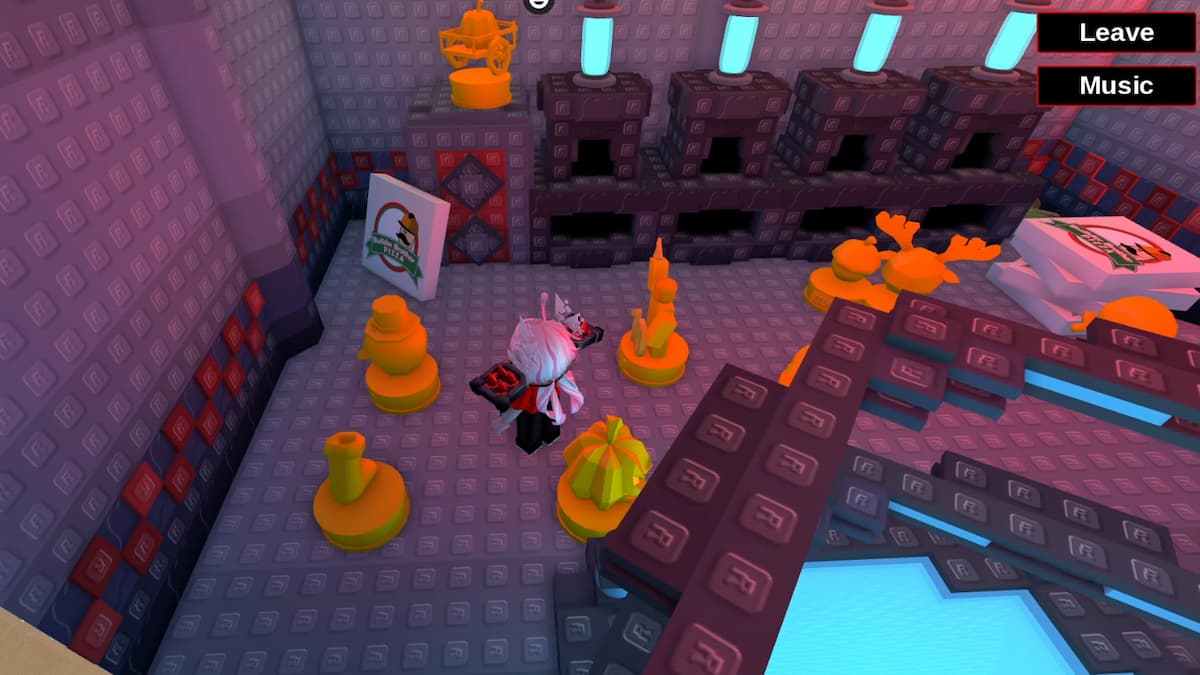
For example, the Cake emoji might collide with the Bottom Left corner, while the Ladybug hits the Top Left. Keep track of the collision location for each emoji, as you'll need this information for the next step. Once you've identified all four emojis and their corresponding corners, find the matching golden statues scattered across the room and place them into the furnace in the correct order, based on the following:
- Bottom Right Emoji = Furnace 1
- Top Right Emoji = Furnace 2
- Top Left Emoji = Furnace 3
- Bottom Left Emoji = Furnace 4
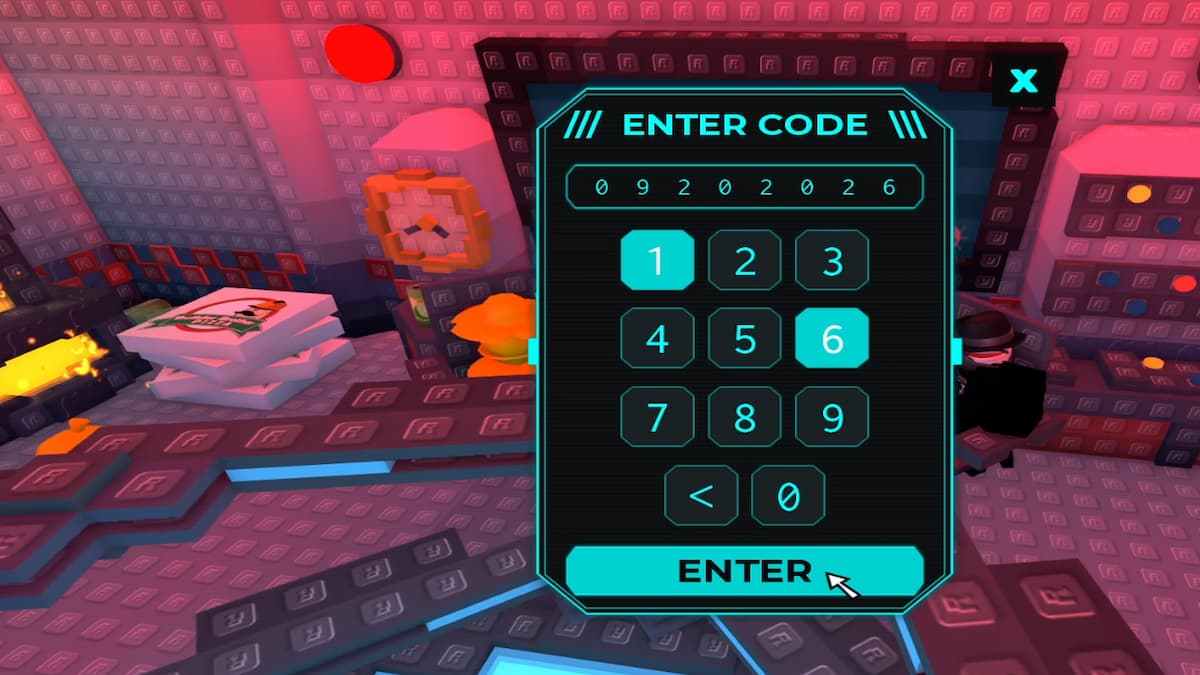
Now, open the code panel and enter the Code "09192026" (The Date of play). If you place the correct statues in the correct furnace, the cutscene will play, and you will return to the present to speak with Dueed1s, who will say he doesn't have the secret Recipe. The credits will start rolling, and you will receive the Recipe Retribution Badge.
How to get the Secret UGC for Work at a Pizza Place
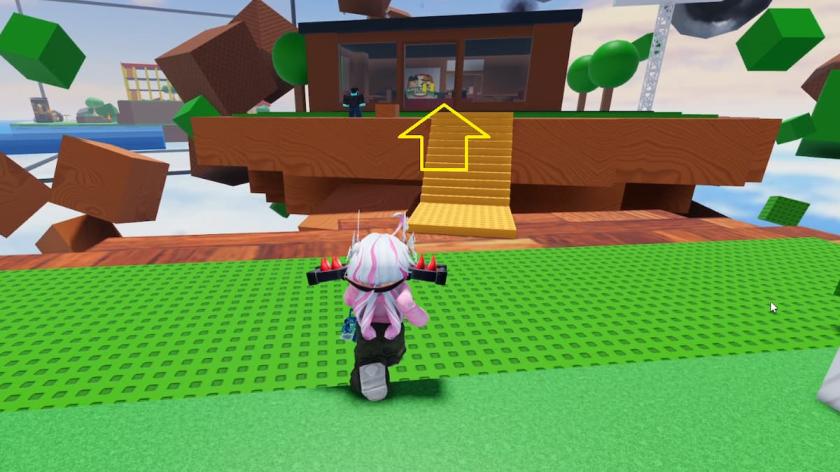
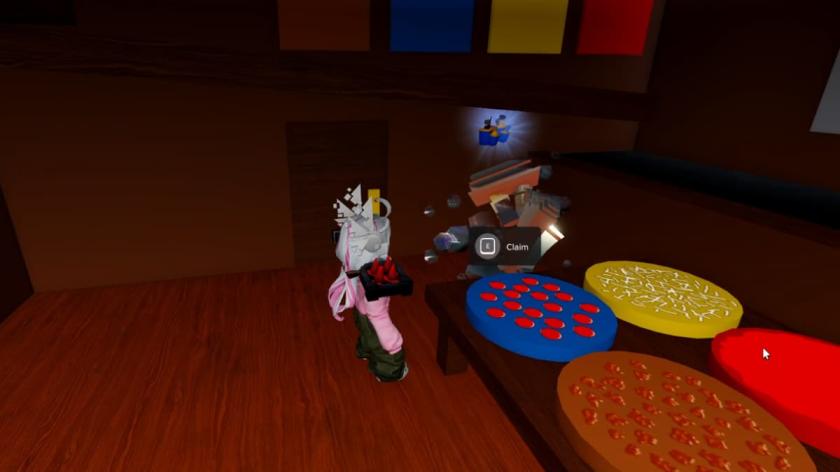
Along with the Badge, you can also collect the Secret UGC called Gear Hoarder Loadout Retribution Belt. To do this, return to Level 2010 in The Hunt Roblox 20 and enter the Pizza Shop. In the shop's kitchen area, you can find the UGC statue on top of the blue Pizza Base. Collect it to redeem the item.
For more on Roblox, check out How to Get The Hunt Roblox 20 Work At A Pizza Place Badge & UGC – 2010 Challenge or How to Get the Secret Blade Ball Badge & UGC in The Hunt Roblox 20