


To acquire the Murder Mystery 2 Secret Badge you must find and interact with 3 items across 3 maps:
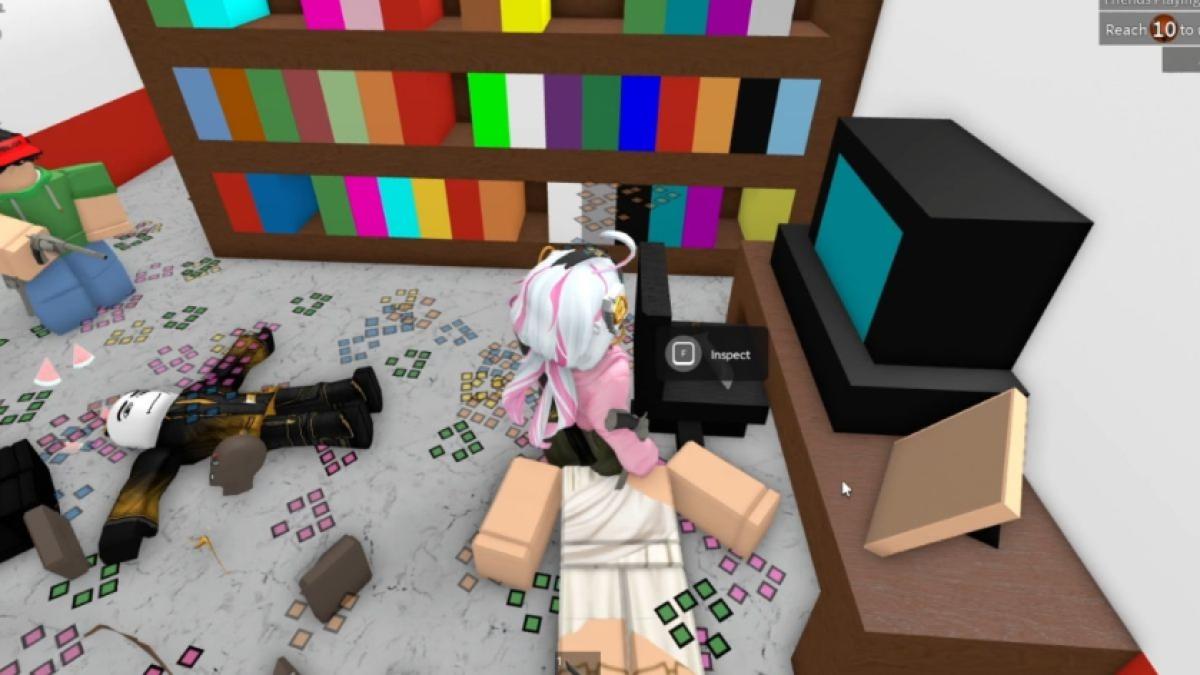
1. Hospital 2014 - in a room with a colorful bookshelf, in front of a table with a computer and picture frame on it will be a chair with a classic default knife item.
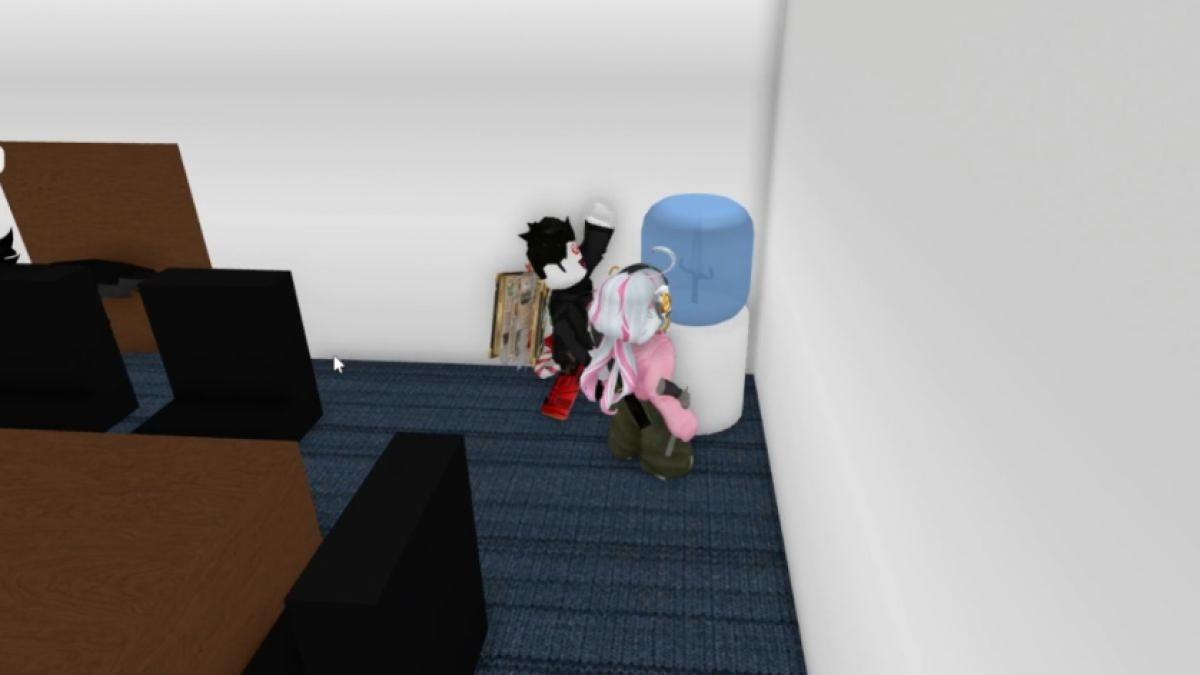
2. Office 2014 - locate a conference room, there will be a watercooler with the Deathshard godly knife item inside it.
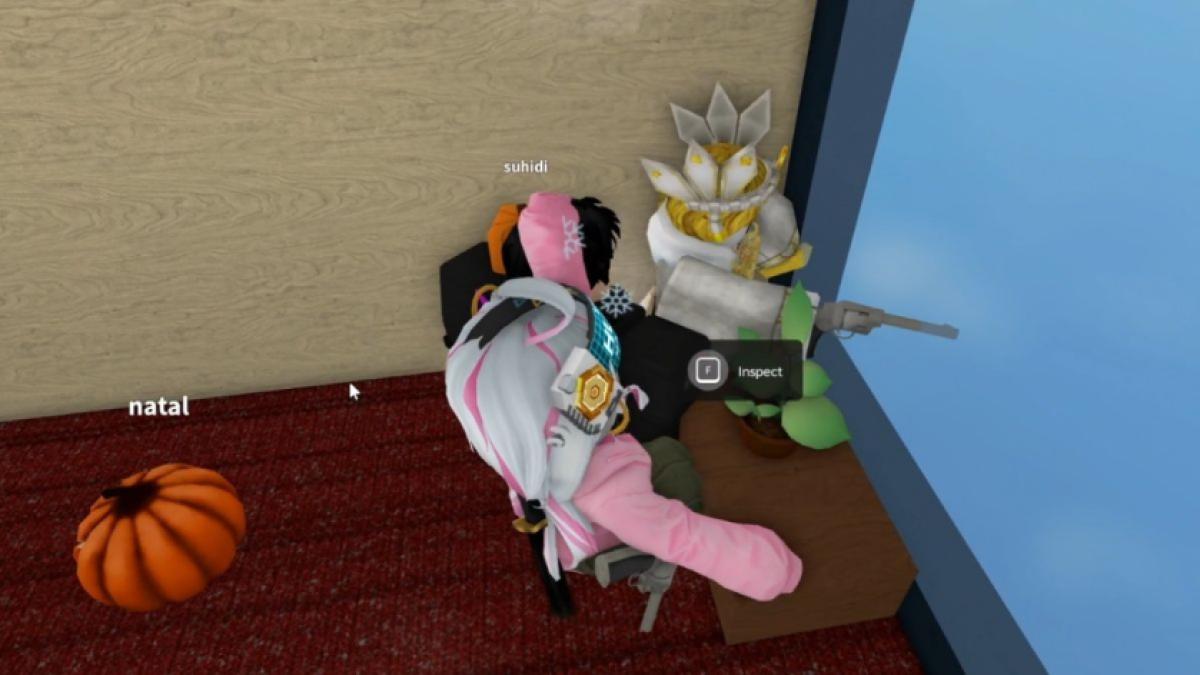
3. Hotel 2014 - downstairs at the end of the hallway, on a desk with a potted plant will be the classic default gun item.
Interact with all three items so the game registers them. Once you’ve collected them, the Secret Badge is awarded automatically, no extra steps needed.
The Hunt Roblox 20 event continues as everybody scurries vigorously to try and collect all the Secret Badges and goodies! This challenge in Murder Mystery 2 is thankfully short and sweet with a neat payout. Make sure to carefully pay attention and you'll have one more badge to show off.
How to Find All Three Items in Murder Mystery 2
To successfully complete the quest and get the Secret Badge in Murder Mystery 2 you must go through 3 different maps and locate 3 separate items. One item per map. The order in which you claim them is irrelevant. Here are their exact locations:
- Hospital 2014 Map - Wander down the halls and search through rooms until you spot a specific one with a colorful bookshelf, a brown table with a PC on it, alongside a picture frame. In from you will see a chair, on it is your first item ; a classic default knife item.
- Office 2014 Map - You'll need to locate the big conference room that has a watercooler. Inside it you will find your second item: the Deathshard godly knife item. Make sure to interact with it so that the game acknowledges you've equipped it.
- Hotel 2014 Map - Head on downstairs and go to the end of the hallway. You'll see a desk with a potted plant and right next to it is your final item: a classic default gun item.
How to Obtain the Murder Mystery 2 Secret Badge in the Hunt Roblox 20
So you've managed to find all of them? Amazing work Sherlock! It's very important that each individual item you've located is also interacted with, so that the game can register these actions and provide you with your prize. The good news is, unlike some of the other Hunt Roblox 20 events, this one is brief but meaningful because now it's time to claim your Secret Badge. No need to do anything additional as this process is automatic. Yay!
Are you relishing in your Secret Badges and various items? There is always more where that came from, so make sure to check out our How to Get the Grow a Garden Secret Badge in the Hunt Roblox 20 [The Huntmaster’s Visor] and How to Get the Secret Blade Ball Badge & UGC in The Hunt Roblox 20.


