


If you don't have a high-spec mobile, the other best way to play Warzone Mobile is on your computer. Here is a step-by-step procedure for installing and playing Warzone Mobile on your PC.
How to install Call of Duty Warzone Mobile on a PC
To play Warzone Mobile on your PC, you must install an Emulator. Many emulators are on the market, and I have listed some of the best ones below to enjoy Warzone.
- BlueStacks
- LD Player
- Gameloop
- Memu Emulator
For the guide's sake, I will explain the entire procedure concerning the BlueStacks Emulator. You can replicate the same process using the other Emulators mentioned above.
- Enable Virtualization for State Machines from your respective BIOS settings. You cannot run or install emulators without turning on. Please check your respective manufacturers to see how to enable virtualization on your PC.
- Install BlueStacks.
- After installing, log on to your Google Account from the Playstore inside Bluestacks.
- Download COD Warzone from the Play Store to your PC.
Once downloaded, run the game and enjoy playing!
How to play Warzone Mobile with a controller
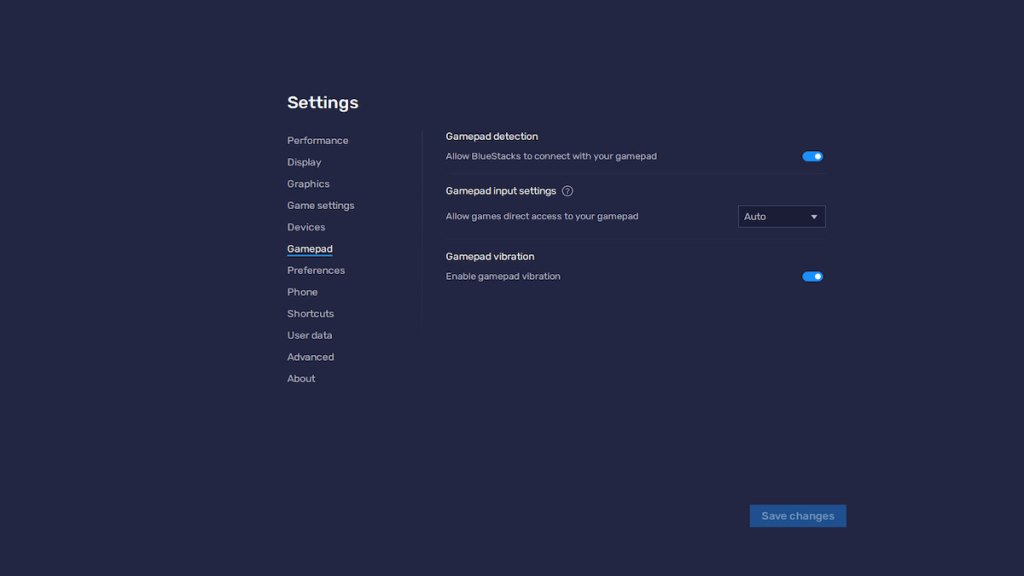
You can also use a controller while playing Warzone Mobile. First, connect your controller to your emulator. I visited the Blue Stacks Gamepad settings and turned on the Enable Gamepad options to do this. That's it. The game will automatically detect the controller when you hop on to the game and press any button on the stick.
You can further tweak the controller button layouts by going to the Settings option and changing the Control Presets.
Remember, Warzone automatically recognizes any official gamepads like Xbox or PlayStation. If your gamepad does not appear, it has to do something with your emulator rather than Warzone itself.
For more on Mobile Games, check out How to change clothes in PUBG Mobile or How to set up and play PUBG Mobile on PC on Pro Game Guides.


