


Unlike other .io games, adding friends in Krunker is a real headache due to the poor design of the application system. To add friends on Krunker, you will need to follow the person you want to befriend from the Krunker Profile Hub.
Following a person in Krunker via Leaderboard - Method 1
To do this, open the Krunker application and click the Invite button on the main menu. Now, an invite will be copied to your clipboard. Send the invite to your friends through any messaging platform, such as Discord.
After clicking on the invite, your friends will join the lobby. Play the game, and complete the match. In the end, a leaderboard will be displayed. Click on your friend's name. Now, in your friend's Krunker Profile, press the Follow button.
Related: Best 1v1.LoL Settings
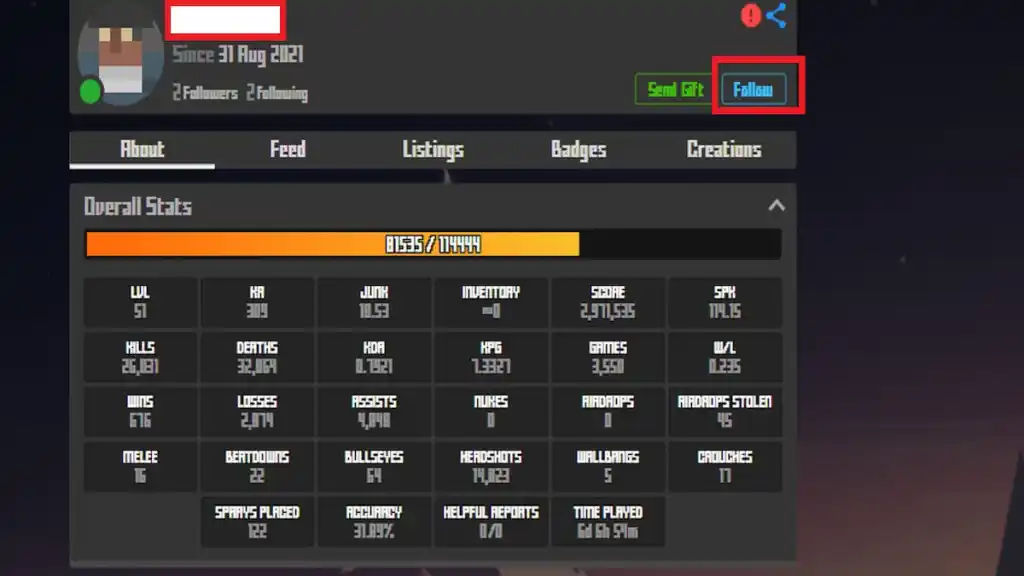
Voila! you are now following him and can send a request/invite from the Friends Section in the main menu. Tell your friend to do the same so that they can send invites in the future.
Following your friend in Krunker through URL Link - Method 2
If you feel the above process is a bit lengthy and tiresome. You can always send a custom URL invite to your friends. To do this, follow the given instructions.
- Copy the given URL "https://krunker.io/social.html?p=profile&q=Sidney" and paste it into your browser bar.
- Edit the part where it says "Sidney" with your friend's in-game username ID. It is case-sensitive, so beware of the conventions.
- Open the URL and follow your friend.
Remember, the above method applies to every version of the game, irrespective of the platform.
For more Guides, check out How to play 1v1.LoL Unblocked for Beginners on Pro Game Guides.


