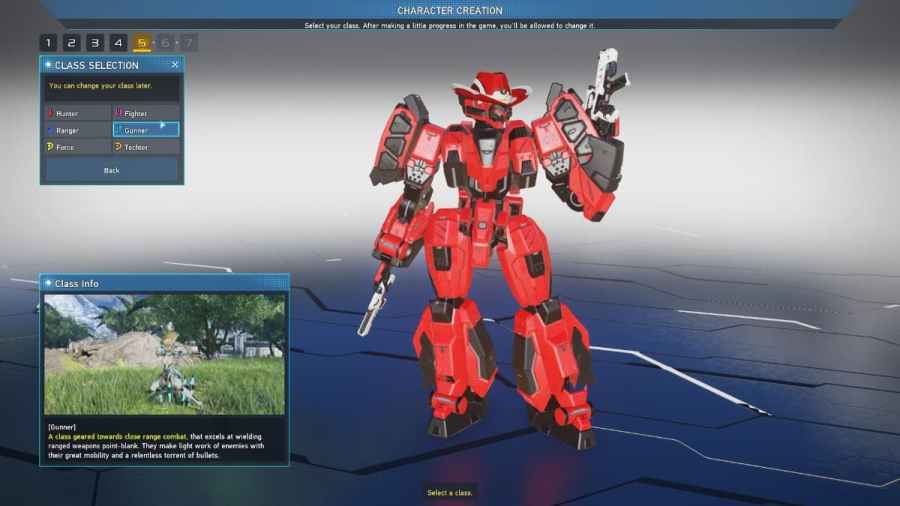
To change your class in Phantasy Star Online 2: New Genesis, you must locate the class counter admin inside the central city in the game. You can find the NPC directly across from the Item lab near the central tower in the game, and to change your class, you will first need to walk up and […]
Another resource you will need to get to unlock the hidden potentials or limit item break is Dualomite. You will also need to find the resource to complete Diaggah’s Mining Drill II quest. So in short, if you want to get dualomite, you will need to head south and search around the South Aelio and […]
In short, if you want to change your appearance in Phantasy Star Online 2: New Genesis, you will first need to complete the tutorial portion of the game. This means completing the entire tutorial and the prologue until you are at the central city location that serves as the game’s hub. After this point, you will […]
Photon Chunks are a resource like monolite that can be used in Phantasy Star Online 2: New Genesis to unlock the hidden potential of items. You will also need to find the resource to complete Diaggah’s Mining Drill II quest. That being said, if you want to find Photon Chunks, you will need to start your search […]
If you are trying to enhance your weapons or armor in Phantasy star 2 New Genesis, you will need a resource called n-grinders. Luckily, you can easily find these resources by simply exploring the game world and finding and breaking open green crate objects. Inside these green crates will be a small number of n-grinders, so […]