Teleporting serves as the fast travel system in Phantasy Star 2: New Genesis, but to use this teleporting system, you will need to seek out what is called a ryuker device. Ryuker devices are small pillars like the one shown above, and using them will allow the player to teleport to another location in the game. Players […]
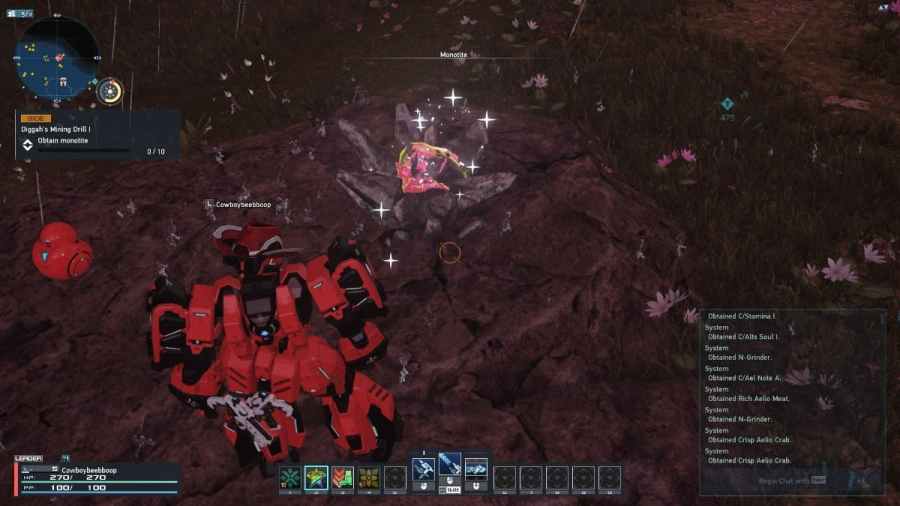
Monotiltle is a mineable resource in Phantasy Star Online 2: New Genesis, and to get it, you must explore the area surrounding the central city. Monotitle will also show up and will look like the image below, and if you want to mine it, all you have to do is walk up and shoot it or hit it […]
Battle power is the total strength of your character in Phantasy Star Online 2: New Genesis, and you can increase it by leveling up and getting better gear in the game. You will also need to improve your battle power before visiting certain areas and completing certain quests in the game, such as urgent quests. […]
If you want to earn skill points to unlock class skills in Phantasy Star Online 2: New Genesis you will need to seek out and complete challenges inside both cacoons and towers. Cacoons and towers are basically dungeon-like areas where you will need to complete tasks that vary from obstacle courses to beating challenging bosses. Upon completing […]
If you want to play with friends in Phantasy Star Online 2 New Genesis, you will first need to play through the entire tutorial or prologue. What this means is you will need to complete every task and mission in both the tutorial and prologue. After this, you will be able to invite players to your party. […]