


Last Updated: June 4, 2026
TBH: Task Bar Hero recently overhauled its Steam Market trading policy to comply with Steam's server guidelines and reduce load. The dev team explicitly required players to withdraw all listed items before the June 1, 2026 patch. Older selling methods are now completely obsolete, so this guide focuses exclusively on what actually works under the new regulations.
If you want to earn Steam Wallet funds in TBH: Task Bar Hero, the Steam Community Market is still one of the best avenues available. The catch is that you can no longer just flood the market with every piece of common loot you find. In this guide, we’ll break down the strict new requirements for the Steam Market, which items are completely banned from trading, and how to safely maximize your profits under the updated rules.
How the Steam Market Works in TBH
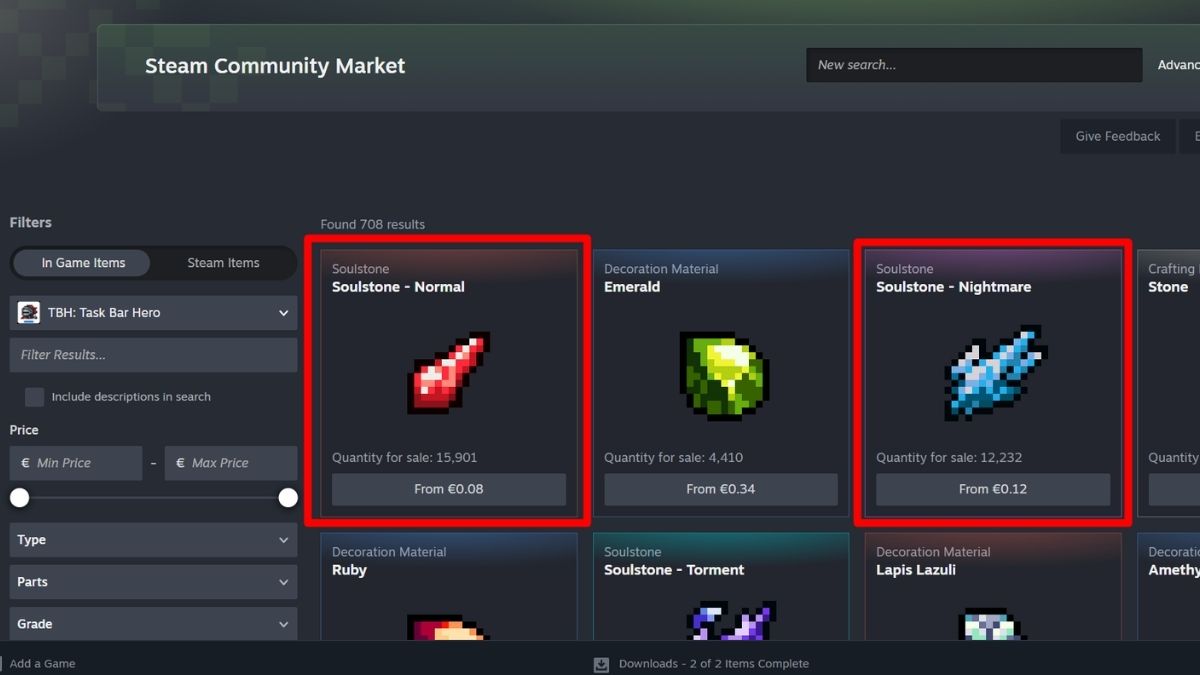
TBH allows you to transfer specific items to your Steam inventory to sell for real Steam Wallet credit. Traditionally, players made a quick buck by selling rare drops, high-level equipment, and essential crafting materials.
However, the days of unrestricted trading are gone. To prevent server stability issues, the developers have placed hard gates on who can trade and what types of items can be listed on the community marketplace.
What Changed With the New Policy
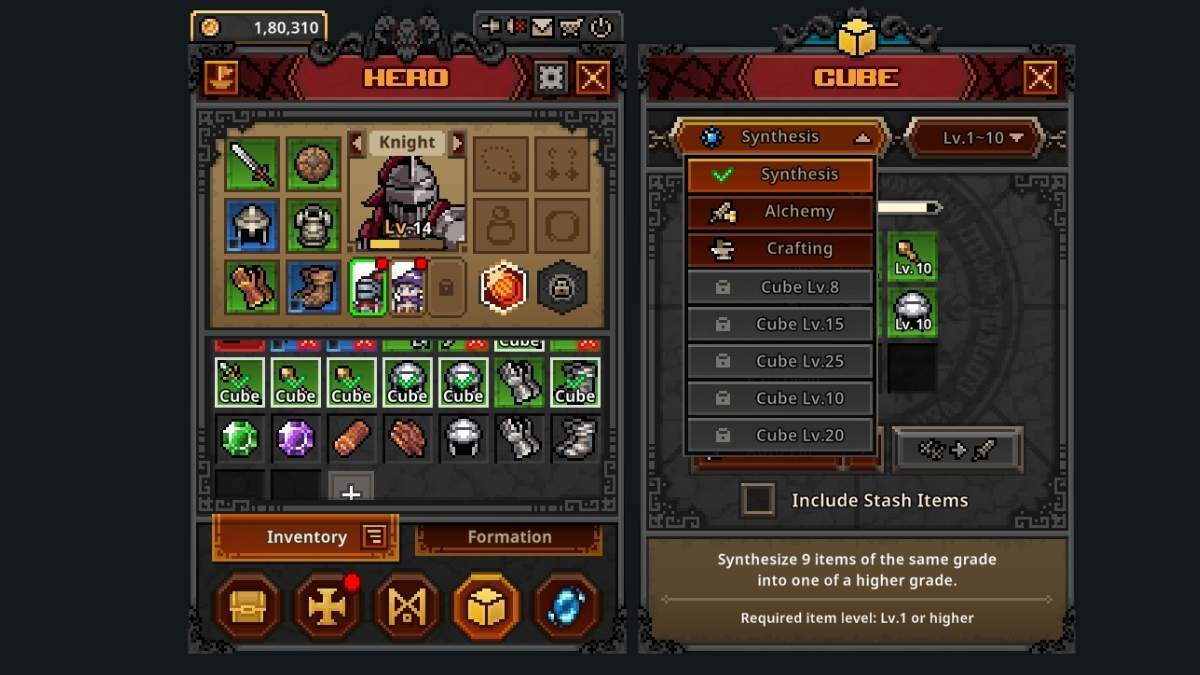
The developers had to severely restrict trading to keep the game running stably. If you left any old items listed on the market past the June 1 deadline, be aware that unwithdrawn common/rare items or specific level gear can no longer be recovered. Here are the concrete rules enforced by the latest update:
- Cube Level 10 Restriction: You cannot use the Steam Market at all until your in-game Cube reaches Level 10 or higher.
- Legendary Equipment Only: Equipment trading is heavily restricted. Only gear of Legendary grade or higher can be bought or sold. All Common, Uncommon, and Rare equipment trading has been removed.
- Banned Gear Levels & Types: Equipment at specific progression milestones (Lv. 25, 35, 45, 55, 60, 70, 75, 85, and 90), as well as any "Type B" equipment, can no longer be traded.
- Commodities Are Exempt: There is a major loophole for farmable items. Decoration, Engraving, Inscription, and Crafting Materials can still be traded at any rarity—including Common grade.
Best Ways to Make Money on the Steam Market
| Pivot completely to materials | Because crafting materials, inscriptions, and decorations bypass the "Legendary Only" restriction, they are now the safest, most consistent source of baseline income. |
| Only hold onto Legendary+ gear | Trash any Common to Rare equipment or sell it for gold via in-game Alchemy, as it has zero real-world market value now. |
| Monitor the Cube level gate | Since new players cannot access the market until Cube Level 10, demand for early-game items has shifted. Target items that mid-to-late-game players actually need. |
| Watch for price stabilization | The sudden removal of massive amounts of lower-tier gear has caused severe market fluctuations. Wait for supply curves to settle before listing high-tier drops. |
Related: TBH Task Bar Hero Tier List
Top Materials to Farm for Bulk Sales
Because materials completely bypass the strict "Legendary-only" restriction, they have become the absolute backbone of the TBH economy. If you want steady Steam Wallet gains, set your automated farming loops to target these high-demand commodities:
- Soulstones & Catalysts: High-level players require absurd amounts of these to upgrade and tier-up their existing Legendary and Mythic gear. Because they burn through them rapidly, these items enjoy a massive daily trading volume.
- Engravings & Inscriptions: Min-maxing is everything under the new meta. Even Common and Uncommon grade inscriptions sell incredibly fast when listed in bulk blocks, as players buy them out to reroll item stats.
- Taskbar Decorations: Do not sleep on cosmetics. Customized taskbar skins and UI decorations have remained highly stable in value because they don't experience the same power creep as progression gear.
Pro-Tip: Don't list these one by one. Check the current "Buy Orders" on Steam and match your bulk stack size to what whales are looking to purchase instantly.
How to Check What Is Worth Selling
Before wasting time pushing items to your Steam inventory, run through this quick checklist to ensure your loot complies with the new server guidelines:
- Check your Cube level first. If you aren't at Level 10, keep grinding.
- Filter your equipment inventory: if it isn't Legendary, Immortal, Arcana, or higher, it isn't marketable.
- Verify the item level. Ensure it does not fall into the banned level brackets (like Lv. 25 or Lv. 90).
- Check the suffix of the item name to ensure it isn't an unmarketable "Type B" variant.
Smart Selling Tips
Patience pays off immensely during a market transition. Instead of panic-selling your highest-tier drops, consider hoarding bulk quantities of crafting materials and listing them when active player counts peak. Materials behave like commodities on Steam, meaning clean bulk walls will sell incredibly fast if priced around the rolling daily average.
What You Should Avoid
- Don't bother trying to list common gear. The system will simply block it under the post-June 1 rules.
- Don't leave items in the Trade Ship. If you have uncollected items from old transactions, pull them into your stash immediately to avoid data corruption or loss.
- Don't try aggressive undercutting on equipment. Because the volume of tradeable equipment has dramatically shrunk, the remaining Legendary items are rarer and hold value better. Let the buyers come to your price.
Is It Still Worth Using the Steam Market?
Yes, absolutely, but the strategy has completely flipped. While you can no longer cash out on bulk quantities of low-tier equipment, focusing on high-end Legendary items and common crafting materials is proving to be highly lucrative due to reduced market clutter.
Now that you know more about Task Bar Hero Steam Market trading market, check out other idle RPG titles in our Best Mobile Idle Games list.


