


Minecraft Now is a set of live streams conducted by Mojang Studios from time to time. The stream mainly focuses on new upcoming content and discusses the current state of the game. Apart from these general things, the main highlight of the August event would be to decide on the new/next type of mob in Minecraft. Like in previous years, players will be given a set of new mob options, and they select their favorite one by voting. The mob that receives the maximum number of votes by the end of the contest will be added to the base game. To vote for the poll, you should open your Minecraft game during the event on Aug. 25 and cast your vote through the Minecraft Live Button option.
Related: Best Minecraft PE Seeds of All Time for 1.19 & 1.18 (August 2022)
How to vote for the next mob in Minecraft - 2022?
To vote for your favorite mob, follow the given steps.
- Open the Minecraft Bedrock version of the game and reach the main menu.
- In the main menu, you can find the Minecraft Now icon on the bottom left corner of the screen.
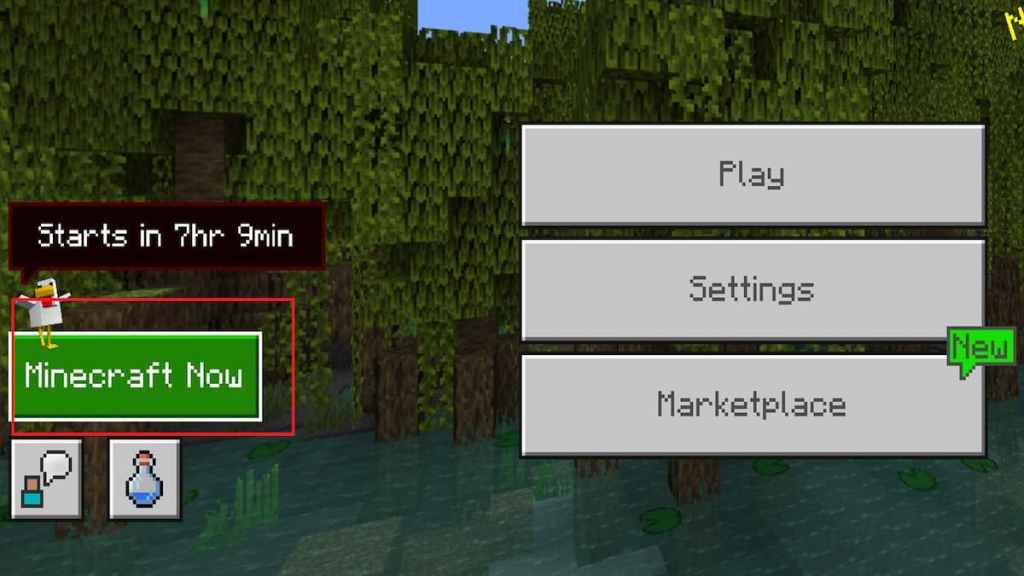
- Once the event starts, you can click on the icon. A new window will appear showcasing all the mob options.
- Cast your vote by clicking on any mob of your choice.
Remember, Mojang Studios has not yet revealed any details regarding the voting period and result dates. So, we need to wait for an official announcement on it.
For more on Minecraft, check out Best Minecraft Tower Designs or How to make an enchanting room in Minecraft on Pro Game Guides.


