


Roleplaying is one of the important aspects of GTA V Online that has kept the title relevant despite releasing nearly a decade ago. One such roleplaying feature popular among every GTA V fan is the ability to portray as a VIP. After becoming one, you can embark on exclusive missions, hire other players as your bodyguards, and even ride luxurious vehicles. The only criteria to register as a VIP in GTA V Online is that you should have a minimum of $50,000 in your bank account.
Register for VIP in Grand Theft Auto 5 Online
As mentioned above, once you have the required balance in your account, follow the given procedure.
- Open the interactive menu on your respective platform. Press M if you are on PC, the view button on your Xbox gamepad, or swipe the touchpad on your Playstation controller to open the menu.
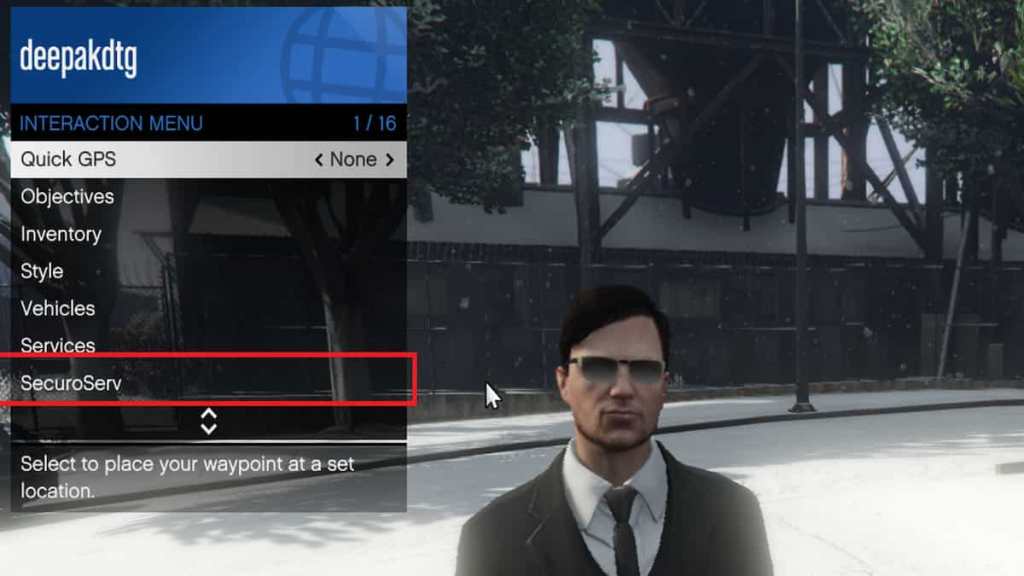
- Browse through the menu and select the SecuroServ option.
- Now, in the new window, you can register yourself as a VIP by paying the required fee.
What if the VIP option is not available?
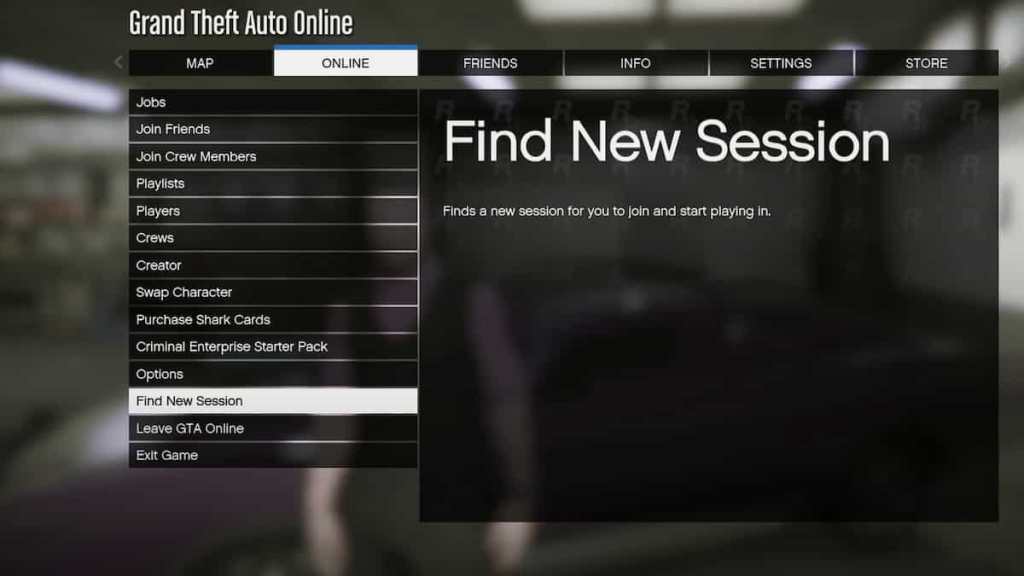
Sometimes, the option is not available due to the limited number of VIP seats per session. In that case, you need to create a new session and hop inside a different server. To do that, press the pause menu and head over to the Online section, and in that sub-menu, choose the "Find a New Session" option.
Remember, unlike the role of a CEO, VIP roles are not permanent and are limited to that particular session.
For more on GTA Online, check out How to register as MC President in GTA V on Pro Game Guides.


