


Updated October 20, 2026: We rewrote this guide for the current version of Evade, including the post-Overhaul perk and loadout system, the latest game modes, and the Halloween 2026 event.
This Evade beginner's guide covers the controls, the best mode to start in, movement tricks like bhopping and emote dashing, how to carry and revive teammates, and which perks and usables to buy first.
What is Evade on Roblox?
Evade is a horror chase survival game on Roblox from Hexagon Development Community where you and a lobby of other players try to outlast the Nextbots, meme-faced hunters that down you on contact.
Evade drops a lobby of players (up to 50 in Big Team servers) onto a map with a group of Nextbots. Your job is to stay alive until the round timer runs out, which takes about three minutes in the standard mode. If a Nextbot catches you, you go down rather than dying outright, and another player can carry you to safety and revive you. Surviving rounds earns you Tokens and XP, which you spend on equipment, perks, emotes, and cosmetics. As you level up, you unlock stronger gear and harder servers.
Evade controls for PC
Before you learn any tricks, get comfortable with the default keybinds. These are the ones you will use every round on PC:
| Action | Key |
|---|---|
| Move | W, A, S, D |
| Jump | Spacebar |
| Crouch, slide, or bash doors | C or Ctrl |
| Interact, open doors, or revive (hold) | E |
| Carry or drop a downed player | Q |
| Toggle your light | F |
| Use your utility | 1 |
| Open the usables wheel | 2 |
| Turn around | R |
| Emote | G |
| Whistle | T |
| Switch between first and third person | O |
| Leaderboard | Tab |
| Menu | M |
For console and mobile layouts, check our full list of all controls in Evade.
Best Evade game mode for beginners
Pick a mode from the Evade Mode Browser on the main menu. If you are brand new, do not jump straight into the standard lobby. Here is how the main public modes compare:
- Casual: The best place to learn. You get infinite lives and longer rounds of around four minutes, so getting caught only costs you time. The trade-off is a 0.8x reward multiplier, and you can't revive other players.
- Default: Standard experience with limited lives, downs, and revives; map voting; and full rewards. Move here once you can survive a Casual round without constant deaths.
- Social Space: A lobby with no Nextbots. It is handy for practicing movement on a map without any pressure.
- Big Team: Default rules with up to 50 players. More bodies means more distractions for the Nextbots, but you need a decent device to run it smoothly.
- Arena: One life only. Getting downed means you are out, so save it for when your movement is solid.
- Pro Servers: Unlocks at level 50, only votes Hard and Expert maps, and pays a 1.1x reward bonus.
How to run faster in Evade
Nextbots are fast, and your character starts slow. Your speed climbs the longer you keep moving cleanly, and it drops sharply when you clip a wall, stop, or make a sharp turn. The single biggest beginner tip is to protect your momentum. Plan your route a few seconds ahead, take wide turns around corners, and avoid running into props. Once that clicks, the techniques below push your speed even higher without spending anything.
How to strafe in Evade
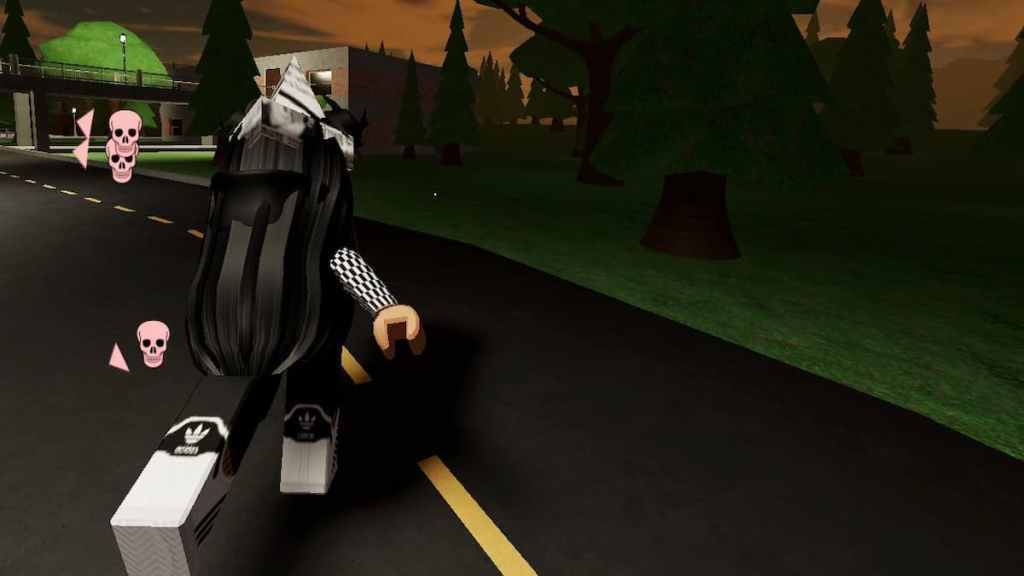
Strafing means weaving side to side while you run forward. It helps you pick up extra speed and makes you harder to pin down in a straight line.
- Hold W until you reach full speed.
- Tap A and D in turn to shift left and right without letting go of W.
How to bhop (bunny hop) in Evade
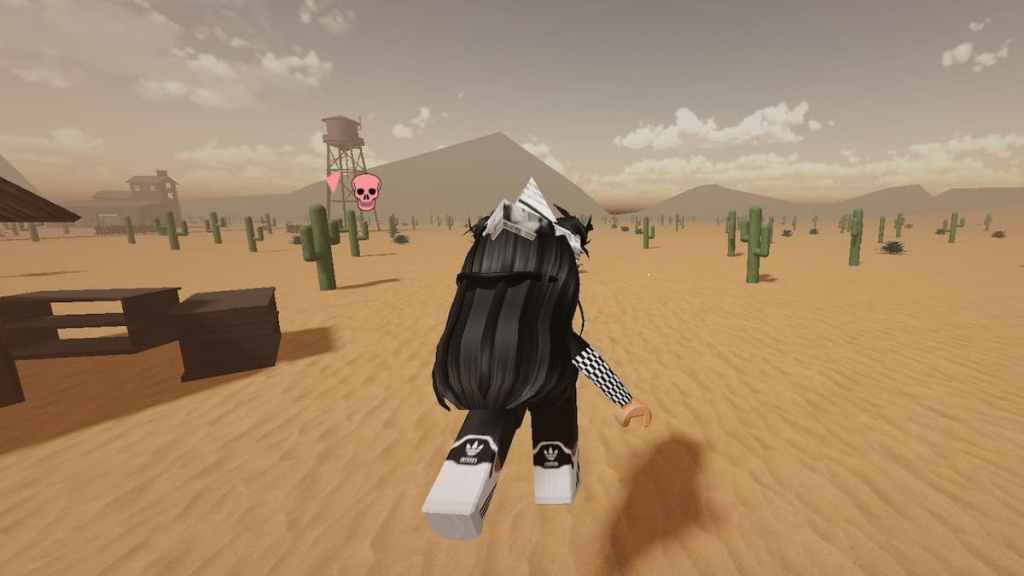
Bunny hopping combines strafing with chained jumps. Because you spend most of your time in the air, you lose less speed to ground friction and can keep accelerating.
- Get up to full speed with W.
- Press Spacebar the moment you touch the ground so each jump flows into the next.
- Strafe with A and D while in the air, swapping direction on every jump.
A popular trick is to rebind jump to the mouse scroll wheel, since scrolling makes it far easier to land each jump with the right timing. Bhopping in loose circles around a building is one of the most reliable ways to kite a Nextbot for an entire round.
How to emote dash in Evade
Emote dashing is the movement trick experienced players use to slide along at very high speed. First, equip an emote that moves your character, such as Stride, from the Character menu.
- Run at full speed and press G to open the emote wheel.
- Pick your moving emote.
- Right away, hold Ctrl and press Spacebar to slide jump.
- Hold A or D toward the direction you want to travel.
- Jump again each time you land to keep the dash going.
The whole sequence happens in well under a second, so expect plenty of failed attempts. Practice it in third person inside Social Space before trying it mid-chase. Our guide on how to emote in Evade explains how to equip emotes if you have not set any up yet.
How to jump higher and super jump in Evade
Rooftops, ledges, and other high spots are some of the safest places on a map because many Nextbots struggle to follow you up. You can get there in several ways, from free tricks to gear you unlock as you level.
Super jump off objects
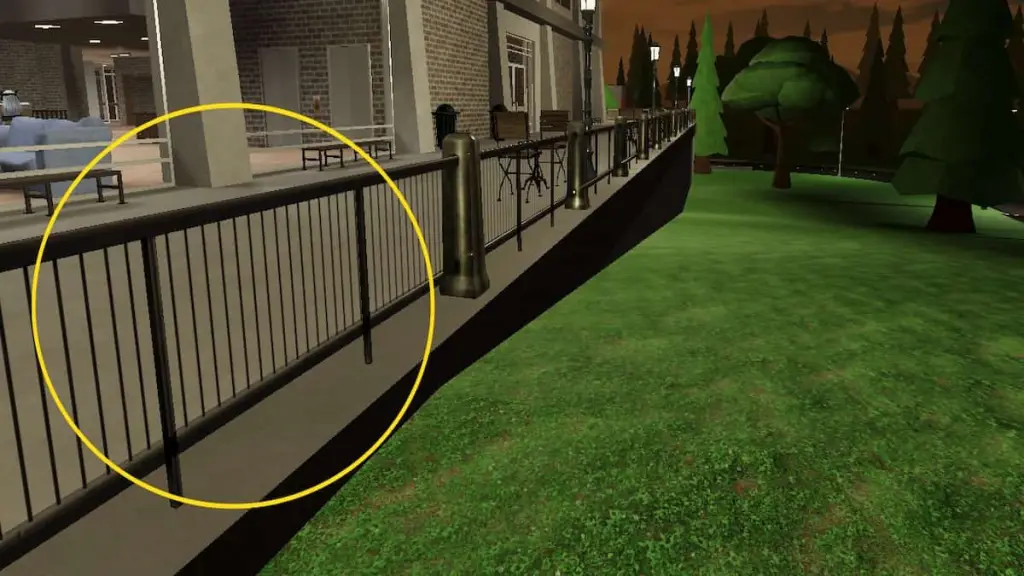
The classic super jump uses railings, ramps, fences, cars, and similar props to fling you upward when you clip them at high speed.
- Turn on Shift Lock (enable it in the Roblox settings menu first if it is not available) so your character faces the same way as your camera.
- Build up as much speed as you can, ideally with a Cola or Speed Pad active.
- Hit the object at an angle with the side of your character, using A or D to line yourself up.
- Steer toward your landing spot while you are airborne.
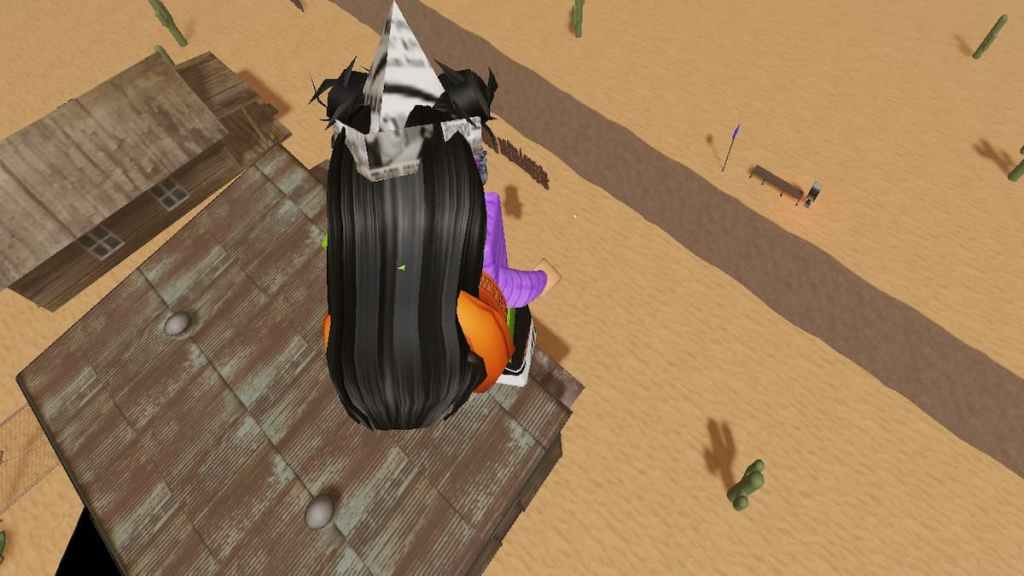
Results depend heavily on your speed and angle, so treat this as a skill to practice rather than a guaranteed escape. For a step-by-step breakdown, see our guide on how to super jump in Evade.
Use Jump Pads, Spring Shoes, and Colas
If you want height without the guesswork, gear does the work for you:
- Jump Pad (level 30): A deployable that launches anyone who steps on it into the air. Sliding across it with C sends you even higher. Place it on flat ground along your escape route.
- Spring Shoes (level 60): A perk that gives you a double jump, letting you clear gaps and reach ledges you couldn't otherwise reach.
- Cola plus Speed Pad: These two speed boosts stack, which makes object super jumps much easier to land.
How to carry and revive teammates in Evade
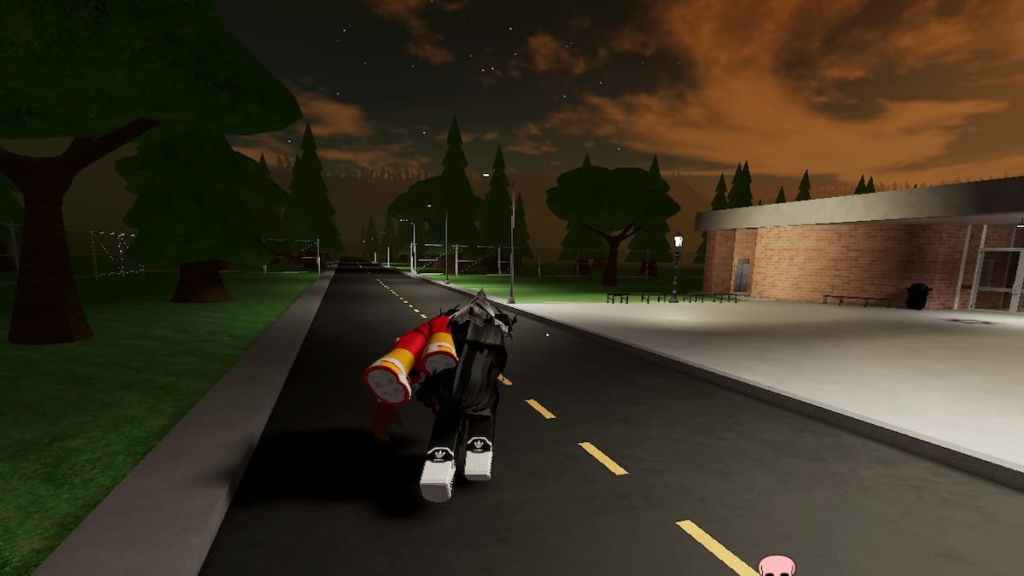
Reviving downed players earns you extra rewards and keeps more people alive to split the Nextbots' attention. The catch is that standing still next to a body is the fastest way to get downed yourself. Carry them out of danger first:
- Run up to the downed player and press Q to pick them up.
- Carry them somewhere the Nextbots can't reach you.
- Press Q again to set them down.
- Hold E on them until the revive finishes.
Keep in mind that you can't drink a Cola while carrying someone, so pop it before you pick them up if you need the speed. As you level up, three items make rescues much safer:
- Stethoscope (perk, level 4): Cuts your revive time in half.
- Defibrillator (usable, level 10): Instantly revives one downed player you target.
- Revive Grenade (usable, level 50): Revives every downed player in a small area after a short fuse.
How to break down doors in Evade
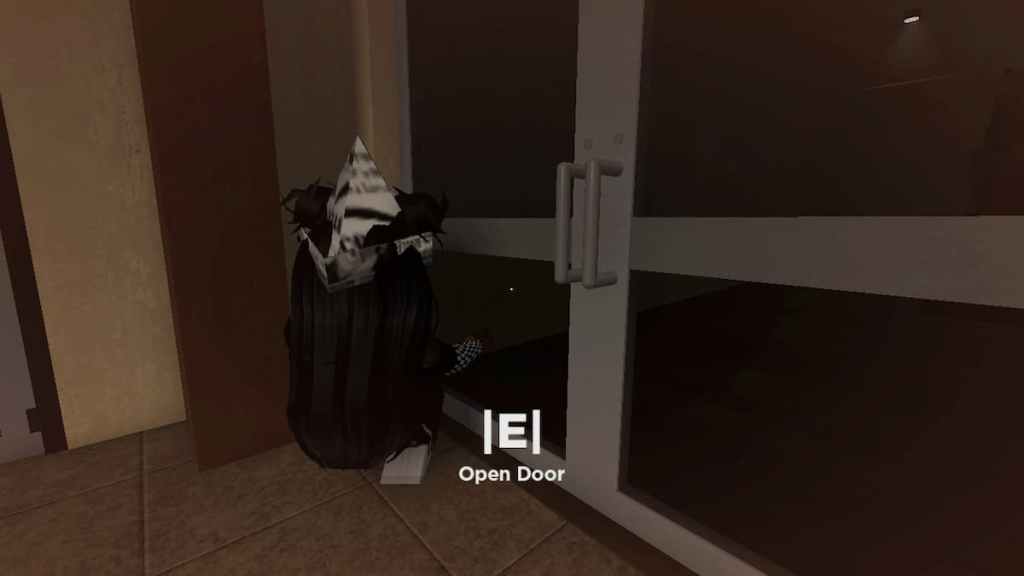
Stopping to open a door with E can be fatal when a Nextbot is right behind you. Bash through instead:
- Sprint straight at the door.
- Just before you reach it, press C or Ctrl to slide.
- Slide into the door to knock it off its hinges and keep running.
If the door doesn't break, you weren't moving fast enough. A Cola right before the slide usually fixes that.
Best Evade loadout for beginners
Since the Overhaul update, the shop splits your loadout into several separate systems. You equip a light, one utility, one power, up to four usables, and two perks. Every item is locked behind a level requirement, so focus on what you can actually equip right now instead of saving for late-game gear.
Best usables and deployables
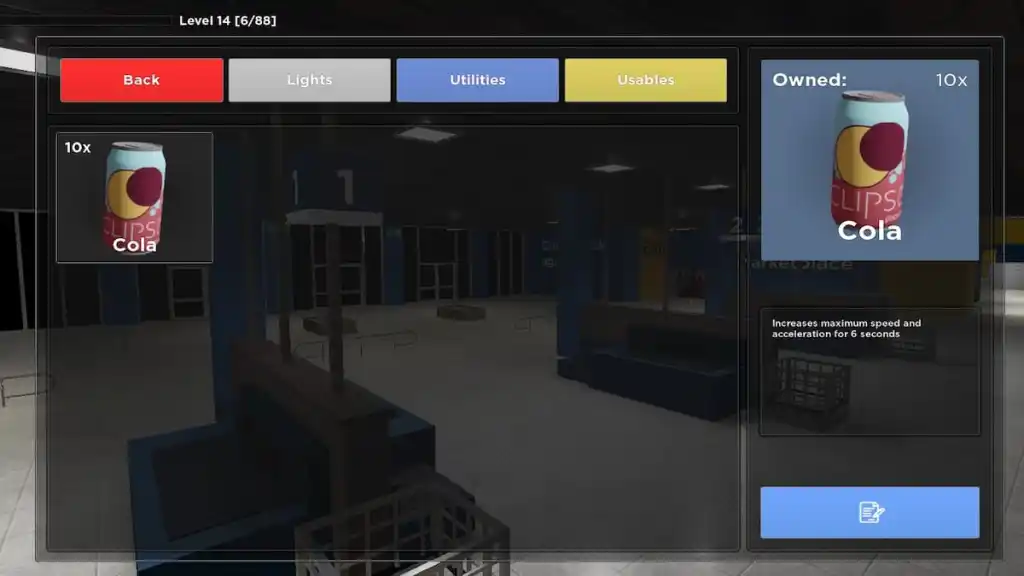
Usables are either consumables you use once or deployables you place on the map. By default, you can only have three deployables active at a time, so choose them carefully.
| Usable | Unlock level | Why it helps |
|---|---|---|
| Cola | 0 | A cheap speed burst of about 50% for six seconds. Your go-to chase breaker. |
| Floodlight | 0 | Lights up a large area on dark maps and darkness special rounds. |
| Barrier | 5 | Blocks Nextbots while letting players walk through. Great for sealing a doorway during a revive. |
| Beacon | 5 | Lets your team see each other through walls, making it easier to find downed players. |
| Landmine | 10 | Stuns any Nextbot that steps on it. Place it in narrow paths. |
| Speed Pad | 15 | Gives a short speed boost to anyone who runs over it. Stacks with Cola. |
Best perks for beginners
Perks are passive bonuses you buy under Character in the shop. You can run two at once. These are the strongest early picks:
- Stethoscope (level 4): The cheapest perk and a great choice if you like reviving.
- Headphones (level 5): Lets you hear Nextbots from farther away, even around corners, so you can react before they appear.
- Medkit (level 10): While downed, you crawl 20% faster and stay down 30 seconds longer, giving teammates more time to reach you.
- Stilts (level 20): Raises your top speed by 8%. Once you also unlock Hermes Shoes at level 30, which boosts acceleration, the two make a strong solo escape combo.
The Badge and Briefcase perks add 10% XP and 10% Tokens at the end of a round. They are worth it later, but only once you can survive rounds without leaning on two survival perks.
Best utility for beginners
Your utility slot is for information. The Compass points toward objectives, and the Timer shows how long is left in the round, which helps you decide when to play it safe. At level 5, the Radar is a big upgrade because it pings faster as a Nextbot gets closer. That makes it excellent on dark or maze-style maps where you can't see what is chasing you.
How to earn Tokens and XP fast in Evade
Tokens are the main currency for gear, while XP raises your level and unlocks new items. Points are a separate currency for daily shop cosmetics. The fastest ways to grow all three are:
- Survive the full round: Your XP depends on how long you stay alive, and making it to the end without getting downed also earns you a Win.
- Revive teammates: Every successful revive adds to your end-of-round payout.
- Complete Daily Missions: These pay out Tokens and Points on top of your normal round rewards.
- Play Default over Casual: Casual cuts your rewards to 0.8x, so stick to Default once you are comfortable.
- Redeem codes: Hexagon Development Community releases codes during updates and events. Check our Evade codes list for the latest freebies.
For more ways to level up quickly, read our guide on how to get cash and XP fast in Evade.
Evade Halloween 2026 event tips
The Halloween 2026 update went live on October 17 and runs until November 21. It also replaced the entire in-game interface, so the shop and menus look different from older screenshots. Here is what beginners should know:
- Wisps: The event currency spawns around the map in small, medium, and large pickups worth 1, 4, and 10 Wisps. Run through them to collect them, then spend them on the eight-tier event battle pass.
- Spellbooks: Free map pickups that give you roughly 10 seconds of extra speed, higher jumps, or invulnerability against Nextbots. Save them for tough chases.
- Quests and Vouchers: The new quest system rewards exotic cosmetics plus Vouchers, which you can spend on free revives.
- Free Wisps: Redeem the code HALLOWEEN2026 for 40 Wisps to get a head start on the battle pass.
Wisps only work on the event battle pass, so spend them all before the event ends.
More Evade tips for beginners
- Stick near other players. A crowd splits the Nextbots' attention, so someone is always close enough to revive you.
- Use your whistle with care. Pressing T can pull Nextbots away from a teammate, but it also gives away your position.
- Listen more than you look. Nextbots make sounds as they get close, and your screen distorts when one is nearby. React to the audio before you see them.
- Learn each map. Knowing where the rooftops, loops, and chokepoints are matters more than any item you can buy.
- Study the dangerous Nextbots. Some, like Angry Munci, are much faster than the rest. Our guide on how to beat Angry Munci in Evade explains how to survive it.
Evade FAQ
Yes. Start in Casual mode, which gives you infinite lives and longer rounds while you learn movement and Nextbot behavior. Move to Default once you can survive most of a round.
Keep your momentum by avoiding walls and sharp turns, then strafe and bunny hop to build more speed. Colas and Speed Pads give a temporary boost, and they stack.
Walk up to a downed player and press Q to pick them up. Press Q again to put them down somewhere safe, then hold E to revive them.
You can equip two perks at a time. Buy them with Tokens under Character in the shop, but note that each perk also has a level requirement.
You need to reach level 50 to join Pro Servers. They feature only Hard and Expert maps and offer a 1.1x reward bonus.
Looking for more Evade content? Check out our Evade codes and our guide about all controls in Evade!


