


To complete the Rain Man Challenge in BitLife, players will need to achieve the only main objective
Recommended Videos
- Get a Memory Score of 25+ on the memory test
Start by creating any character from any country of your choice, and then follow the steps explained in the chart below.
Related: What does Willpower mean in BitLife?
| Objective | How to Complete it |
| Get a Memory Score of 25+ on the memory test | To complete the objective, you will need to start the Memory Test mini-game under the Mind & Body tab. Activities > Mind & Body > Memory Tab. The mini-game is about remembering the color pattern and repeating the inputs. Since you have to secure a score of 25+, you will need to play more than 10+ rounds. It might be hard in the beginning to understand the pattern, but it will get easier as you grind and play. Finish the mini-game successfully to complete the Rain Man challenge in BitLife. |
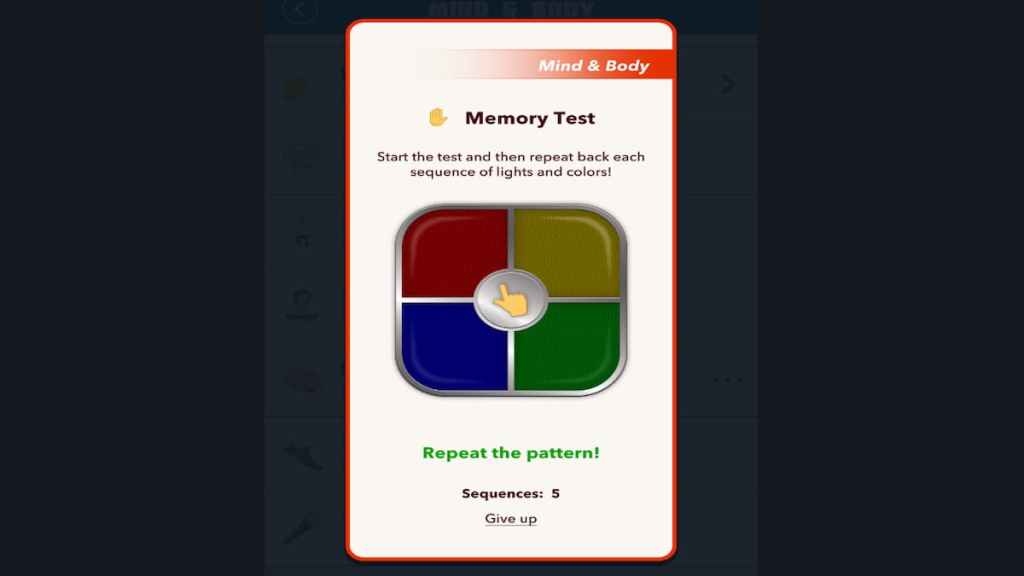
Remember, selecting a character with high smarts will not make the challenge easier as it revolves around your ability to complete the mini-game successfully.
For more on BitLife, check out BitLife: How to Become President or Prime Minister or How to get rid of genital herpes in BitLife? on Pro Game Guides.


