Destiny 2’s Season of the Chosen introduced players to some of the greatest matchmade content ever added into the game. The seasonal activity known as Battlegrounds took many players by storm as they thought it offered the perfect PvE gameplay loop. Luckily, Bungie recognized the potential and added Battlegrounds as a permanent activity with The […]
The launch of The Witch Queen brought mountains of content for players to dive into. However, The Witch Queen brought with it not only the biggest expansion to date but also a new season of content with Season 16. So you don’t miss out on any exclusive rewards, here is how to buy the Season […]
To get Deepsighted Resonance weapons in Destiny 2, you will need to progress in the Witch Queen Campain and complete activities. That said, beyond the initial Glaive we received, we managed to get one Deepsight Weapon by completing The Investigation. You can start the Investigation quest by finding the banner shown below. The quest will also […]
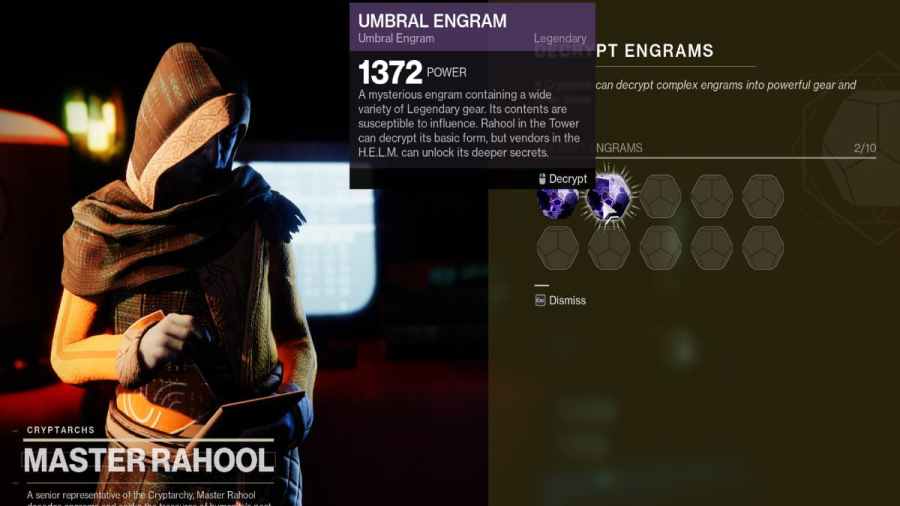
To open Umbral Engrams in Destiny 2, you will need to find Master Rahool at the Tower. In short, you will no longer need to head to the H.E.L.M to open both Prismatic lenses or Umbral Engrams. Instead, you will need to speak to Master Rahool, and he will offer an option to open them […]
If you are wondering how to fix the servers are at capacity error in Destiny 2, there is not much you can do. In short, when users get the servers are at capacity error, the servers are either down or full. If either is the case, all you can do is wait for the server population to go down or […]