


Age of Empires IV has several useful features in its core gameplay that makes for a better user experience. One such essential feature is the Rally point. The rally point serves as a default spawn location for all the troops and villagers trained in their respective buildings. To set a rallying point for an establishment, You have to click on the particular building and select the rally point button while simultaneously placing it in a suitable location of your choice.
To do this, follow the steps given below.
- Select any military/town center building for which you want to assign a rallying point. You can fix a rallying position for barracks, stable, archery, and much more.
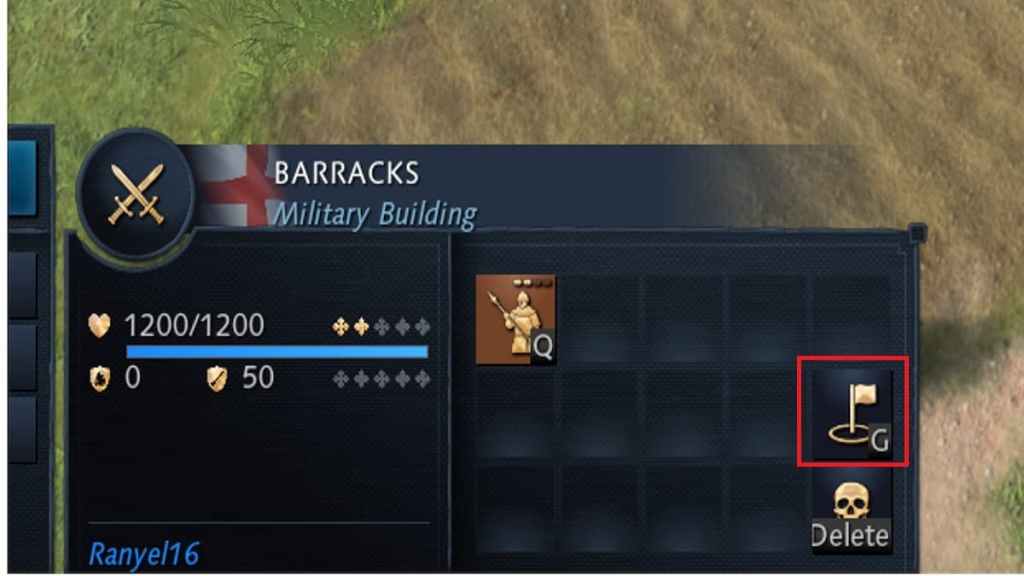
- After selecting, navigate and locating the Rally point button. Use the below image for reference purposes.
Related: All Age of Empires IV System Requirements and Minimum Specs
- Place the Rally point flag in any position of your choice by clicking Left Mouse Button(LMB).
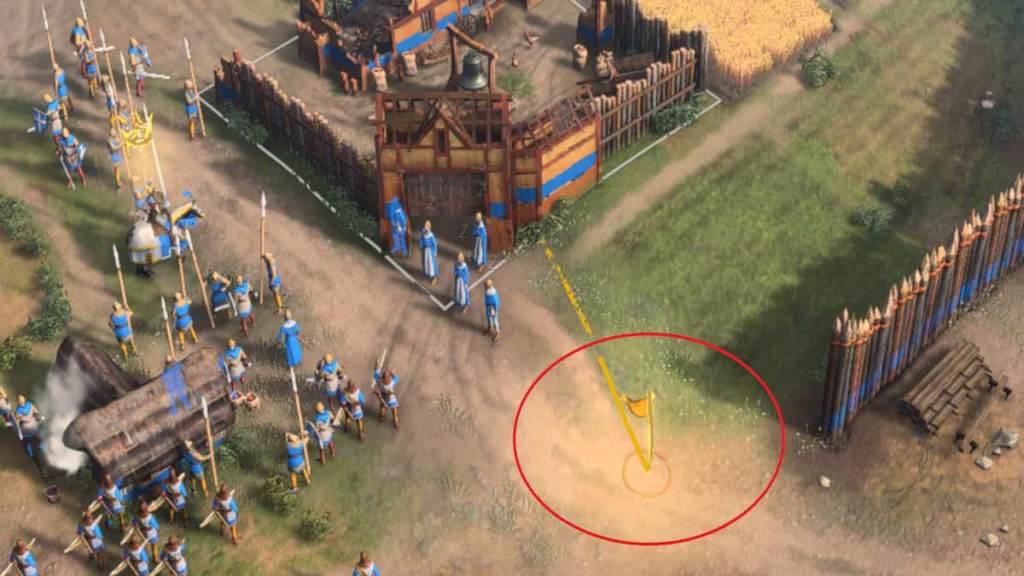
- Now, All your troops or villagers will march towards the flag after training from their respective buildings.
Remember, each establishment has its rally point and must be set up individually. Make sure to set up a rallying point for all establishments. Otherwise, your troops or villagers would be spawned in a random and disoriented manner outside their base.
For more awesome guides, check out the Age of Empires IV Section on Pro Game Guides.


