




Cairn's realistic climbing physics will send you tumbling down Mount Kami if you treat it like Assassin's Creed. After 15 hours of climbing (and falling), here's everything I learned about stamina management, piton placement, and route planning that the tutorial doesn't teach you.
How to Complete the Cairn Training Facility
While the climbing gym tutorial in Cairn covers the basics, don't skip the optional walls. The training facility has eight walls in total. You'll notice that walls 1-3 are mandatory, while walls 4-8 are optional advanced training. Complete all eight to unlock a reward box containing an extra piton. Before leaving the gym, loot everything:
- Coins near Wall 2 (use at vending machine)
- Empty water bottle (crucial for the trail)
- 2-3 pitons, depending on advanced training completion
Spend your coins at the vending machine. Different items provide various buffs—check community resources for the full item list.
Best Settings for Cairn Climbing
Go to Settings and enable Hold Feedback. This displays a square indicator when Aava's hands or feet make contact with a solid grip. Without this setting, you're guessing which placements work. You don't need all four limbs perfectly placed to climb safely.
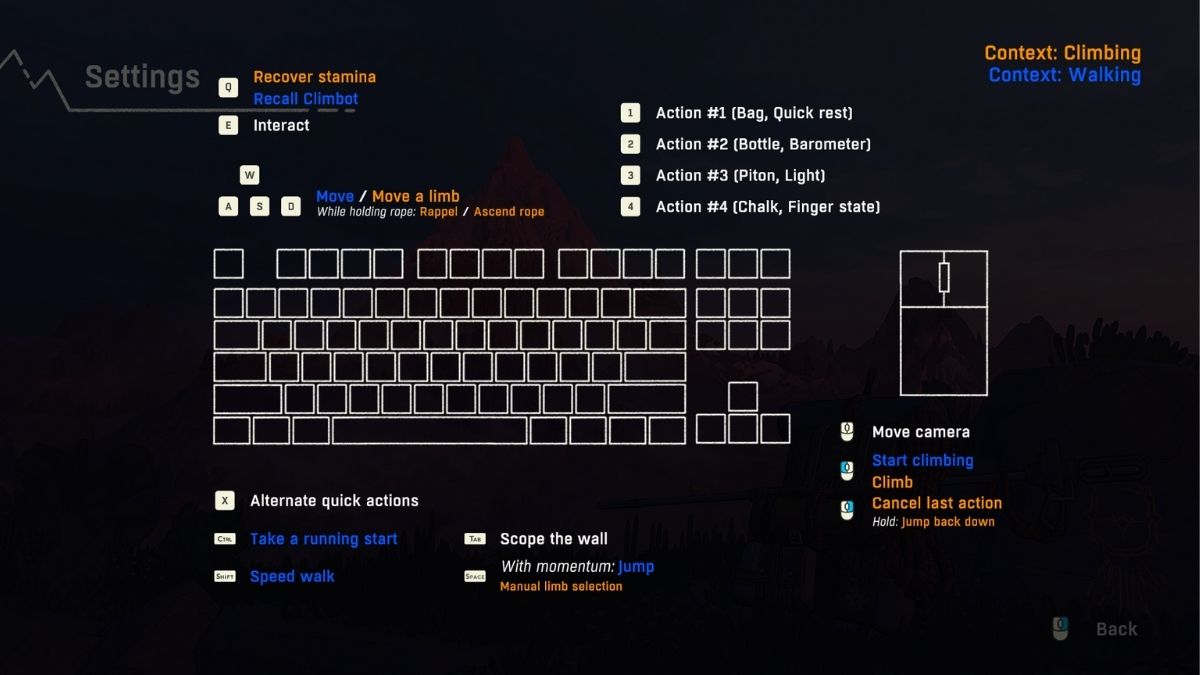
Keep at least 2-3 limbs on solid holds at all times. If you place a limb poorly, hit Circle (PlayStation) or the cancel button to retry before committing. More handholds exist than you think. When holds feedback is on, test different points along horizontal and vertical cracks until you see the square indicator.
How to Plan Your Route in Cairn
Press L1 to review the route before starting any climb. This zoomed-out view shows the entire wall and helps you spot ledges, cracks, and potential paths. Press Triangle while in this view to move the camera freely.
Use L1 during climbs when you're unsure which direction to go. After completing a climb, check the route review again—yellow and green areas show smooth sections, red shows where you struggled. Green circles mark where you placed pitons.
Choose routes with ledges halfway up when possible. Stop at these ledges and ask Climbot to retrieve your pitons, then reuse them for the second half of the climb.
Where to Find Water in Cairn
To find water in Cairn, look for streams and ponds, but also check rock cracks. Many cracks let you fill water bottles directly. At bivouacs, you can fill bottles without leaving the tent. Select an empty or partially empty bottle and watch for the refill prompt above the item box.
This only works with pure water bottles—teas and infusions can't be refilled this way. Put your best drinks in Aava's canteen instead of regular bottles. The canteen gives D-pad quick access during climbs, so you won't need to set a piton and go off-belay just to drink.
Cairn Recipe Guide – How to Combine Ingredients
Combining ingredients creates better items than using them separately. Raspberry juice, for example, restores both hydration and energy instead of just hydration. You can add a third ingredient to existing combinations.
Mix water and honey for sweet water, then add juniper for an even better result. Sweet items like honey add a "burst" buff (shown by a running person icon). Test different combinations to find recipes that match your climbing style.
How to Manage Your Backpack in Cairn
When your backpack fills up, shake it to create space. If that doesn't work, either consume something or compost items you don't need. Composting trash and unwanted items creates chalk. Chalk provides extra grip during climbs, makes Aava's limbs tire slower, and works on more surface types.
This is incredibly useful for difficult sections. Keep failed piton scraps. Two scraps combine into one new piton at your next bivouac. Don't throw them away.
What Bivouacs Do in Cairn
Bivouacs aren't just save points; they're your survival hubs. Stop at every bivouac to rest, cook, repair equipment, and refill resources. Skipping bivouacs because you feel confident usually ends badly.
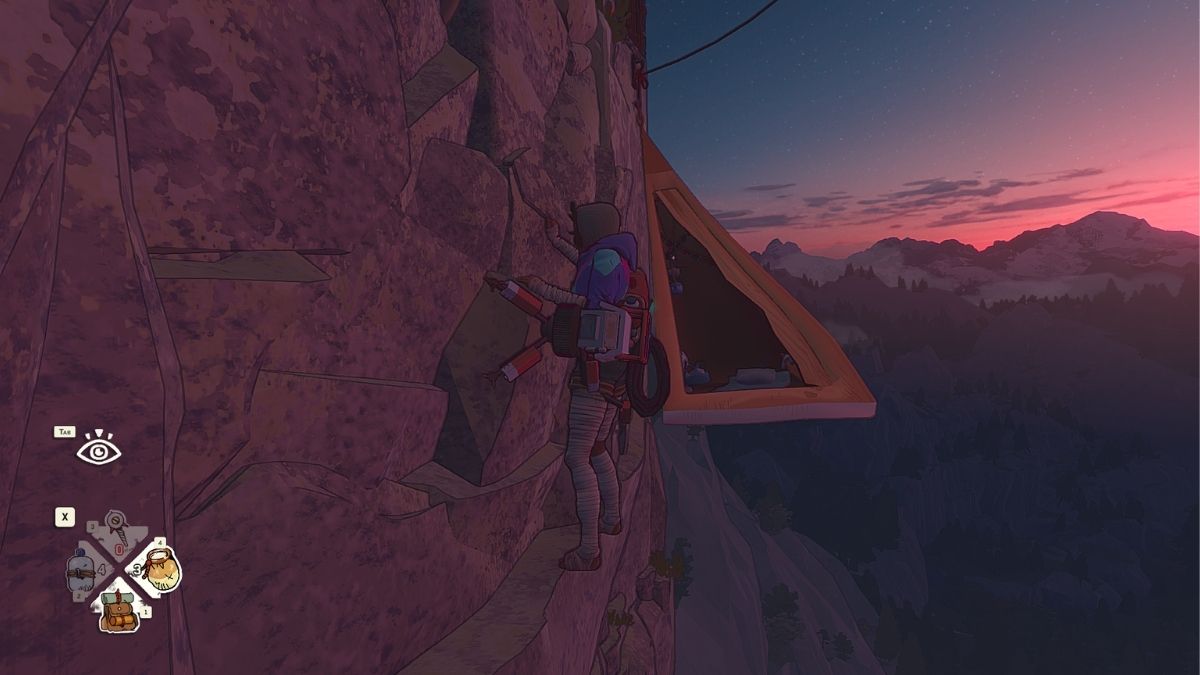
At bivouacs, you can:
- Cook recipes using collected ingredients
- Repair broken equipment
- Craft new pitons from scraps
- Fill water bottles from the tent
- Check the barometer for weather and time
The barometer runs 15 seconds ahead of actual weather changes. If the needle moves from rain to sun, expect 15 more seconds of rain before conditions improve.
How to Read Aava's Stamina in Cairn
Cairn has no traditional stamina UI. Watch Aava's body language instead:
- Heavy breathing = low energy
- Shaking limbs = poor placement or exhaustion
- Quivering fingers = about to fall
Monitor energy and hydration levels. Once you learn recipes, put drinks in the canteen that restore both stats. During climbs, you need to set a piton and go off-belay to access the full backpack, so quick items are essential.
Related: Best Simulation Games on PC
Cairn Climbing Tips and Tricks
- Climb slowly. Rushing commits you to bad holds before you notice the mistake. Take your time reading the rock face.
- Explore everything. Exploration isn't optional in Cairn. Side paths contain maps, gear upgrades, food, and water sources. Maps show color-coded difficulty routes, making climbs significantly easier.
- Use chalk on difficult holds. Small or spread-out holds become manageable with chalk. Climbot creates more chalk from composted trash, so use it liberally.
- Switch to manual limb selection when needed. Hold R1 and use the right analog stick to choose which limb moves next. This prevents the automatic system from selecting the wrong limb during tricky sections.
- Turn on the flashlight in dark areas. The flashlight is in your L2 quick items. Use it at night or in shadowed corners to spot holds.
Best Gear Upgrades in Cairn
Gear updates in Carin are not cosmetics, as they change how you approach climbs. Look for these items to increase your chances:
- Indestructible pitons – Never break, essential for long climbs
- Glowing gloves – Help visibility in dark areas and bad weather
- Maps – Show marked routes with difficulty ratings
Most Common Beginner's Mistakes in Cairn
- Taking shortcuts. Shortcuts burn through resources faster than slower, safer routes with better handholds and natural rest spots.
- Ignoring surface cracks. More cracks = easier climbing. Smooth surfaces are harder to grip.
- Not using pitons strategically. Place pitons at regular intervals, especially before difficult sections. Falling without a recent piton wastes progress.
- Skipping bivouacs. Every bivouac you pass means less rest, fewer resources, and a higher risk of failure on the next climb.
Related: Best Golf Games
Cairn Expedition Mode and Difficulty Settings Explained
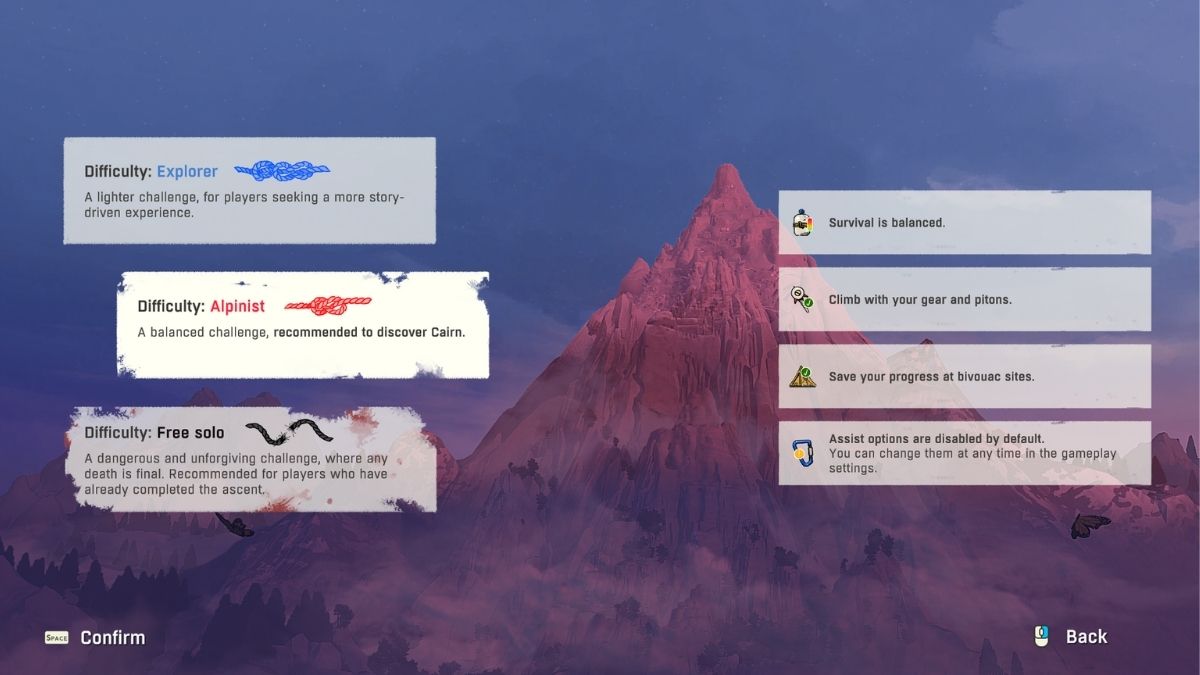
After completing the story, Expedition mode unlocks. Choose between Aava or Marco, select alpine or free solo climbing styles, and share results with other players. Difficulty settings let you customize the experience. New players should start on easier settings to learn mechanics before attempting harder climbs.
Cairn FAQ
Yes. Cairn is challenging but fair. The game doesn't hold your hand, and poor planning leads to falls. Difficulty settings let you adjust the experience, but even on easier modes, you need to manage resources and plan routes carefully.
You respawn at your last placed piton. This means you lose progress back to that checkpoint but don't lose items or resources. Place pitons regularly to minimize lost progress.
Yes. Cairn has adjustable difficulty settings that let you customize your experience. Check the settings menu to modify climbing difficulty.
Cairn autosaves at bivouacs and when you place pitons. The game saves your progress automatically, so you don't need to manually save.
You start with a limited number of pitons (about 2-3) from the training facility. Find more through exploration, craft them from scraps at bivouacs, or discover indestructible pitons that never break.
Yes, but it's extremely risky. Without pitons, falling sends you back to the bottom of the climb. Pitons are your checkpoints—use them.
Story Mode follows Aava's journey to summit Mount Kami with narrative elements. Expedition Mode unlocks after completing the story and lets you choose your character (Aava or Marco), climbing style (alpine or free solo), and share results with other players.
No. Cairn doesn't have fast travel. Every climb must be completed manually, which is part of the game's challenge and realism.
No. Cairn is a single-player experience. Expedition Mode lets you share results with other players, but there's no co-op climbing.
Story completion takes approximately 10-15 hours, depending on your playstyle and difficulty setting. Exploring everything and finding all gear upgrades significantly extend playtime.
Now that you know more about Cairn, take a look at our games guides page, here on PGG.
 Nebojša Prijić is a Managing Editor at Pro Game Guides with over 25 years of experience in journalism, screenwriting, and copywriting. He previously worked as Editor-in-Chief of Maxim Serbia magazine and the IGN Adria website. Nebojša is an old-school gamer who loves real-time strategies, shooters, and RPGs, but most of all, he plays Roblox and mobile games with his son. He remembers the first Diablo, PC games on a single floppy disk, and playing Mortal Kombat on the keyboard.