If you regret your choices at the first character creation menu, don't worry, you'll get another chance to choose better. Learn how to change your appearance in Skull and Bones second character creation option at Sainte-Anne.
How to customize your character in Skull and Bones
You want your looks to reflect how you feel, a pirate kingpin in the making. As you gain infamy and earn coins, you will also be able to change your appearance. Check out how to customize your character in Skull and Bones with new threads and cool tattoos.
After you are defeat, you will wake up and look at yourself in a puddle of water. The game will at this point ask you to pick your character's face and body features. I thought this was weird considering how you couldn't see the body at all and could see only some of the hair. I ended up picking randomly and hoping it wasn't something that I wouldn't like.
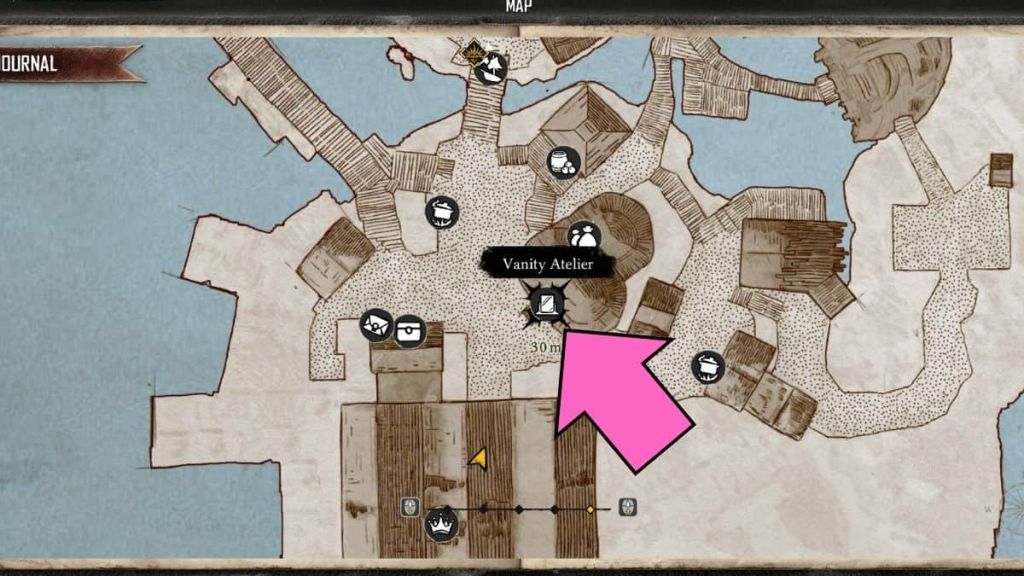
I shouldn't have worried at all, as you will be able to change your character appearance along with your outfit after you complete the tutorial. When you are at Sainte-Anne, go talk to Scurlock. After that's done you are free to explore the settlement.
Here you will find the Vanity Atelier, a store that let's you customize your body and your clothes. Go inside and choose the Change Physical Appearance option. This will take you to the same menu from before, except now you will actually be able to see what you are adding to your body.

If you have coins, you can also purchase outfits under the Purchase & Equip Items tab. There is a moderate selection of hats, shirts, pants, coats as well as additional body cosmetics like new tattoos or injuries and scars.
Keep in mind that you will need money at the beginning to build tools and a ship, so maybe don't spend all of your money on clothes right away like I did. Or do, and then ear some money by selling your items to the vendors while looking very cool.
If being on a ship makes you nauseous, then Say goodbye to seasickness with accessibility features for Skull and Bones on Pro Game Guides.