
How to hack an IO Server in Command Cavern in Fortnite

Hack the IO server!

As a part of the Week 7 Resistance quest, you will need to hack the IO server at the Command Cavern POI. To do this, you will need to jump at the Command Cavern landmark on the northwestern part of the map and access the IO server present on the ground floor.

Recommended Videos

Location of Command Cavern in Fortnite

Command Cavern is present on the northwestern part of the map. If you don't know the exact location, use the image below for reference.
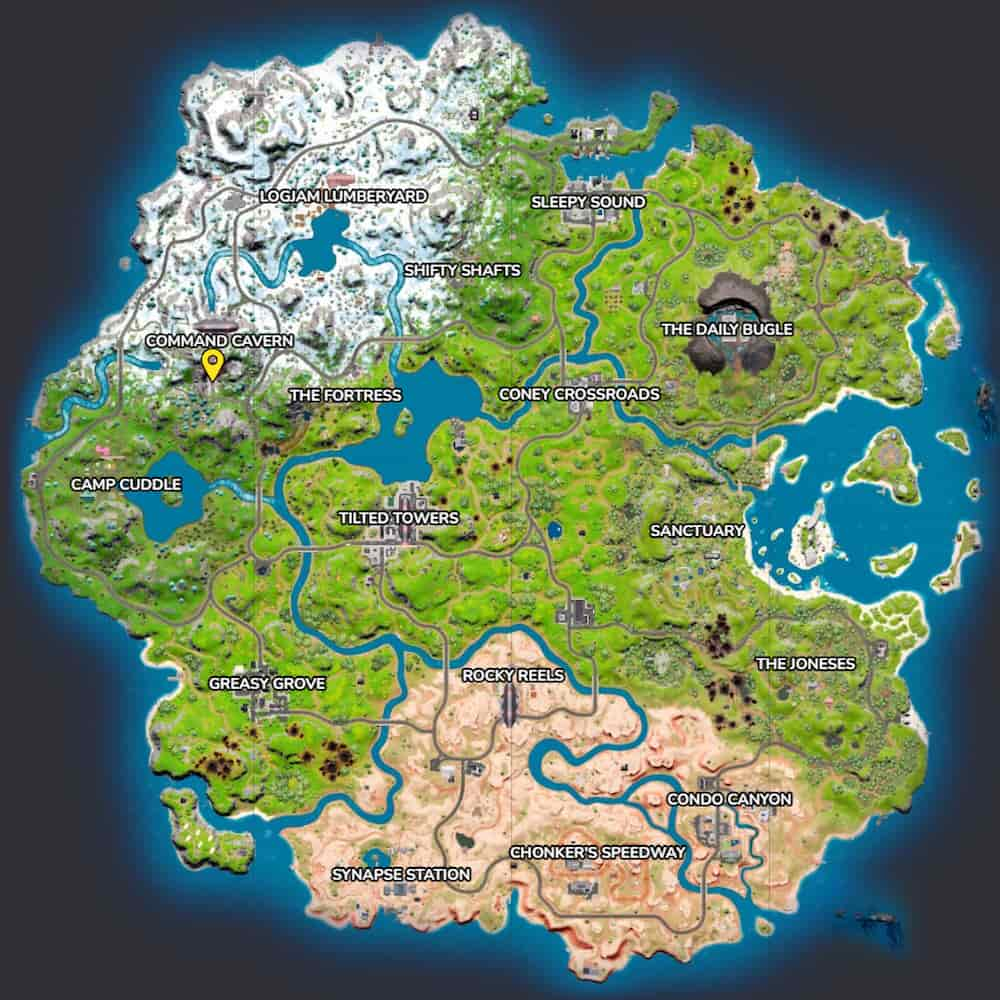
Screenshot by Pro Game Guides, thanks to Fortnite. GG

Related: Where to find an E-11 Blaster in Fortnite

How to complete the quest 'Hack an IO Server in Command Cavern' in Fortnite
Screenshot by Pro Game Guides

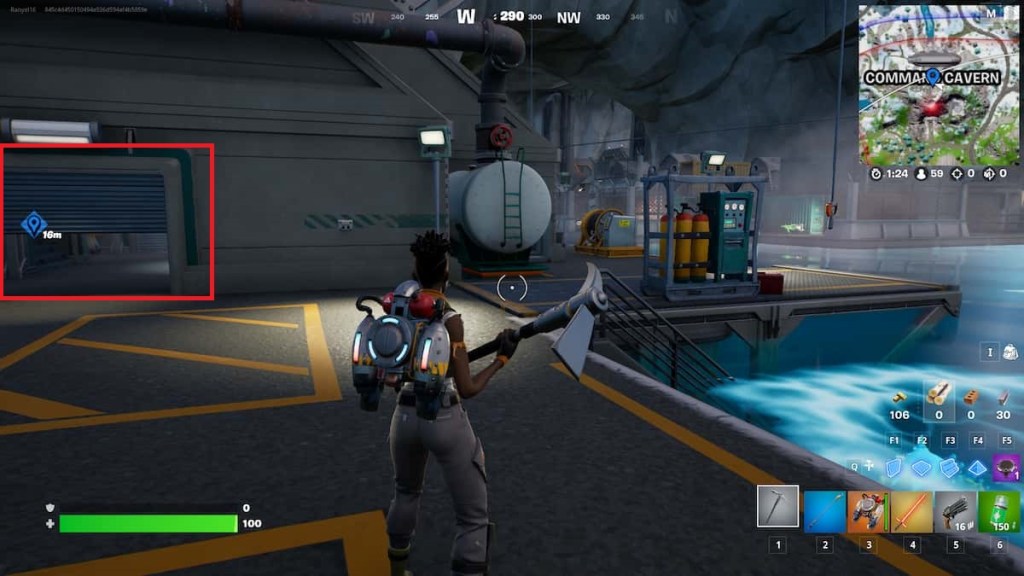
After jumping at Command Cavern, go to the central part of the building as shown in the image above. Now, crouch and move under the door marked above, and you will find the IO server on the left side, adjacent to the wall.
Screenshot by Pro Game Guides

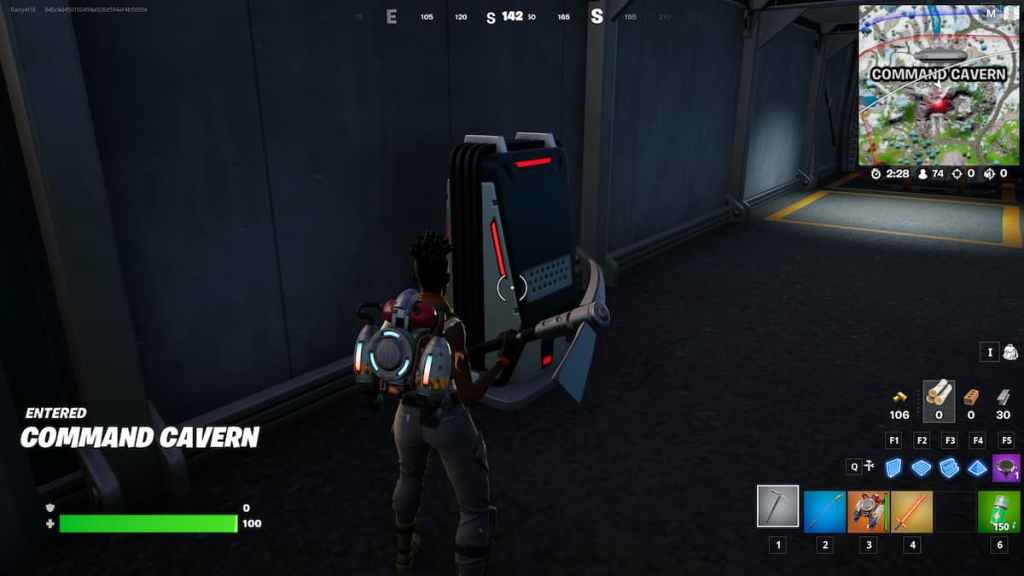
Access the IO server using your respective Interactive Bindings. By default, it is E for Mouse and Keyboard users and X for Gamepad players. It will take around eight to 10 seconds to hack the server. After completing the interaction, the quest end.

For more guides on Fortnite, check out Where to find an E-11 Blaster in Fortnite and Where to destroy a white filing cabinet and collect the files in Fortnite on Pro Game Guides.

Follow us on Twitter and Facebook to get updates on your favorite games!

About the Author

Avatar photo

Vignesh Raja

Staff Writer

Vignesh Raja is a full-time staff writer at Pro Game Guides, formerly a semi-professional Apex Legends player. He specializes in Roblox one-piece-inspired games, focusing on Sailor Piece and Blox Fruits build optimization, tier lists, and meta breakdowns from a competitive grinding perspective.

Topics covered: Roblox codes, Roblox guides, Roblox games tier lists, One Piece games

Find Vignesh Raja on: Twitter

Forgot password
Enter the email address you used when you joined and we'll send you instructions to reset your password.
If you used Apple or Google to create your account, this process will create a password for your existing account.
This site is protected by reCAPTCHA and the Google Privacy Policy and Terms of Service apply.
Reset password instructions sent. If you have an account with us, you will receive an email within a few minutes.
Something went wrong. Try again or contact support if the problem persists.